64
3
Taking Pictures
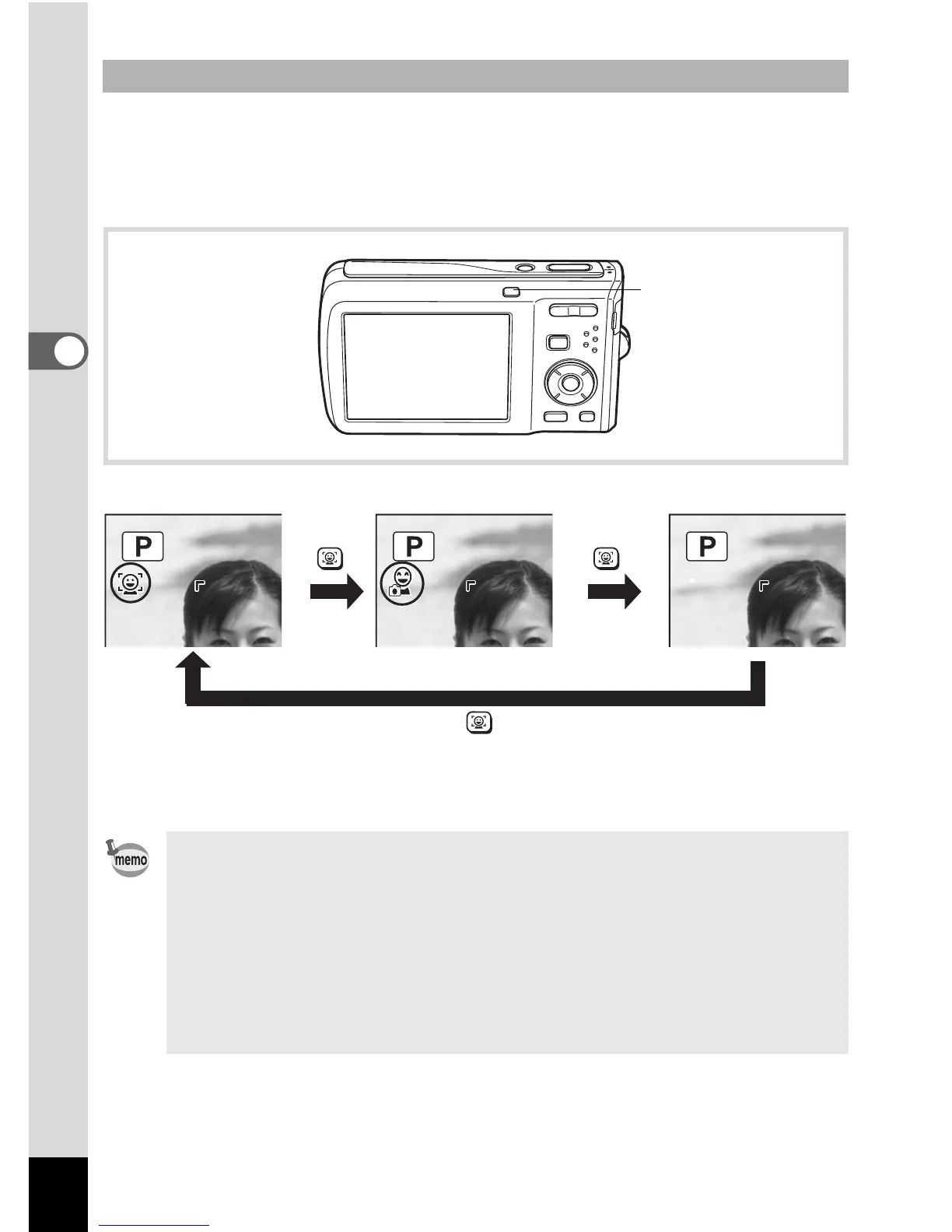
By default, the Face Recognition function is set to Face Priority On. The
Face Recognition function is switched as follows each time the I button
is pressed:
Smile Capture ´ Face Priority Off ´ Face Priority On
An icon indicating either Face Priority On or Smile Capture appears on
the display. (The icon does not appear when the Face Recognition
function is not activated.)
To Switch the Face Recognition Function
• The Face Recognition function cannot be set to off in b (Auto Picture),
B (Night Scene Portrait), O (Half-length Portrait), P (Portrait),
R (Kids) or V (Natural Skin Tone) mode. You can select either
Face Priority On or Smile Capture.
• Face Priority On is automatically selected in 9 (Green), b (Auto
Picture), B (Night Scene Portrait), O (Half-length Portrait),
C (Movie), P (Portrait), R (Kids) or V (Natural Skin Tone) mode.
When switching to another mode from one of these modes, the Face
Recognition setting returns to the previous setting.
I button



 To Next Page