20
support@ionodes.com | www.ionodes.com | 450-696-1060
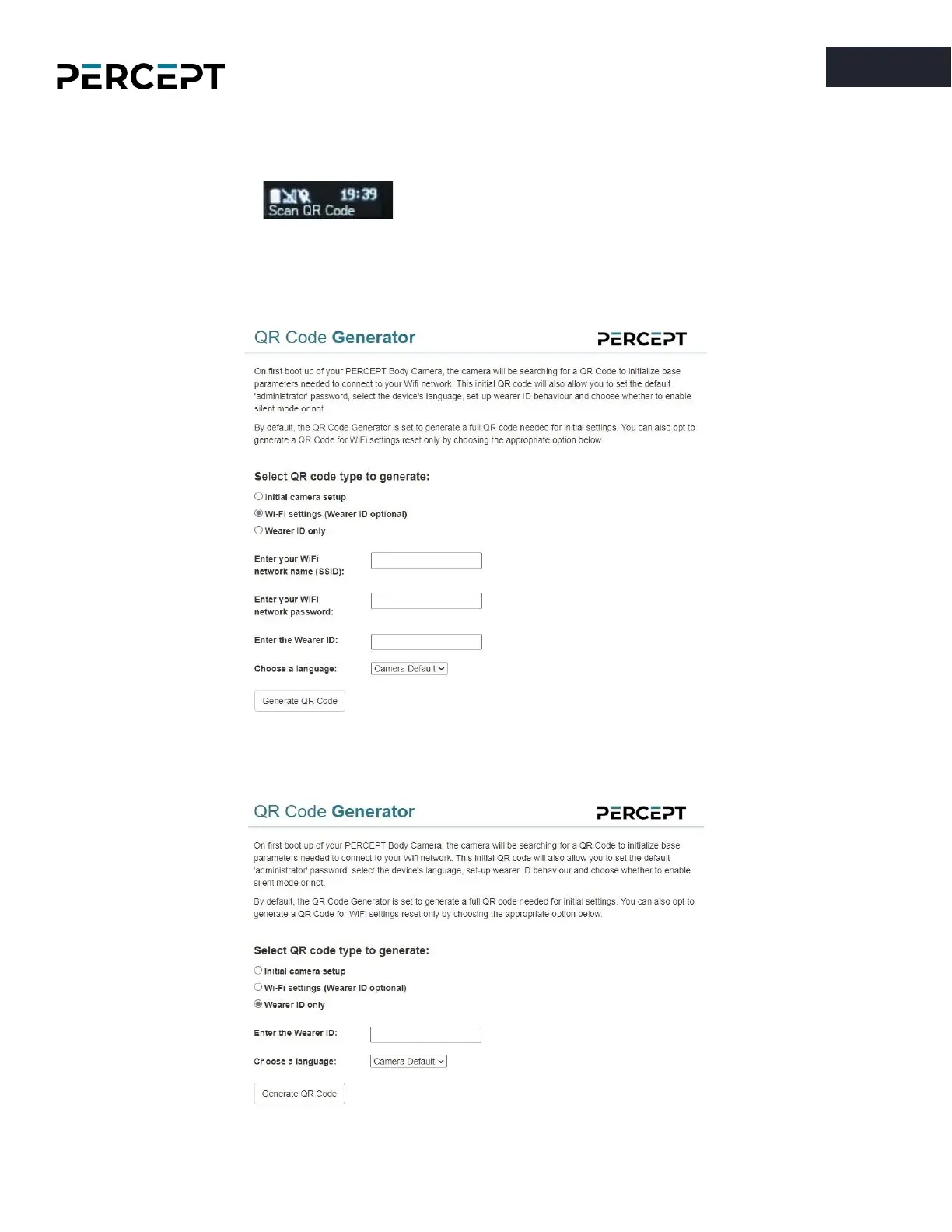
To change the existing Wi-Fi configuration or add a new access point later on, simultaneously press both
the F2 and F4 buttons on the PERCEPT body camera for more than 5 sec. The device will display the
message “
Scan QR Code
” on the OLED screen. After that the user can scan a new QR
code containing Wi-Fi access information (with the option of also specifying a Wearer ID) . This is achieved
by selecting the “
Wi-Fi settings (Wearer ID optional)
” in the QR Code Generator web page.
To create a new QR Code just for the Wearer ID, please select the option “
Wearer ID only
”.



 To Next Page