37
support@ionodes.com | www.ionodes.com | 450-696-1060
•
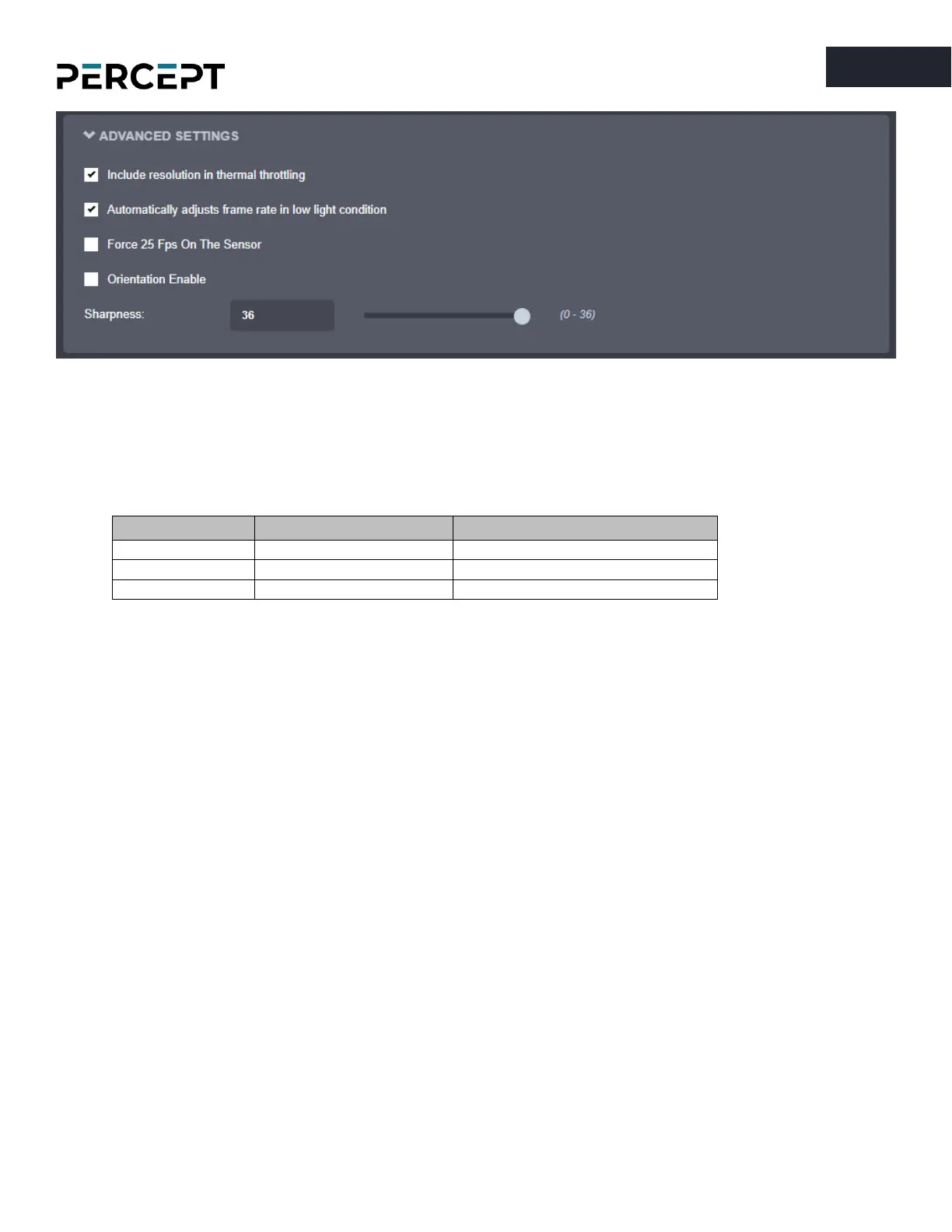
Include the resolution in thermal throttling
– CPU throttling prevents damage to the body camera
when high temperature is detected (for system, video sensor or battery). To lower the unit’s
temperature, the body camera automatically scales down the resolution/frame rate/bit rate
according to a pre-configured algorithm. There are several throttling stages. First-stage and device
shutdown thresholds are listed below.
•
Automatically adjusts frame rate in low light condition
– Enabling this feature will improve image
quality during low light conditions by maximizing the sensor’s exposure to light. To support this,
the actual frame rate may be lower and not correspond the one configured in the video profiles.
•
Force 25 Fps On The Sensor
– Locks the sensor’s frame rate to 25 FPS. This setting is useful with
some integrations where the frame rate is limited to 25 fps.
•
Orientation Enable
– If the option is ticked, the orientation information from the body camera is
embedded into the QR codes. Disabling this will remove the orientation information from the QR
codes, which could help with the dewarping in some specific cases (with some VMS).
•
Sharpness
– Adjust video sharpness using slider or numeric input box.



 To Next Page