Adjustment
12 - 24
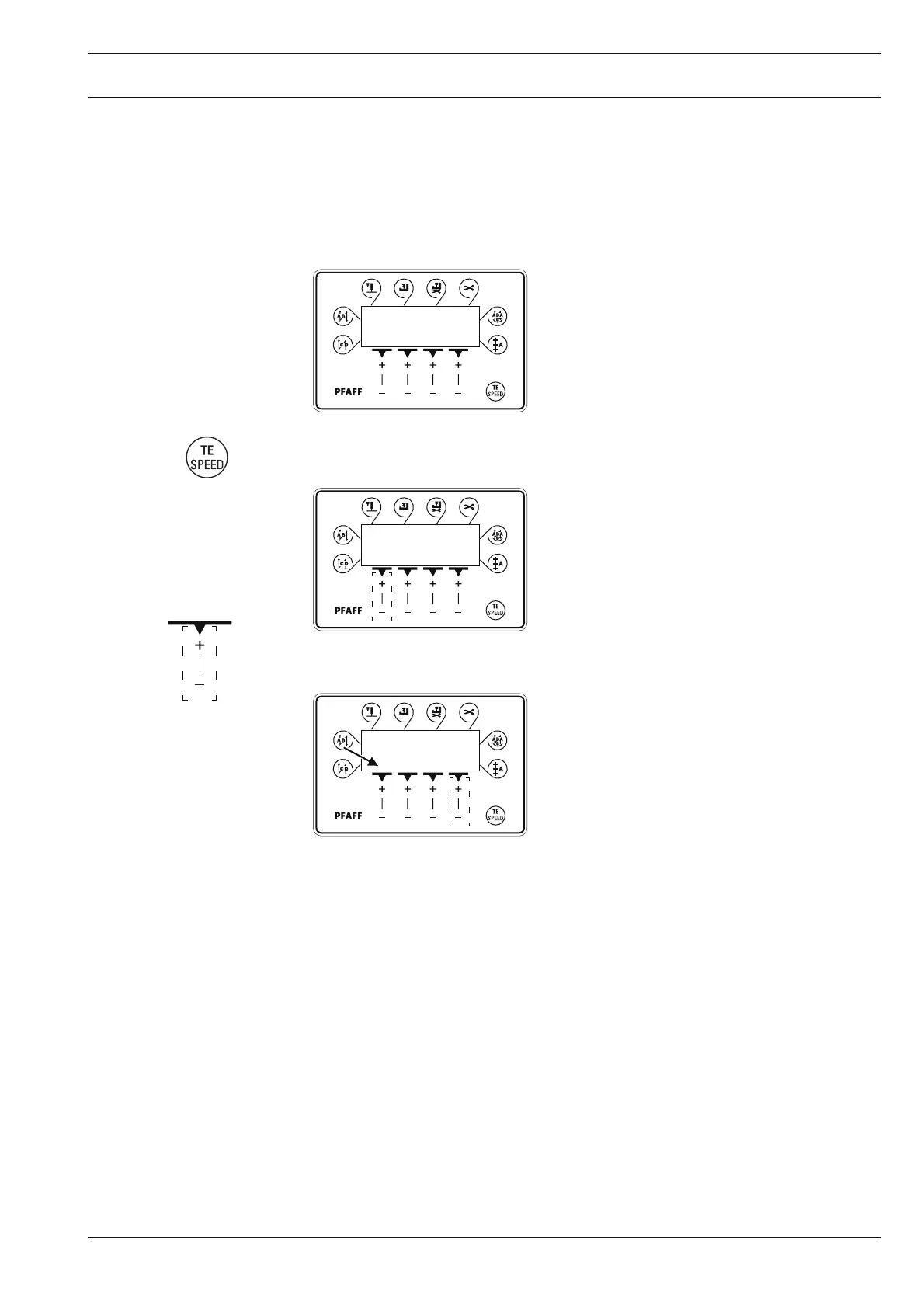
● Press the TE/Speed key twice to call up the input mode.
2 x
● By pressing the corresponding +/- key select the parameter group "798".
● By pressing the corresponding +/- key select the desired user level:
"0" = operator level A
"1" = technician level B
"11" = service level C
The selected user level is displayed on the screen. (see arrow)
TE
101 1
TE
798 0
ABCD
5555
12.08 Parameter settings (only on machines with Quick-motor)
12.08.01 Selecting the user level
● Switch on the machine.
A
A



 To Next Page