4x
REQUIRES:
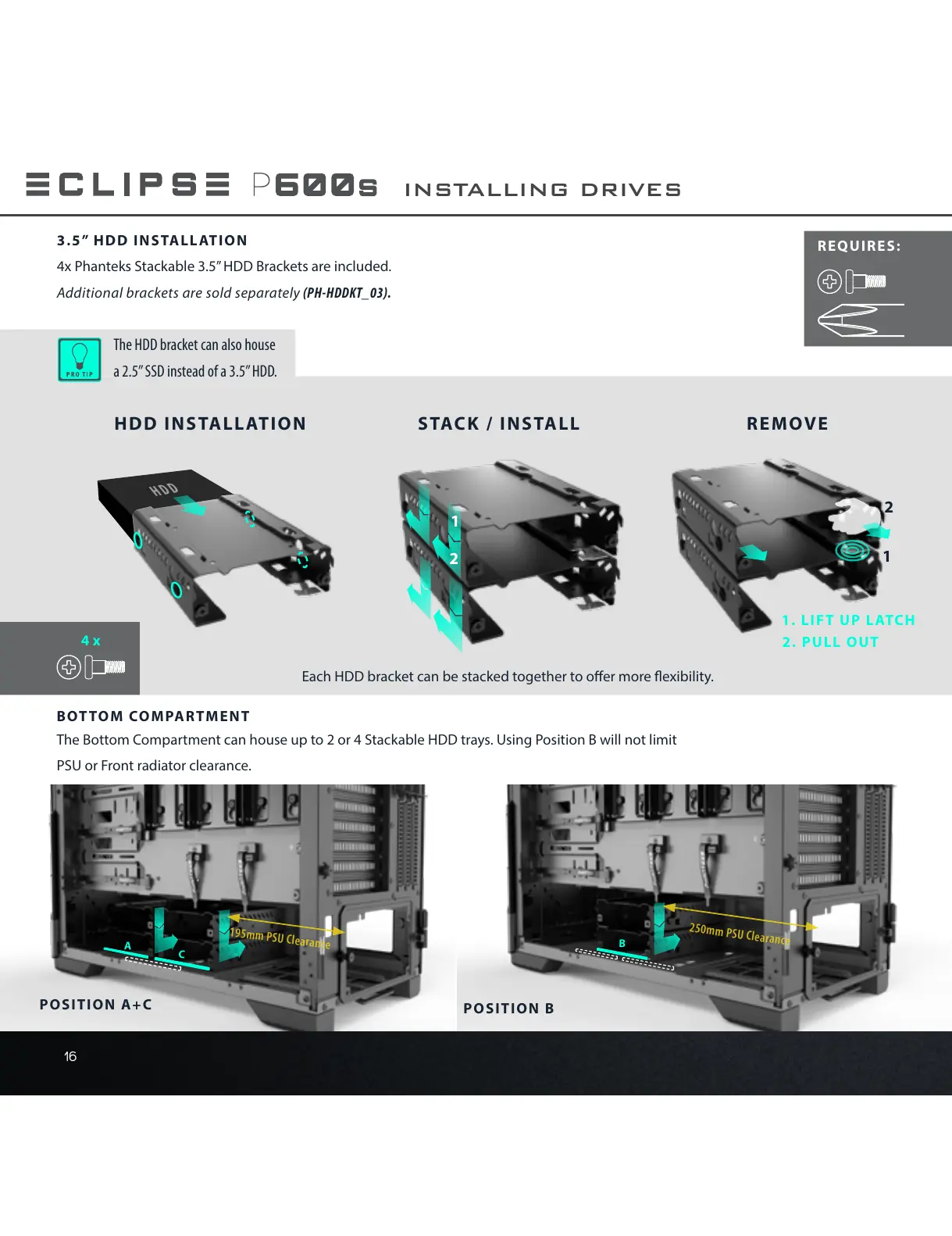
3.5” HDD INSTALLATION
4x Phanteks Stackable 3.5” HDD Brackets are included.
Additional brackets are sold separately (PH-HDDKT_03).
The HDD bracket can also house
a 2.5” SSD instead of a 3.5” HDD.
Each HDD bracket can be stacked together to oer more exibility.
HDD INSTALLATION STACK / INSTALL REMOVE
1. LIFT UP LATCH
2. PULL OUT
2
2
1
1
A
C
B
POSITION A+C
POSITION B
INSTALLING DRIVES
BOTTOM COMPARTMENT
The Bottom Compartment can house up to 2 or 4 Stackable HDD trays. Using Position B will not limit
PSU or Front radiator clearance.










 To Next Page