29
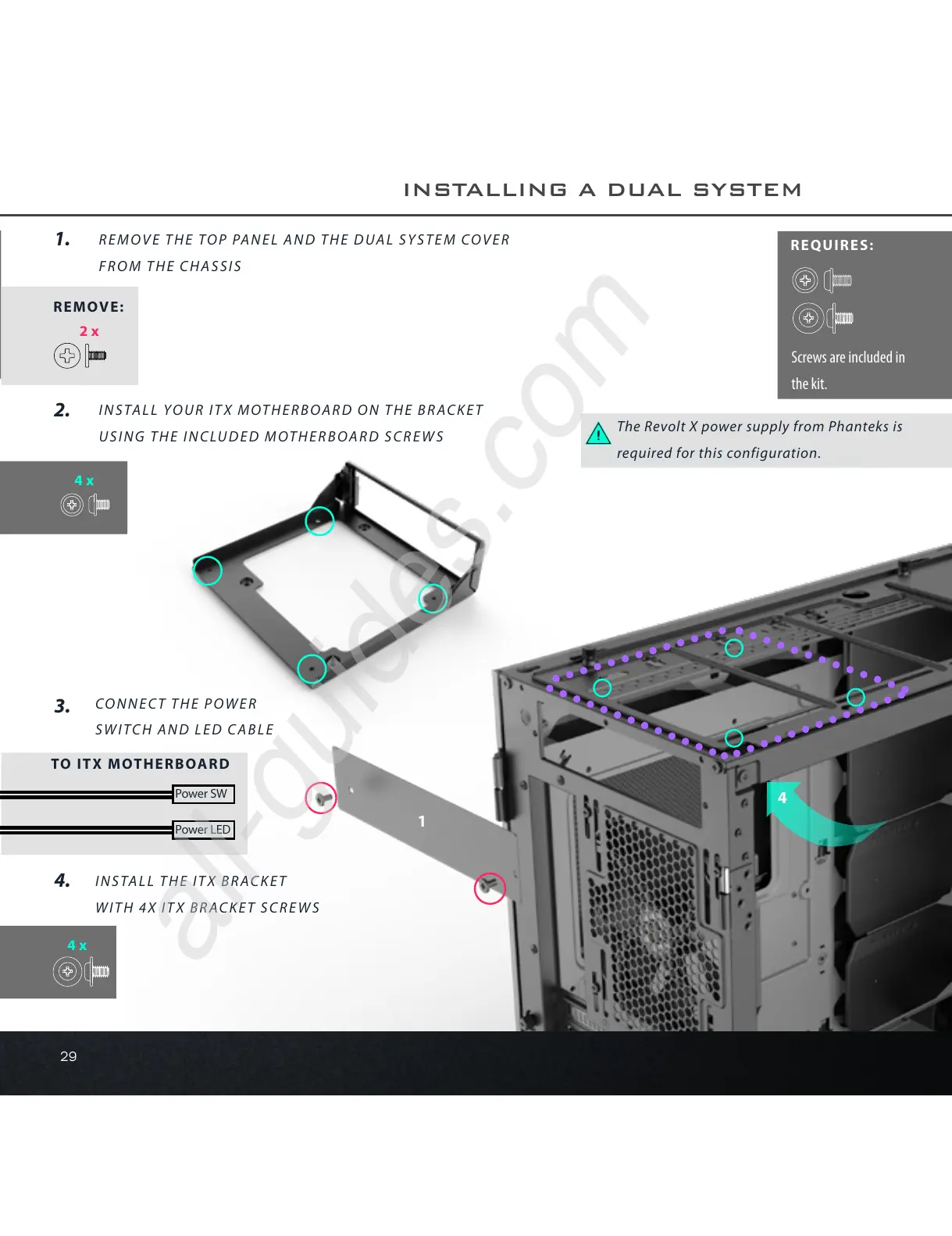
The Revolt X power supply from Phanteks is
required for this configuration.
REQUIRES:
1
4
INSTALL YOUR ITX MOTHERBOARD ON THE BRACKET
USING THE INCLUDED MOTHERBOARD SCREWS
2.
4x
4x
Power SW
TO ITX MOTHERBOARD
Power LED
Screws are included in
the kit.
1.
REMOVE THE TOP PANEL AND THE DUAL SYSTEM COVER
FROM THE CHASSIS
3.
CONNECT THE POWER
SWITCH AND LED CABLE
4.
INSTALL THE ITX BRACKET
WITH 4X ITX BRACKET SCREWS
INSTALLING A DUAL SYSTEM
2x
REMOVE:










 To Next Page