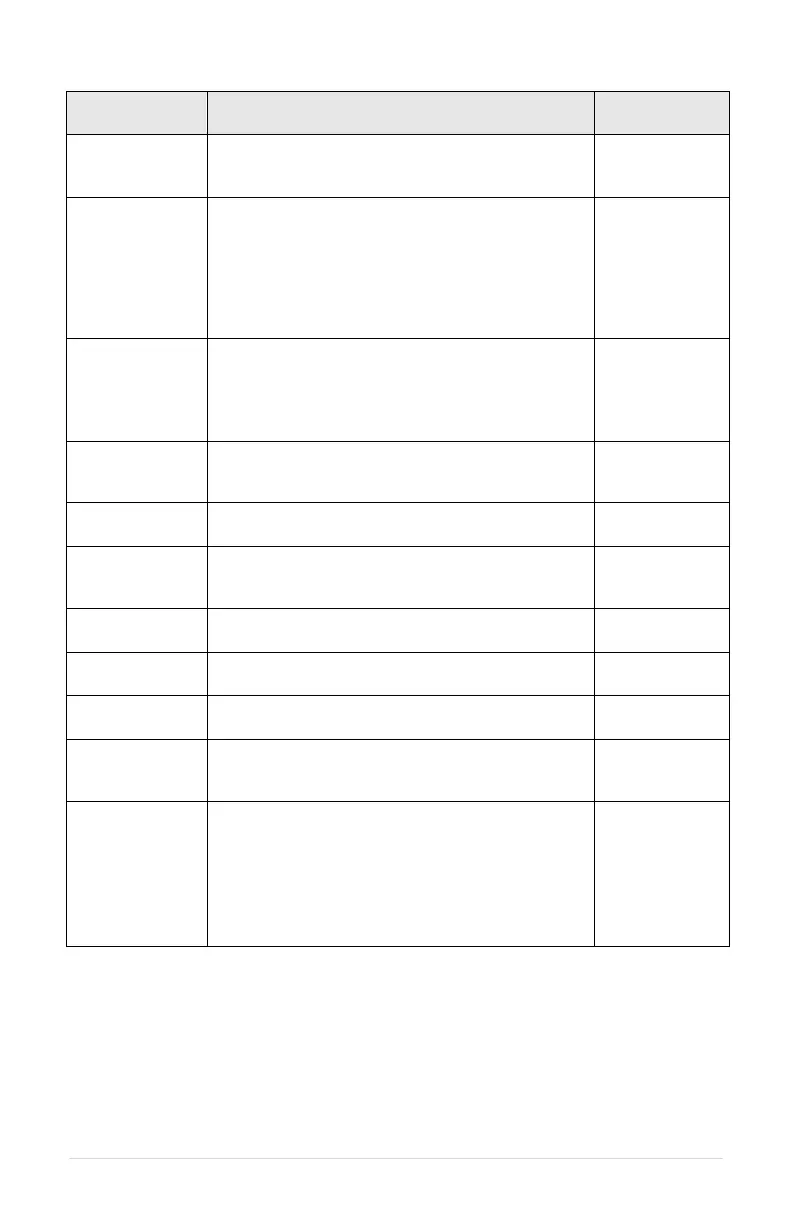
Delay in seconds before unit restarts after a trip due
to:
• MOTOR OVERLOAD
Delay in seconds before unit restarts after a trip due
to:
• BUS OVERVOLTAGE
• DRY WELL CURRENT
• CURRENT UNBALANCE
• DRY WELL KW
• RESTARTS 4-20mA
Delay in seconds before unit restarts after a trip due
to:
• HALL SENSE HIGH
• LOW INPUT VOLT
• HIGH INPUT VOLT
Number of automatic restarts allowed due to motor
overload current set by parameter OVERCURRENT
LIMIT (see Note 1)
Number of automatic restarts allowed due to under
current and minimum power trip (see Note 1)
Number of automatic restarts allowed due to low
input voltage trip (see Note 1)
Number of automatic restarts allowed due to high
input voltage trip (see Note 1)
Number of automatic restarts allowed due to DC bus
overvoltage (see Note 1)
Delay in seconds before unit restarts after an input
power OFF/ON cycle. (See Note 2)
RESTARTS
SENSOR CONN
FAIL
Number of automatic restarts allowed due to loss of
4-20mA analog input signal (see Note 1)
Delay in seconds before motor starts after a RUN
command. Prevents the drive from engaging the
motor when it is spooling down during coast-to-stop
operation. Delay affects both manual RUN command
from the keypad and RUN command from external
signals in auto mode. Display will count down
seconds until RUN during delay. (See Note 2)
Note 1: The restart counter must be cleared to begin counting the number of restarts from
zero. Main Menu item, Clear Memory, resets the fault counters. See Section 4.4, Keypad
Main Menu Items, for more information.
Note 2: Push the up arrow key and down arrow key simultaneously to interrupt the
countdown delay and allow an auto restart.



 To Next Page