- 34 -
words to let them know what is
onscreen
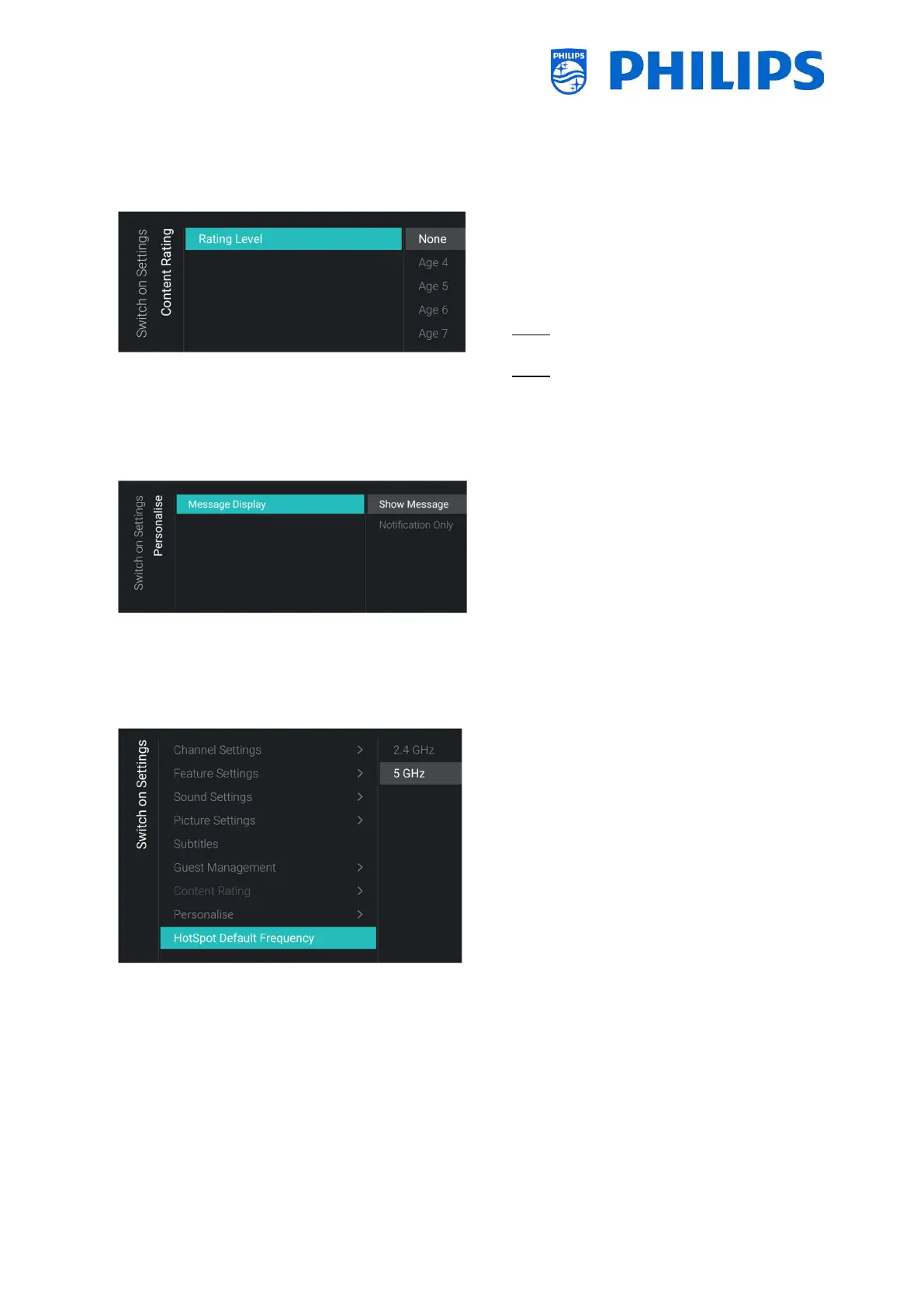
6.4.7 Content Rating
o
o You will see below item:
o [Rating Level]: In the rating level you
can set a minimum rating level to watch
rated programs
Note: The list of rating levels depends on
your country
Note: [Rating Level] is only accessible
when [Features] [Content Rating] [Enable]
is set to [Yes]
6.4.8 Personalise
o
Display] menu
o You will see below items:
o [Show Message]: Change to this to
show the complete message when it’s
sent
o [Notification Only]: Change to this to
only show a notification when a new
message was sent
6.4.9 HotSpot Default Frequency
o
Frequency] menu
o You will see below items:
o [2.4 GHz]: Set the default Hotspot
frequency to 2.4 GHz
o [5 GHz]: Set the default Hotspot
frequency to 5 GHz





 To Next Page