- 37 -
o
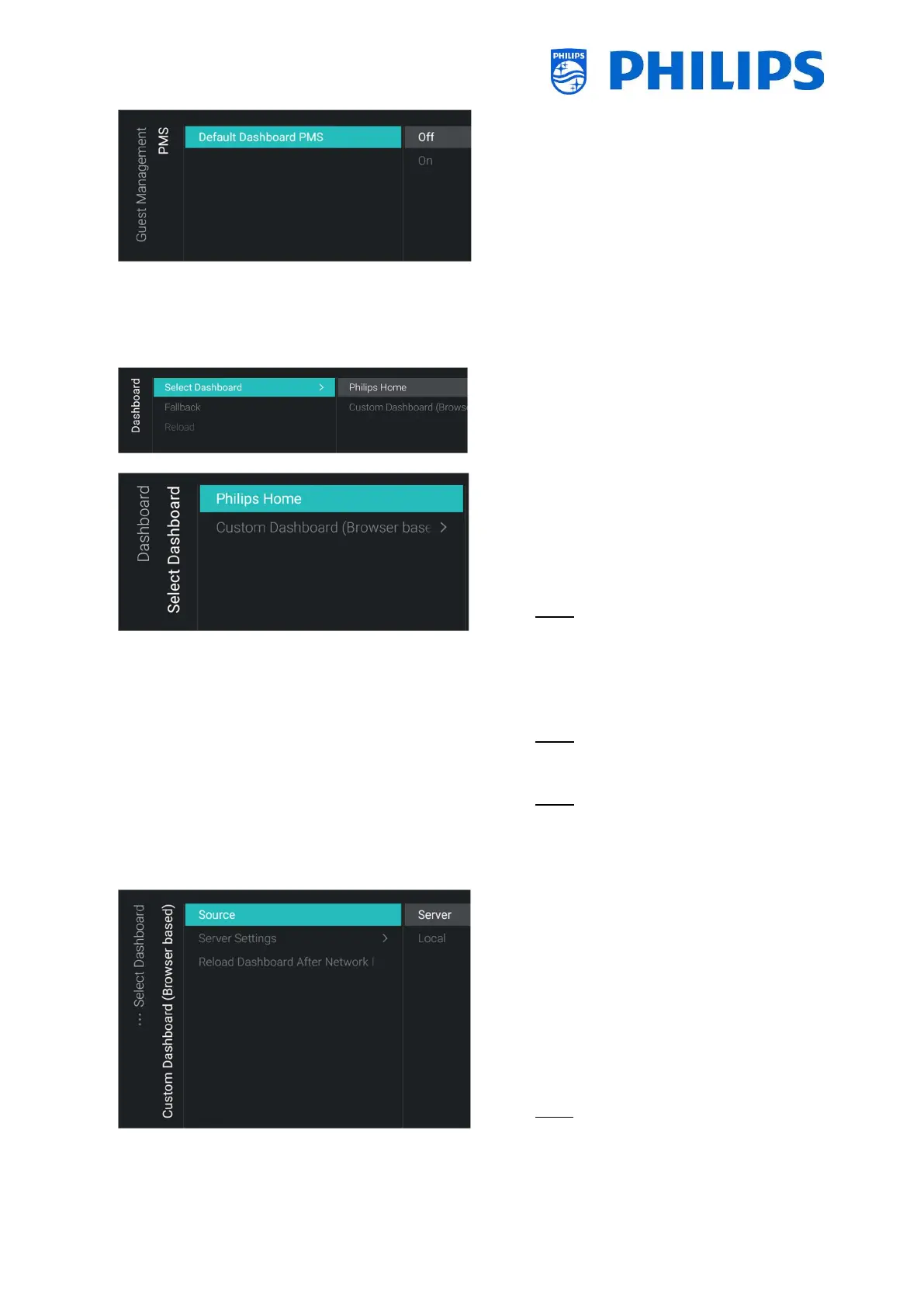
[PMS] [Default Dashboard PMS] menu
o You will see below items:
o [Off]: Disable the PMS functionality
o [On]: Enable the PMS functionality
6.7 Dashboard
o
o You will see the screen on the left
o
Dashboard] menu
o You will see below items:
o [Philips Home]: You need to press “OK”
to access and change the Philips
Default Dashboard configuration
Note: How to do this is explained in the
chapter “Philips Home Dashboard
configuration”
o [Custom Dashboard (Browser based)]:
This menu is to configure the custom
browser based dashboard
Note: You can have more items in this
list depending on Dashboard apps
loaded in TV
Note: All details are explained in the
CDB documentation that can be
obtained after signing an NDA trough a
salesperson.
o
Dashboard] [Custom Dashboard (Browser
based)] menu
o You will see below items:
o [Source]: You can select [Server] or
[Local] as source for the custom
dashboard
o [Server Settings]: You will see a menu
[Server URL] where you can enter the
Server URL
Note: This menu is only accessible when
[Server] is selected in the [Source]
menu




 To Next Page