- 72 -
[Best Picture]
o [Dynamic Contrast]: Set the level at
which the TV automatically enhances
the details in the dark, middle and light
areas of the picture via [Off],
[Minimum], [Medium] or [Maximum]
o [Video Contrast]: Adjust the level of
the contrast of the picture signal via
the slider
o [Gamma]: Set a non-linear setting for
picture luminance and contrast via the
slider
o
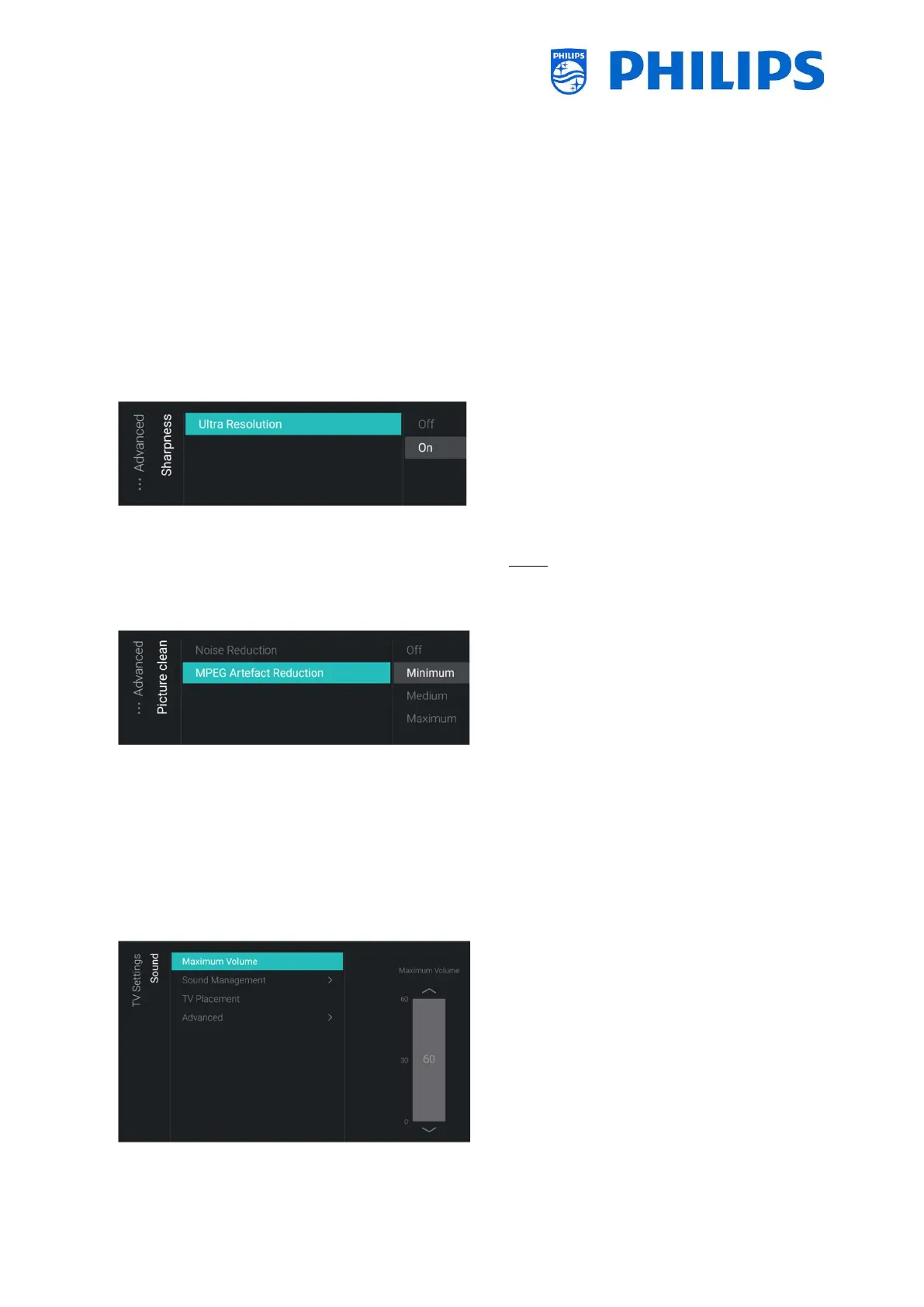
[Sharpness] menu
o You will see below items:
o [Ultra Resolution]: This offers superior
sharpness, especially on lines and
contours in the picture, you can put
this [On] or [Off]
Note: [Ultra Resolution] might have a
different name depending on your set type
and screen size
o
[Picture clean] menu
o You will see below items:
o [Noise Reduction]: Noise reduction
filters out and reduces the image
noise, you can put this [Off],
[Minimum], [Medium] or [Maximum]
o [MPEG Artefact Reduction]: MPEG
artefact reduction smoothens the
digital transitions in the picture, you
can put this [Off], [Minimum],
[Medium] or [Maximum]
6.15.2 Sound
o
Volume] menu
o Set the maximum volume by changing
the slider value, this will be the maximum
volume that a guest can set on the TV




 To Next Page