- 53 -
o
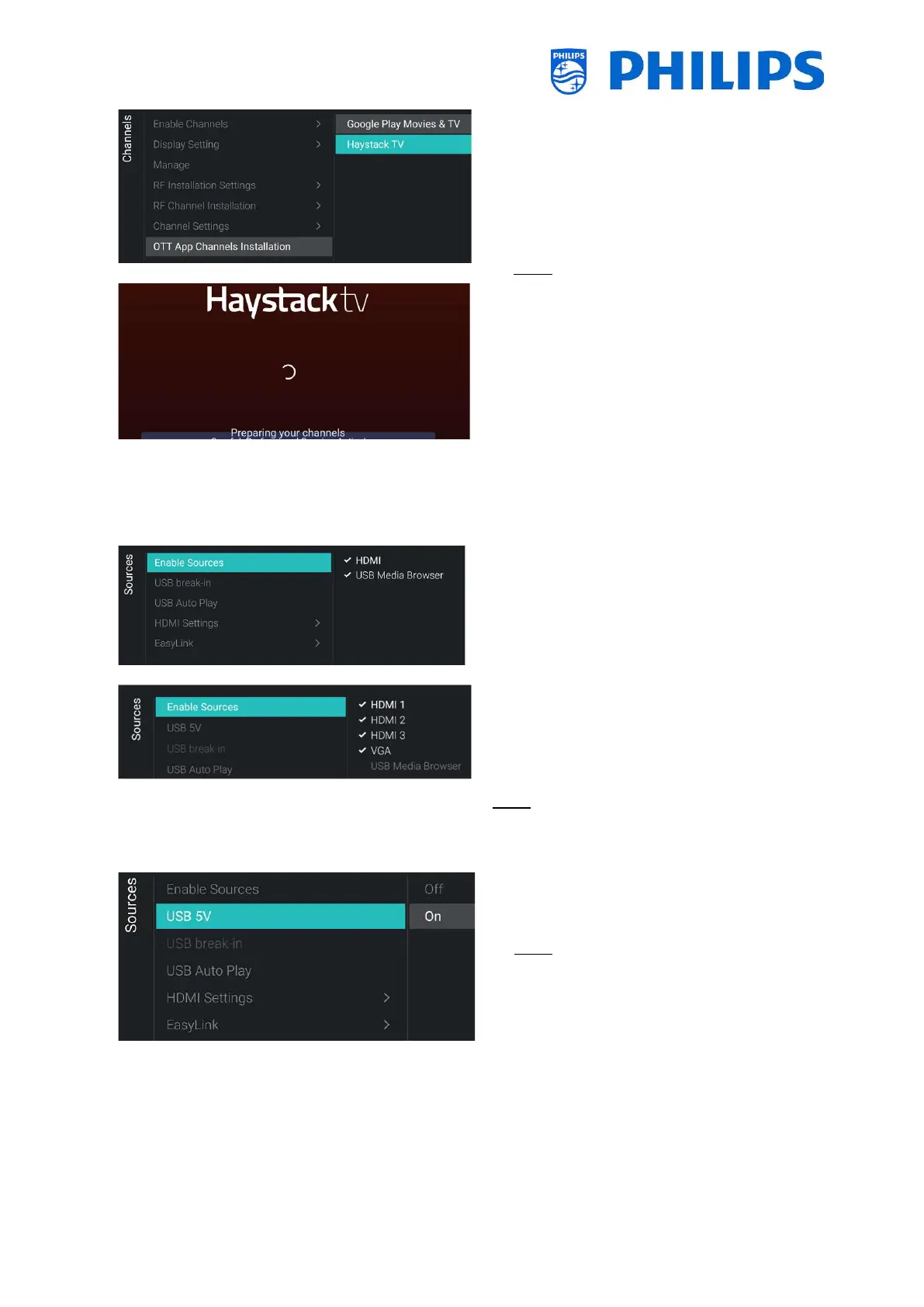
Installation] menu
o You will see below items:
o [Google Play Movies & TV]: When you
open this menu, the channels linked to
this OTT App will be added to the
channel list
Note: You can also have extra items
available like [Haystack TV]. This depends
on the capability of the installed apps
supporting OTT functionality and will
become available once detected.
6.10 Sources
o
o You will see the screen on the left
o
o You will see a list of externals (including
USB media browser). You can enable or
disable sources to be available in the
menu
Note: The list of sources is depending on the
hardware in relation to the screen size and
can be different from the screenshot
o
o You can enable the 5V on the USB ports
using [On] or disable using [Off]
Note: [USB 5V] is only available if [Enable
Sources][USB Media Brower] is not
checked




 To Next Page