- 58 -
o
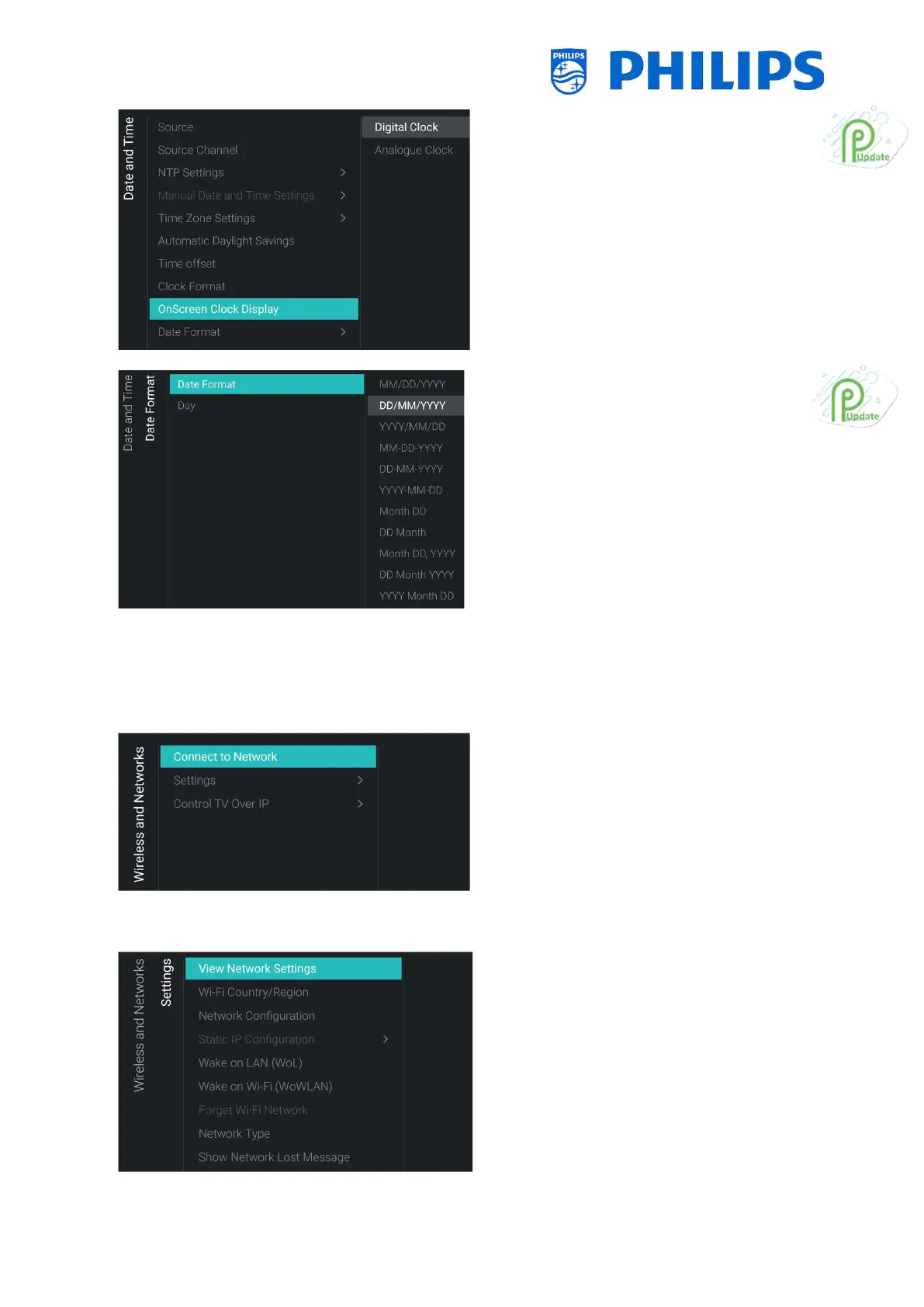
menu
o You will see below items:
o [Digital Clock]: You can set the clock to
be shown as a digital clock
o [Analogue Clock]: You can set the
clock to be shown as an analogue clock
o
o You will see below items:
o [Date Format]: You can select the
format you want to use to show the
date when the clock is shown
onscreen and in the welcome screen
o [Day]: You can enable or disable to
show the day in the clock or the
welcome screen
6.12 Wireless and Networks
6.12.1 Network wizard
o
[Connect to Network] menu
o You will get the network wizard to connect
to the network
See chapter ‘Network installation wizard’
for more details about connecting to the
network
6.12.2 Network settings
o
[Settings] menu
o You will see the screen on the left




 To Next Page