- 59 -
o
menu
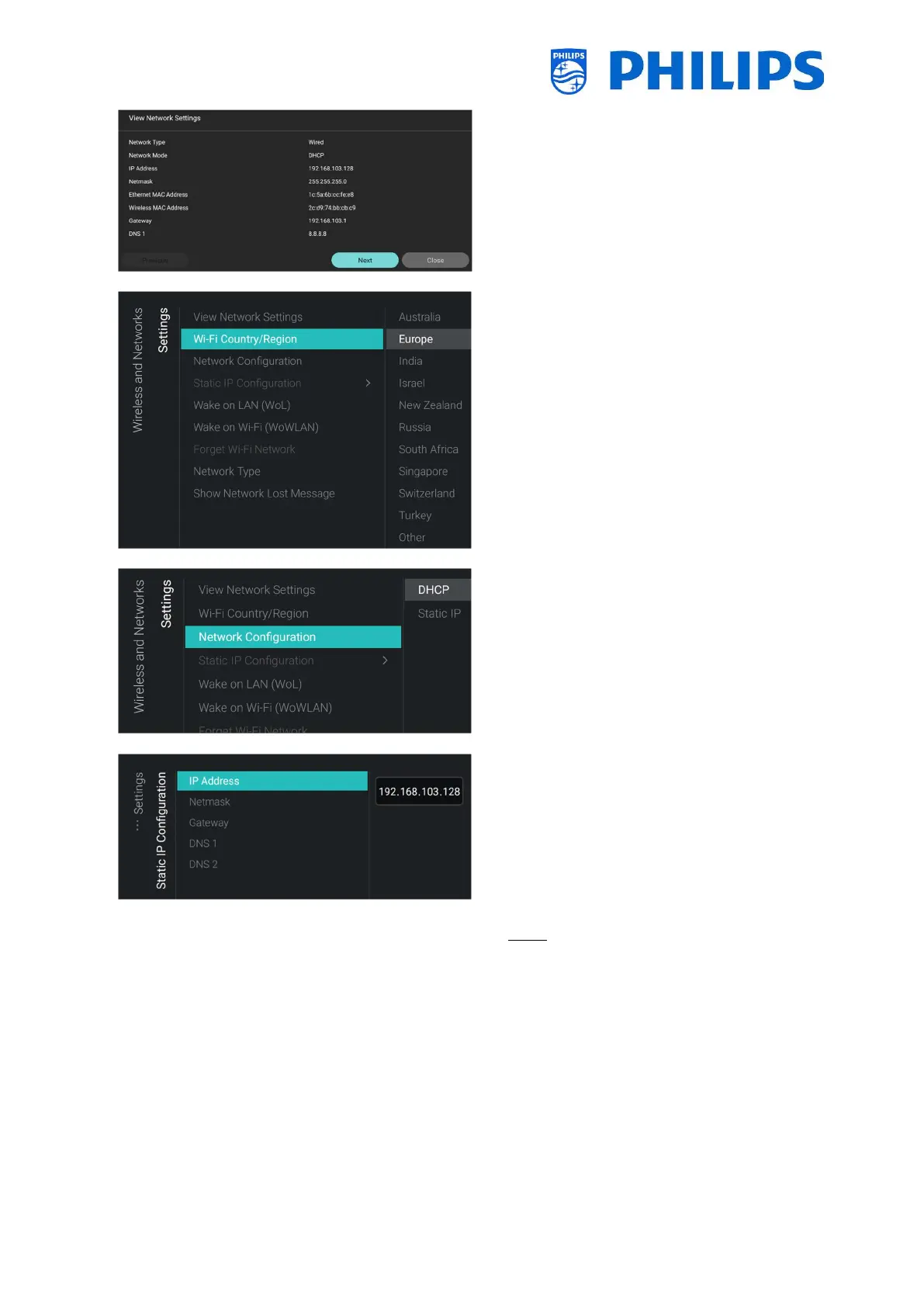
o You will get the network settings on your
TV
o You can navigate to the next page to see
more details
o
menu
o You get a list of countries and regions, you
need to select what fits your setup
o
menu
o You will see below items:
o [DHCP]: Use DHCP to connect your TV
o [Static IP]: Use Static IP to connect your
TV
o
menu
o You will see below items:
o [IP Address]: Set your IP Address
o [Netmask]: Set your Netmask
o [Gateway]: Set your Gateway
o [DNS 1]: Set your DNS 1
o [DNS 2]: Set your DNS 2
Note: Above menus are only accessible
when in [Network Configuration] you have
selected [Static IP]





 To Next Page