- 42 -
o
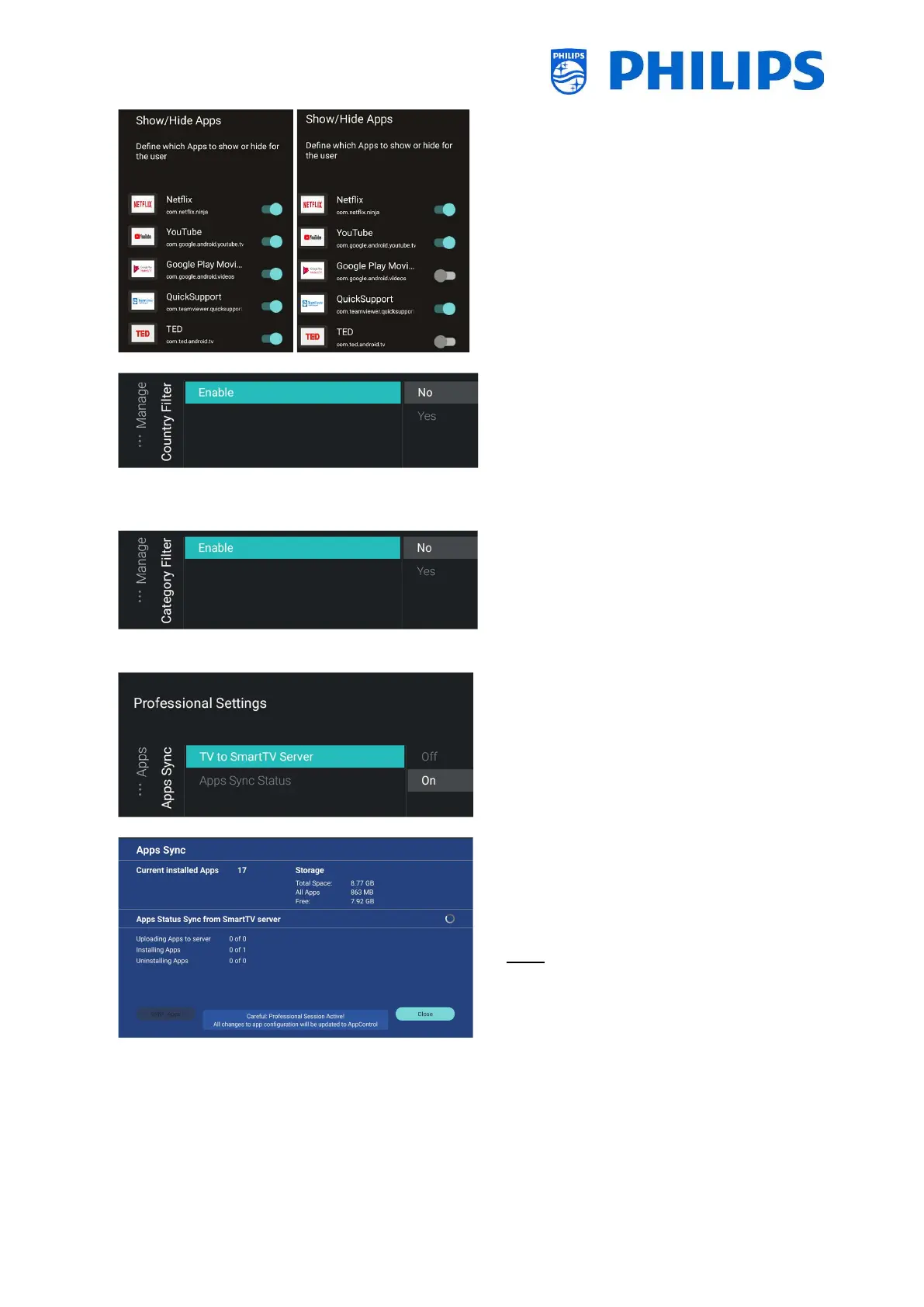
apps by toggling the button
o [Country Filter]: You can enable the
country filter using [Yes] or disable it
using [No]
In the user menu under Apps this will
enable/disable that you can select a
country flag to only show the apps linked
to this country
o [Category Filter]: You can enable the
category filter using [Yes] or disable it
using [No]
In the user menu under Apps this will
split up the installed apps per category or
show all apps
o
o You will see below items:
o [TV to SmartTV Server]: You can select
[On] to upload apps to the Philips servers
so they can be synced again to other TV’s
or [Off] to disable this function when you
are developing your own application
o [Apps Sync Status]: By opening this
screen you can see the current status of
the apps synchronization
You can now activate the [SYNC Apps] to
update the apps and see the progress,
once done, this screen will be exited
Note: The synchronization of apps will
happen while the TV is in STBY




 To Next Page