- 83 -
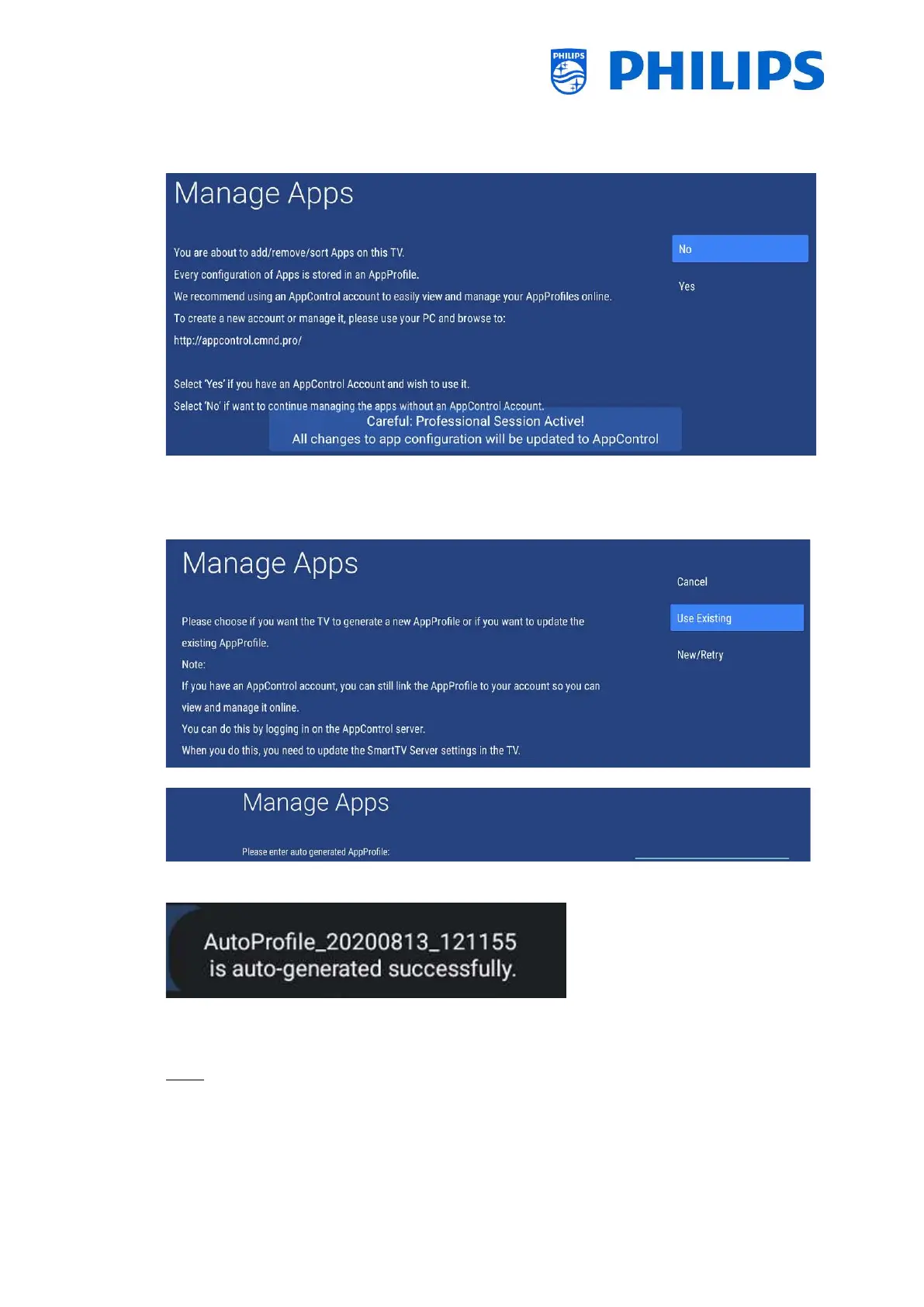
If you choose [Yes] or [Continue] in the previous screen, you can choose to use an existing
AppControl account using [Yes] or [No] if you want to configure the TV without an AppControl
account.
If you select [No], you will need to choose to [Use Existing] or create a [New/Retry] one to
create or use an ‘Auto generate AppProfile’. So you will not be able to manage your apps using
the AppControl web portal
When [Use Existing], you will be asked to enter the name
When creating a new one, you will see a successful message in the bottom right corner with
the profile name.
If you select [Yes], you will need to use your own [AppControl ID], [PIN Code] and use your
[Use Existing] profile or generate a [New Profile].
Note: To create your own AppControl ID, see next chapter “Manage Apps through the web
portal”







 To Next Page