75BDL3050Q
30
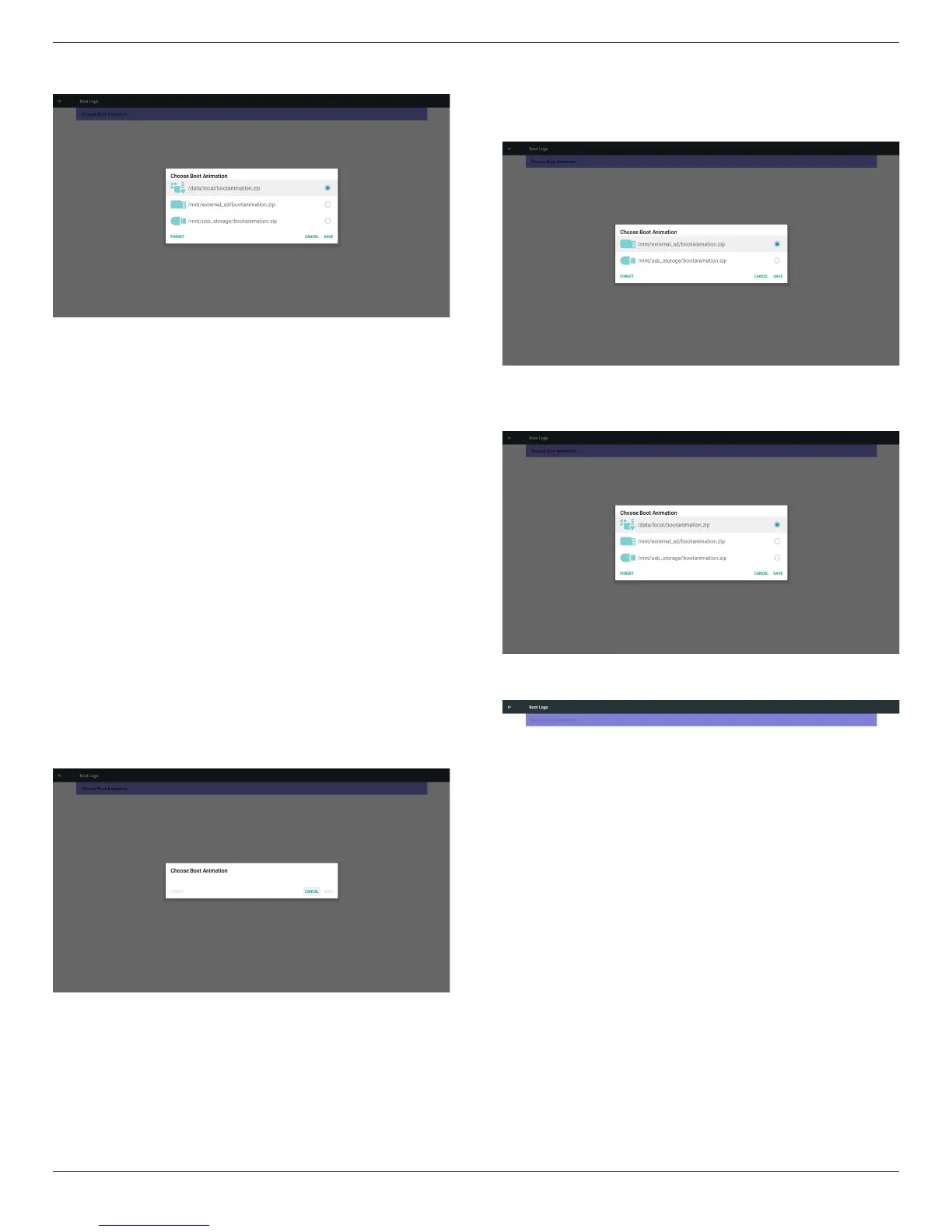
2)Whenbootlogoselected,PDwillcheckifthereisbootanimation.
zipunderUSBandSDcard.
Functionintroduction:
a. Optiondescription
/data/local
UsecustomizedbootanimationlewhichiscopiedfromSDcardor
USB
/mnt/external_sd
UsebootanimationsleunderSDcard
/mnt/usb_storage
UsebootanimationsleunderUSB
b. Save
PresssavekeytosaveSDcardorUSBbootanimation.zipto/data/
localandsetitasbootlogo.
c. Forget
PressForgetkeytodelete/data/localbootanimation.zipandnot
showbootlogo.
d. Cancel
Closedialoguew/ochanges.
Scenariointroduction:
Case1
Theuserdon’tsettlecustomizedbootlogo.PDdoesnotndany
bootanimation.zipleunderSDandUSB.Thelistwillbeblank.Save
andForgetbuttonwillbegrayanduseless.
Case2
Theusersdonotsettlecustomizedbootlogo.PDnd
bootanimation.zipleunderSDandUSB.Thescreenwillshow
bootanimation.zipandselecttherstleautomatically.
Case3
Theusersettlecustomizedbootlogo,thescreenwillshow/data/
local/bootanimation.zip.
3)IfOSDmenuLogoitemisOnorOff,theuserscannotchoose
bootanimationinAndroidsettings.
3. Screenshot
ViaEnable/DisabletocontrolscreenshotOn/Off.
AfterEnable,usercansetscreenshottimeslotandsavepath.
Note:
Timeslotofdeletionandscreenshot:
(1)Willdeletepictureatinitialtime0sec.
(2)Willscreeshotatrst40sec.
(3)Mediaplayer,Browser,CMND&play,PDFreader,Customsource
aresupported.
(4)Screenshotwillnotincludevideocontainer










 To Next Page