75BDL3050Q
31
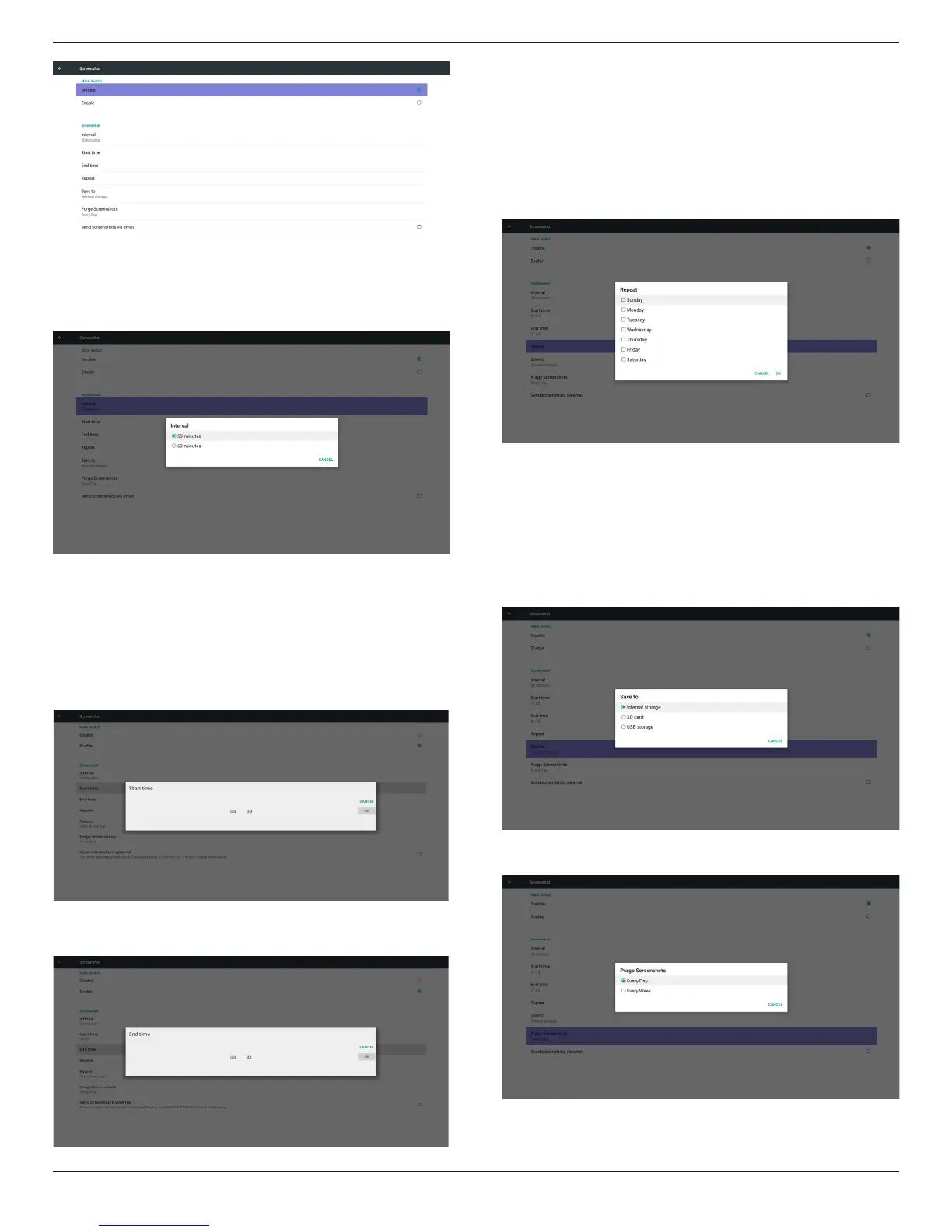
1)Interval
Setupintervaltimeframe.30minsor60mins.
2)StartTime
Setupscreenshotstarttime.
Note:
(1)Ifnostarttime,thescreenwillshowcurrenttimeautomatically
(2)JustpressBackkeytoexitdialogforSetup
(3)StarttimecannotbenewerthanEndtime.ItwillshowError
toast.
3)EndTime
Set up screenshot End time
Note:
(1)IfnoEndtime,thescreenwillshowcurrenttimeautomatically
(2)StarttimecannotbenewerthanEndtime.Itwillshowerror
toast.
4)Repeat
Setscreenshotrepeatcycle.Usercanchoosescreenshottimeframe.
(Multipleselection)
5)Saveto
Setupscreenshotsavepath.Internalstorage,SDcardorUSB
storage.)
Note:
picturestoragepath
(1)Inrootofinternalstorage/usbstorage/sdcard,PDwillcreate
folderautomatically.
(2)Thepicturewillsavetophilips/Screenshot/.
6)PurgeScreenshots
Setuppurgetimeframe.OnedayorOneweek.










 To Next Page