16
English
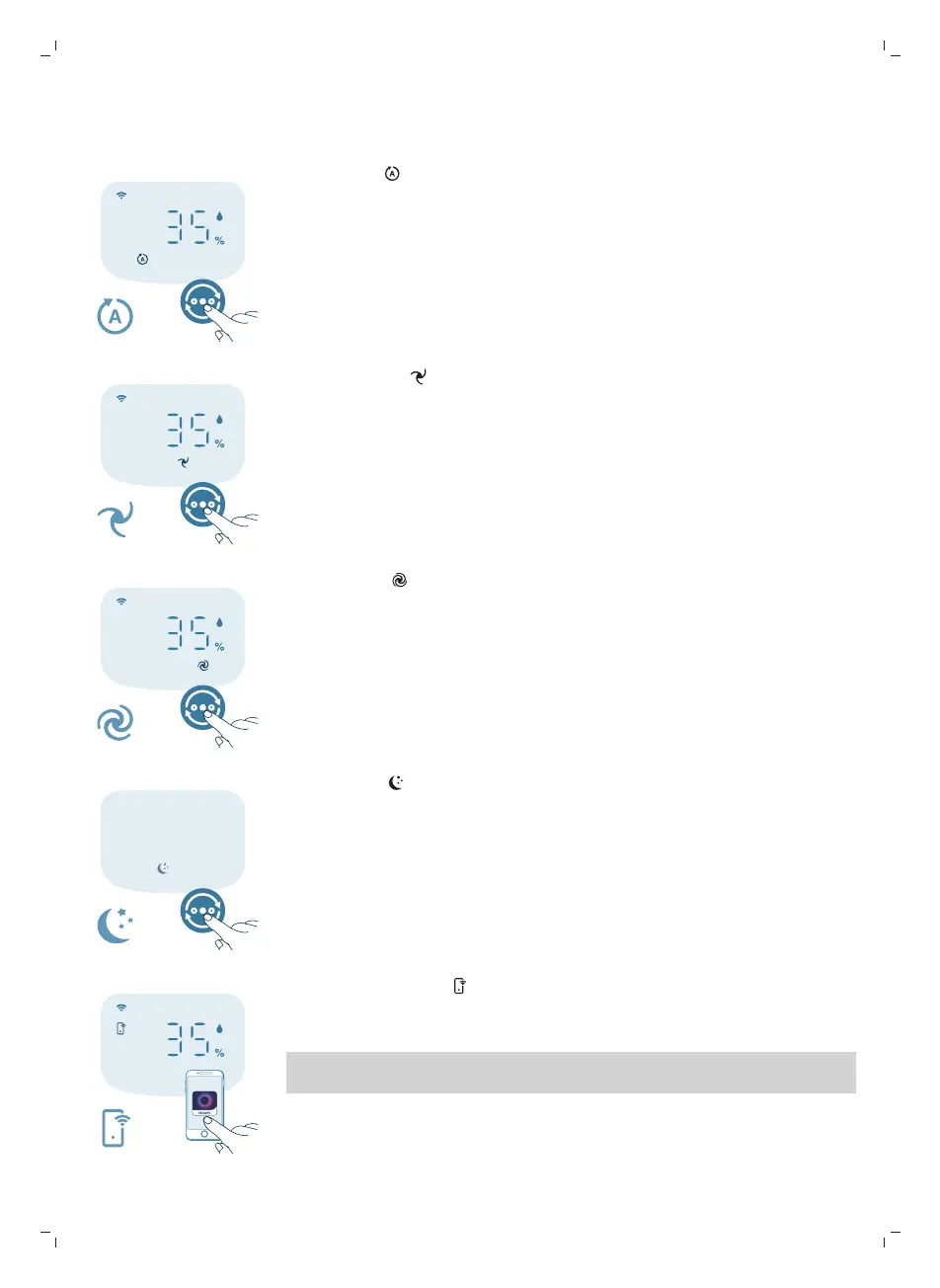
Auto mode ( ):The appliance automatically adjusts the fan speed in
accordance with the ambient air quality.
Medium mode ( ): In the Medium mode, the appliance operates on a
medium speed.
Turbo mode ( ): The appliance operates on the highest speed.
Sleep mode ( ): The appliance operates quietly at a low speed. After 3
seconds, the display lights turn off.
-
Allergy Seep mode: This mode can be enabled in the Air+ app. Allergy Sleep
mode turns your Sleep mode into a more powerful one when you need it. By
enabling it, your Sleep mode automatically adapts the fan speed in a similar
way with the Auto mode, while keeping the sound level low. This mode is
ideal for people who want a higher performance at night vs. regular Sleep
mode.
App-operated mode ( ): The appliance is operating a mode that is only
available through the app, such as additional manual fan speeds, target
humidity or other modes that were customized in the app.
Note: The app-operated mode is available ONLY through the app after the Wi-Fi
connection is successful.



 To Next Page