9
English
Getting started
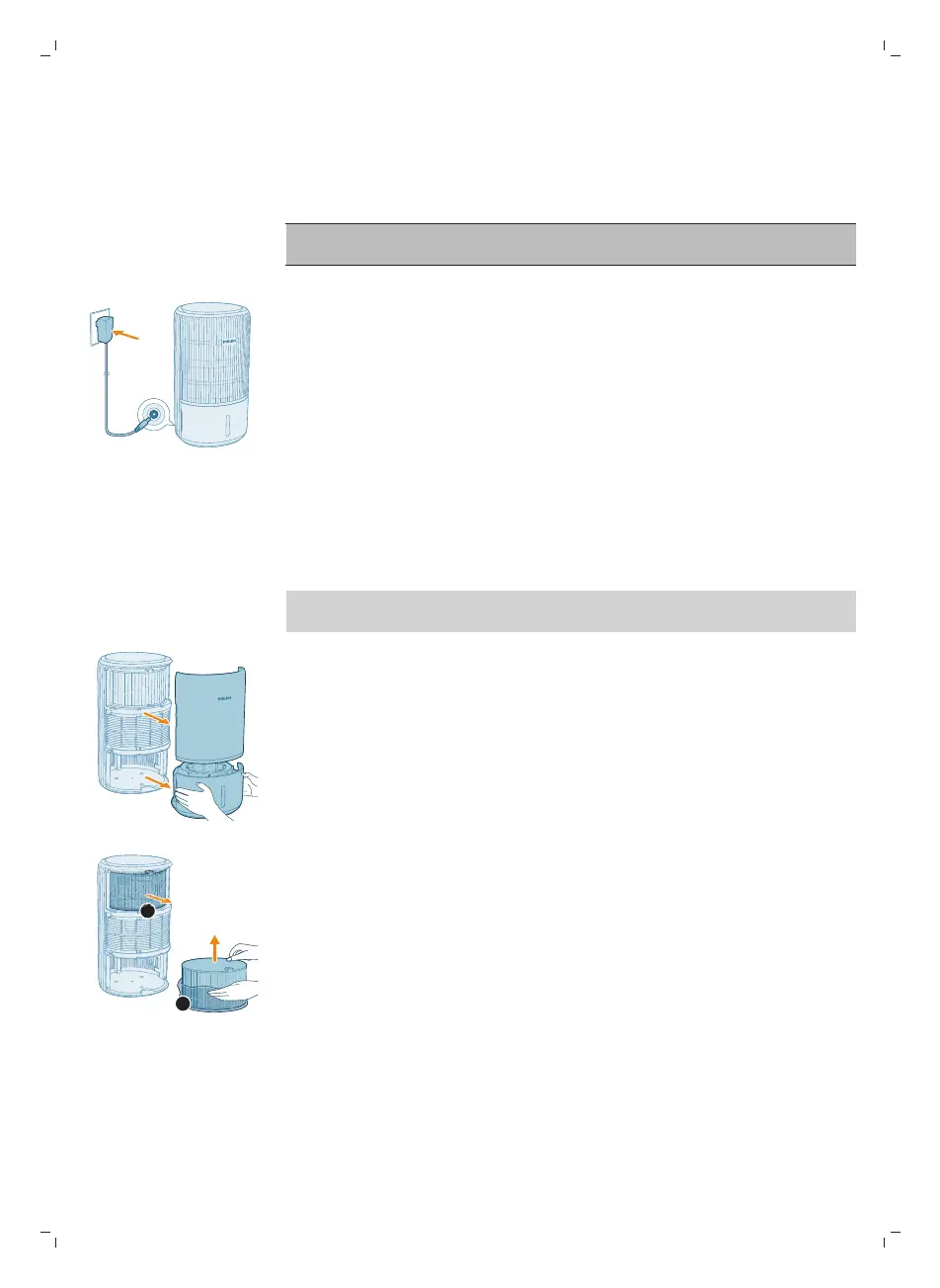
Connecting power
CAUTION: Risk of electric shock! When you unplug the power adapter,
always pull the plug from the socket. Never pull the cord.
Connect the power adapter to:
-
First, the power socket on the appliance.
-
Then, the wall outlet.
Installing the filters
Remove all packaging of the humidification filter and purification filter before
use.
Note: Make sure the appliance is unplugged from the electrical outlet before
installing the filters.
1 Pull out the front cover and water tank from the appliance.
2 Pull the purification filter (FY3400) out from the appliance and remove all the
packing materials.



 To Next Page