22
English
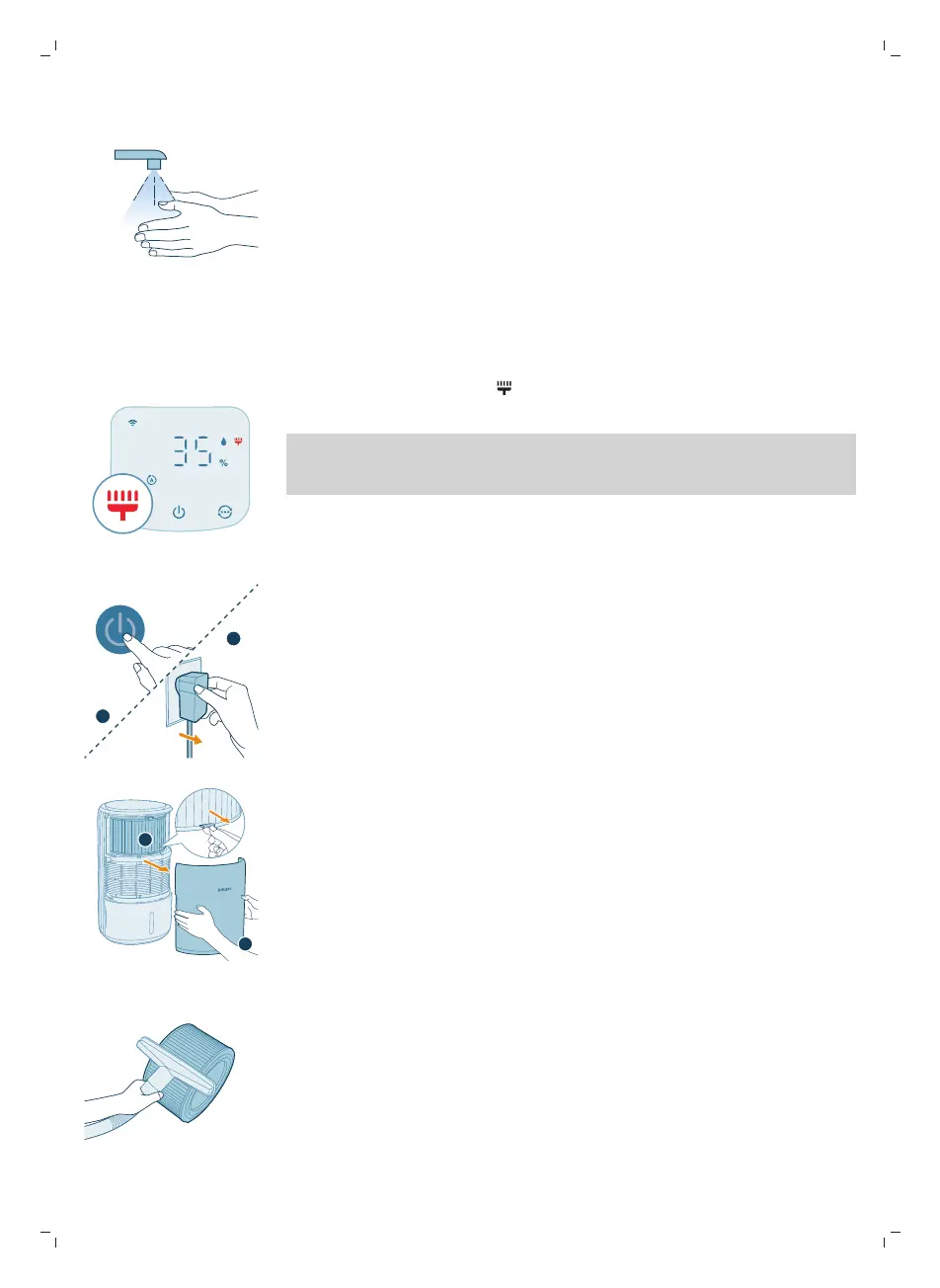
8 Wash your hands thoroughly after cleaning the filter.
Cleaning the surface of the purifiation filter
When the filter cleaning alert displays on the screen, clean the surface of the
filter with a vacuum cleaner.
Note: We recommend people who are allergic to dust, pollen, pets or mold, not
to replace filters by themselves or to take protective measures, such as wearing a
mask and gloves.
1 Switch off the appliance and unplug from the power socket.
2 Pull the front cover and remove it from the appliance. Pull the purification
filter out.
3 Clean the surface of the purification filter with a vacuum cleaner.



 To Next Page