28
English
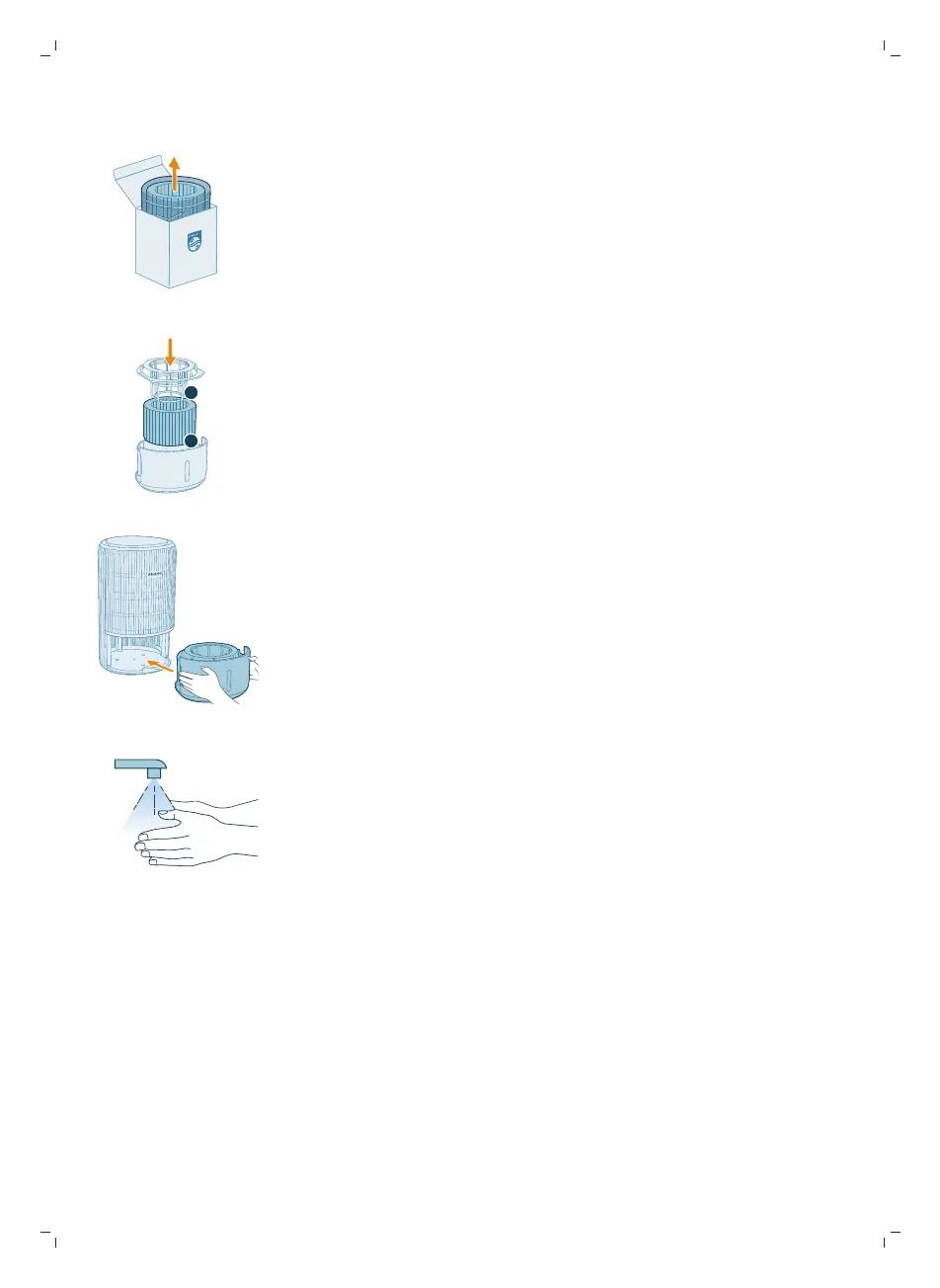
4 Remove all packing materials of the new filter (FY3401).
5 Install the humidification filter bracket around the filter properly.
6 Put the water tank back into the appliance.
7 Wash your hands thoroughly after replacing the filter.
Storage
1 Turn off the appliance and unplug from the power socket.
2 Clean the appliance, humidification filter and the surface of the purification
filter (see Chapter "Cleaning and Maintenance").
3 Let all parts air dry thoroughly before storing.
4 Wrap the filters in air tight plastic bags.
5 Store the appliance, filters in a cool, dry location.
6 Always thoroughly wash hands after handling filters.



 To Next Page