User Manual BDL3215E / BDL4225E
28
Main-Menu
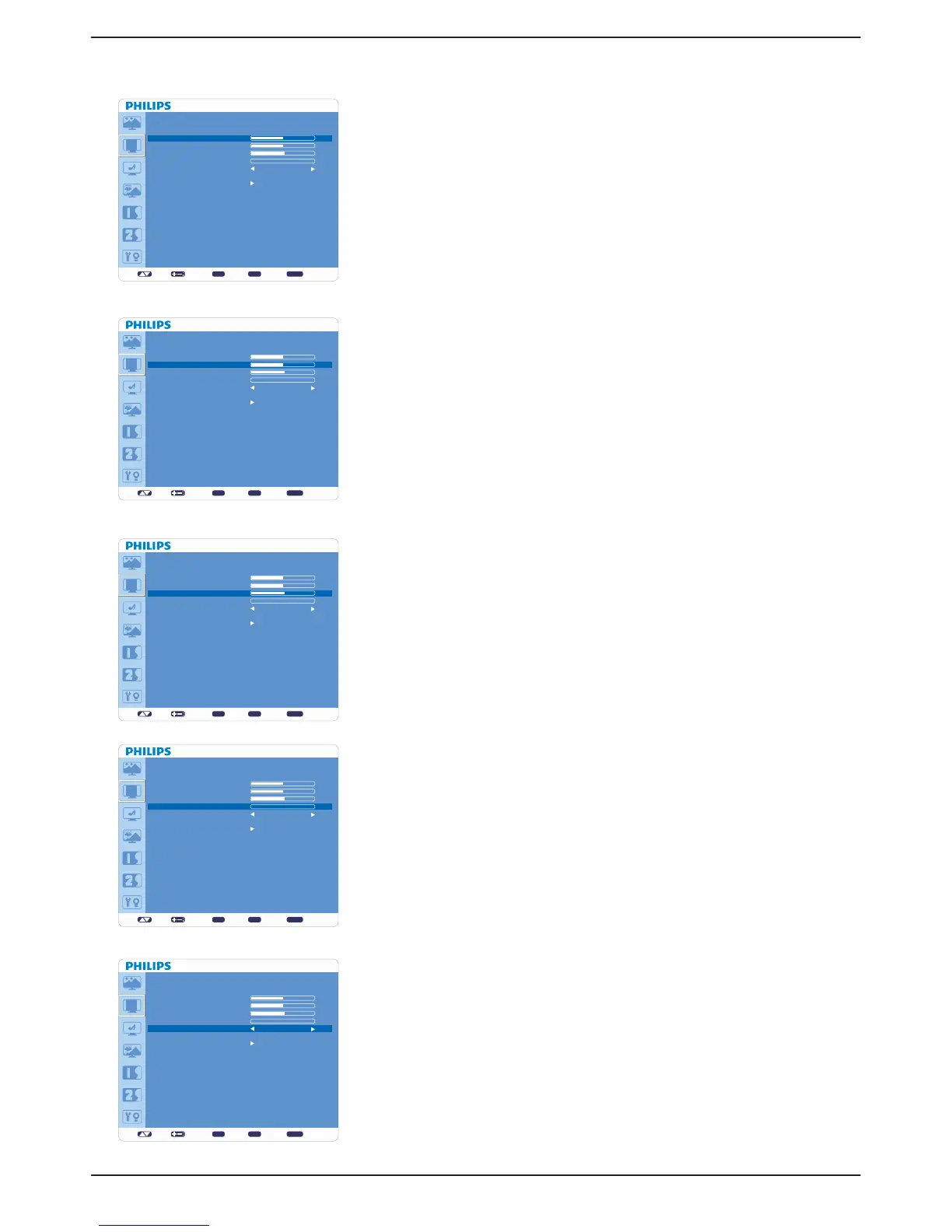
SCREEN
Ê H POSITION
* : INPUT VGA and VGA(BNC) only.
Controls the position of Horizontal Image within the LCD display area. v
Press + button to move image to right.v
Press - button to move image to left.v
Ê V POSITION
* : INPUT VGA and VGA(BNC) only.
Controls the position of Vertical Image within the LCD display area. v
Press + button to move screen to UP.v
Press - button to move screen to DOWN.v
Ê CLOCK
* : INPUT VGA, VGA(BNC) only.
Press + button to expand the width of image to right on the screen. v
Press - button to narrow the width of the image to left on the screen.v
Ê CLOCK PHASE
* : INPUT VGA, VGA(BNC) only.
Improves focus, clarity and image stability by increasing or decreasing this setting.
Ê ZOOM MODE
Selects “FULL”, “NORMAL”, “CUSTOM” or “REAL”. (INPUT HDMI, v VGA,
VGA(BNC) only.)
Selects “FULL”, “NORMAL” “DYNAMIC”, “CUSTOM” or “REAL”. (INPUT v
COMPONENT, S-VIDEO, VIDEO only)
Dynamic image is the same as FULL size image when HDTV signal is the input v
source.
Selecting “REAL” image will display 1 by 1 pixel.v
set: exit: menu:
SCREEN
H POSITION
V POSITION
CLOCK
CLOCK PHASE
ZOOM MODE
CUSTOM ZOOM
SCREEN RESET
Sel Adjust Enter BACK Quit
50
50
55
0
FULL
set: exit: menu:
SCREEN
H POSITION
V POSITION
CLOCK
CLOCK PHASE
ZOOM MODE
CUSTOM ZOOM
SCREEN RESET
Sel Adjust Enter BACK Quit
50
50
55
0
FULL
set: exit: menu:
SCREEN
H POSITION
V POSITION
CLOCK
CLOCK PHASE
ZOOM MODE
CUSTOM ZOOM
SCREEN RESET
Sel Adjust Enter BACK Quit
50
50
55
0
FULL
set: exit: menu:
SCREEN
H POSITION
V POSITION
CLOCK
CLOCK PHASE
ZOOM MODE
CUSTOM ZOOM
SCREEN RESET
Sel Adjust Enter BACK Quit
50
50
55
0
FULL
set: exit: menu:
SCREEN
H POSITION
V POSITION
CLOCK
CLOCK PHASE
ZOOM MODE
CUSTOM ZOOM
SCREEN RESET
Sel Adjust Enter BACK Quit
50
50
55
0
FULL










 To Next Page