User Manual BDL3215E / BDL4225E
30
Main-Menu
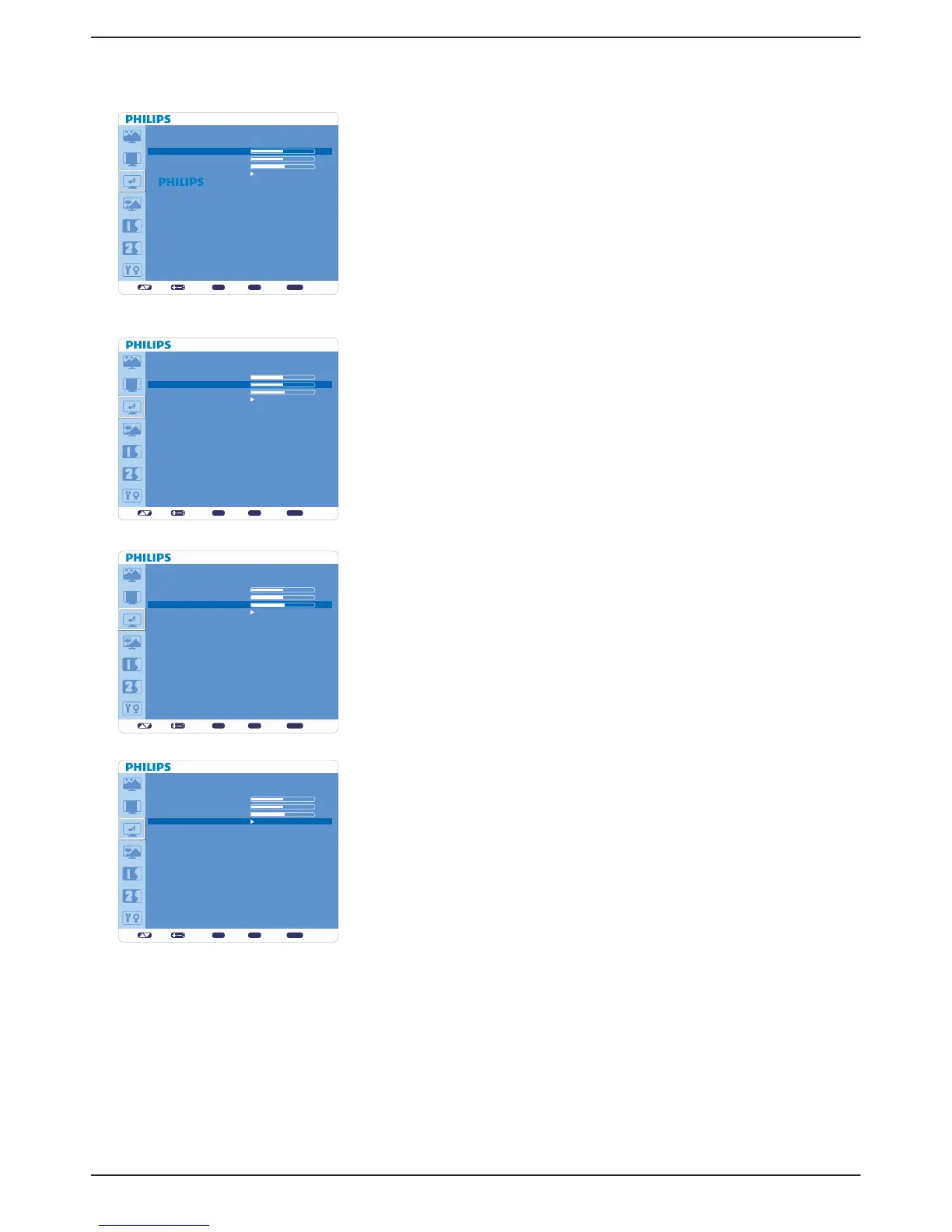
AUDIO
Ê BALANCE
Adjusts the balance of L/R volume.v
Press + button to move the stereo sound image to right. Sound at the left side v
will be in low level.
Press - button to move the stereo sound image to left. Sound at the right side v
will be in low level.
Ê TREBLE
To accentuate or reduce the high frequency sound. v
Press + button to increase TREBLE sound.v
Press - button to decrease TREBLE sound.v
Ê BASS
To accentuate or reduce the low frequency sound. v
Press + button to increase BASS sound.v
Press - button to decrease BASS sound.v
Ê AUDIO RESET
Selecting Audio reset allows you to reset all OSD settings from “AUDIO” v
setting.
Select “YES” and press “SET” button to restore the factory preset.v
Press “EXIT” button to cancel and then return to the previous menu.v
set: exit: menu:
AUDIO
BALANCE
TREBLE
BASS
AUDIO RESET
Sel Adjust Enter BACK Quit
50
50
55
set: exit: menu:
AUDIO
BALANCE
TREBLE
BASS
AUDIO RESET
Sel Adjust Enter BACK Quit
50
50
55
set: exit: menu:
AUDIO
BALANCE
TREBLE
BASS
AUDIO RESET
Sel Adjust Enter BACK Quit
50
50
55
set: exit: menu:
AUDIO
BALANCE
TREBLE
BASS
AUDIO RESET
Sel Adjust Enter BACK Quit
50
50
55












 To Next Page