12
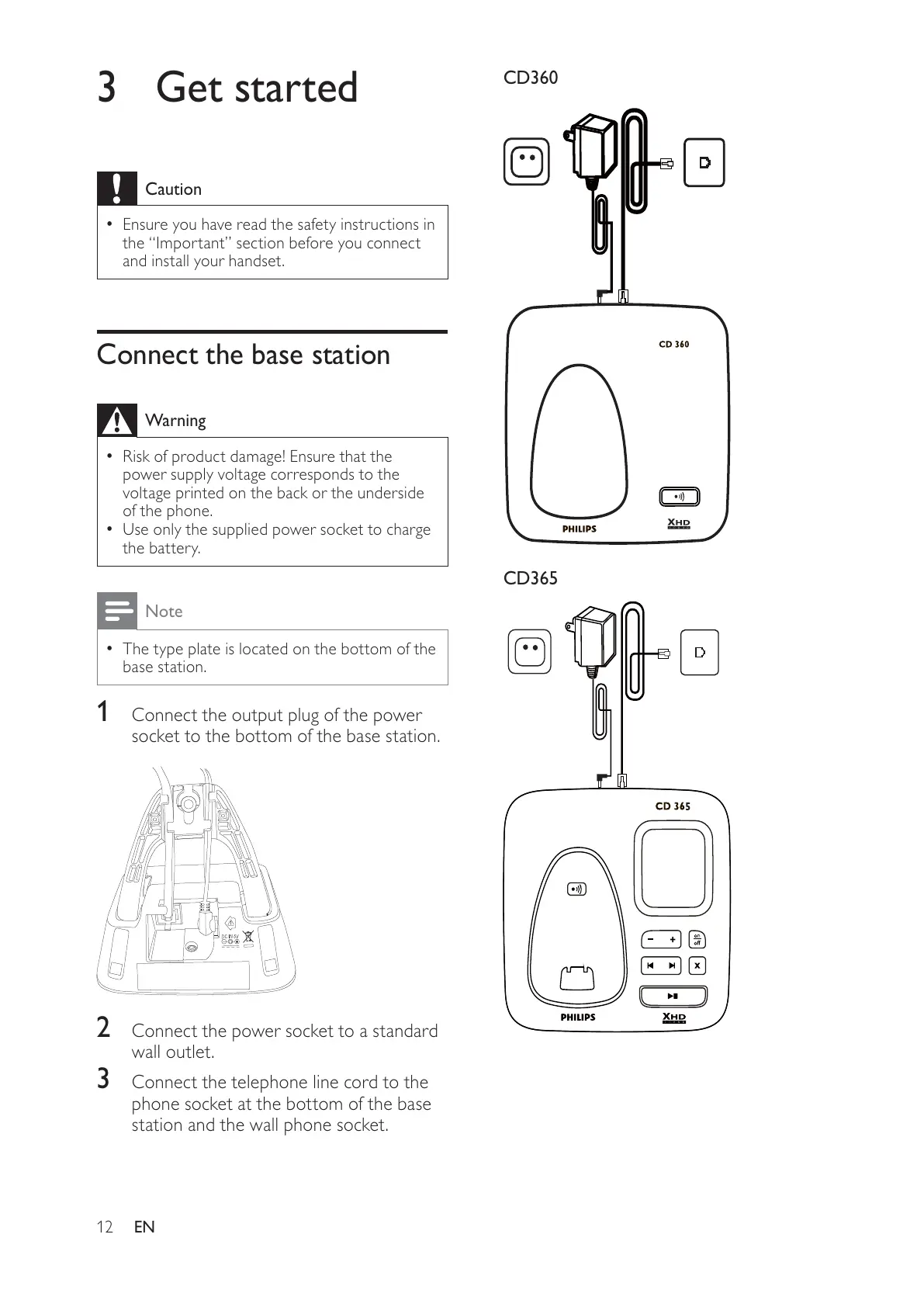
CD360
CD365
3 Get started
Caution
Ensure you have read the safety instructions in •
the “Important” section before you connect
and install your handset.
Connect the base station
Warning
Risk of product damage! Ensure that the •
power supply voltage corresponds to the
voltage printed on the back or the underside
of the phone.
Use only the supplied power socket to charge
•
the battery.
Note
The type plate is located on the bottom of the •
base station.
1 Connect the output plug of the power
socket to the bottom of the base station.
2 Connect the power socket to a standard
wall outlet.
3 Connect the telephone line cord to the
phone socket at the bottom of the base
station and the wall phone socket.
EN



 To Next Page