Sound Options 15
VOLUME CONTROL
1
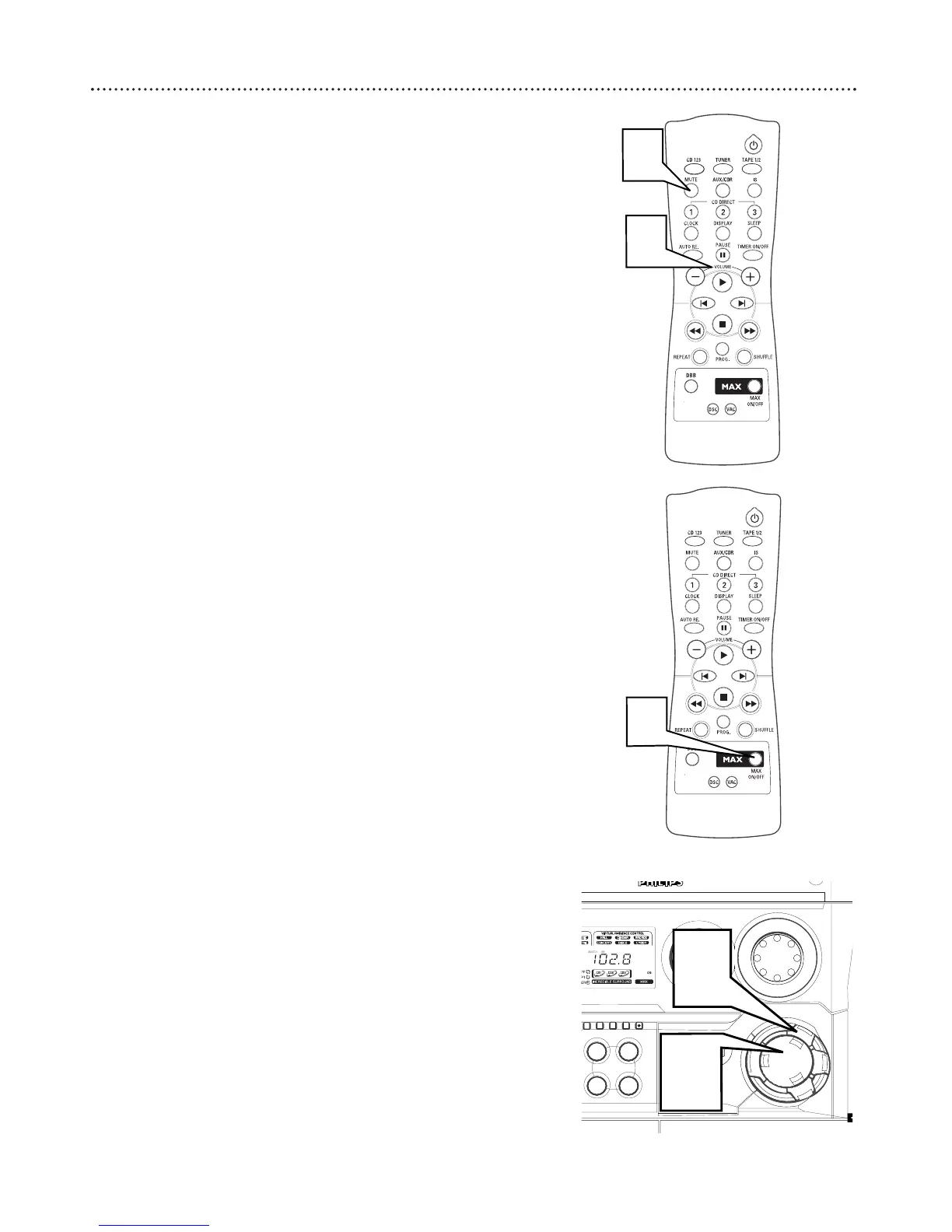
Press VOLUME + / - (or turn the VOLUME knob on the unit) to
adjust the volume.
2
Press MUTE to mute the sound while playback continues. MUTE
will appear on the display.
MAX SOUND
MAX sound provides the best mixture of the various sound features.
1
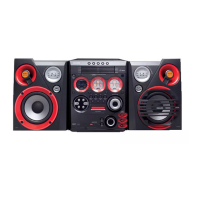
Press MAX SOUND (or MAX ON/OFF on the remote con-
trol) to activate or deactivate MAX sound. When active,
MAX
will
appear on the display. When deactivated, MAX OFF appears on
the display.
● When MAX sound is activated all other sound options will switch
off.
DIGITAL SOUND CONTROL (DSC)
DSC allows you to adust the system to your preference.
1
Press DSC. The DSC button lights up.
2
Adjust the JOG CONTROL (or press DSC on the remote) to select
the desired Digital Sound effect: DIGITAL, ROCK, POP, NEWAGE,
CLASSIC, or ELECTRIC.
● The selected DSC will be highlighted
● For a neutral sound select Classic


 To Next Page