CD Operations 17
LOADING DISCS
1
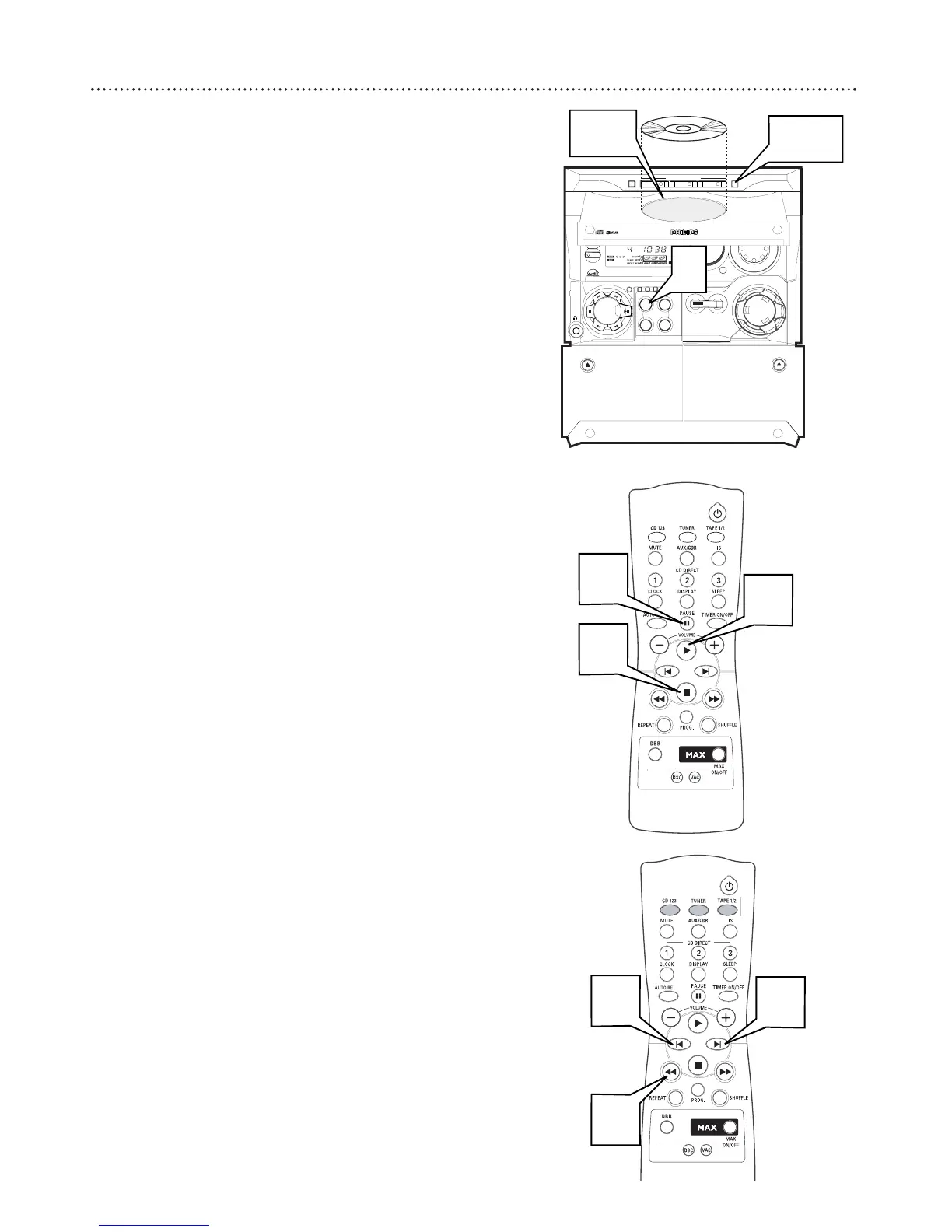
Press CD to select CD Mode.
2
Press OPEN•CLOSE to open the disc tray.
3
Place one disc in each individual tray, label side up.
4
Press DISC CHANGE to load a third disc.
5
Press OPEN•CLOSE to close the disc tray. READING
appears on the display. Then the selected disc tray, total number
of tracks, and playing time appearas.
● A lighted disc button indicates that there is a disc in that tray.
DISC PLAYBACK
1
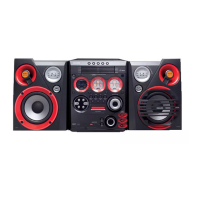
Press PLAY 3 to start playback of all discs in the tray. Each
disc will play once than stop.
● Press the desired DISC DIRECT PLAY button to play only one
disc.
2
Press PAUSE 8 to interrupt playback. Press PLAY 3 to
resume playback.
3
Press STOP
77
to stop playback.
SEARCHING
1
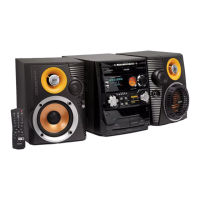
Press and hold 1 or ¡ during playback to find a particu-
lar part of a track. Release the button when the desired passage is
located.
2
Press w or ∑ to skip to the previous or next track.
3
Press w once to skip to the beginning of the current track.


 To Next Page