16 Sound Options
VIRTUAL AMBIENCE CONTROL (VAC)
VAC allows you to adust the system to your preference.
1
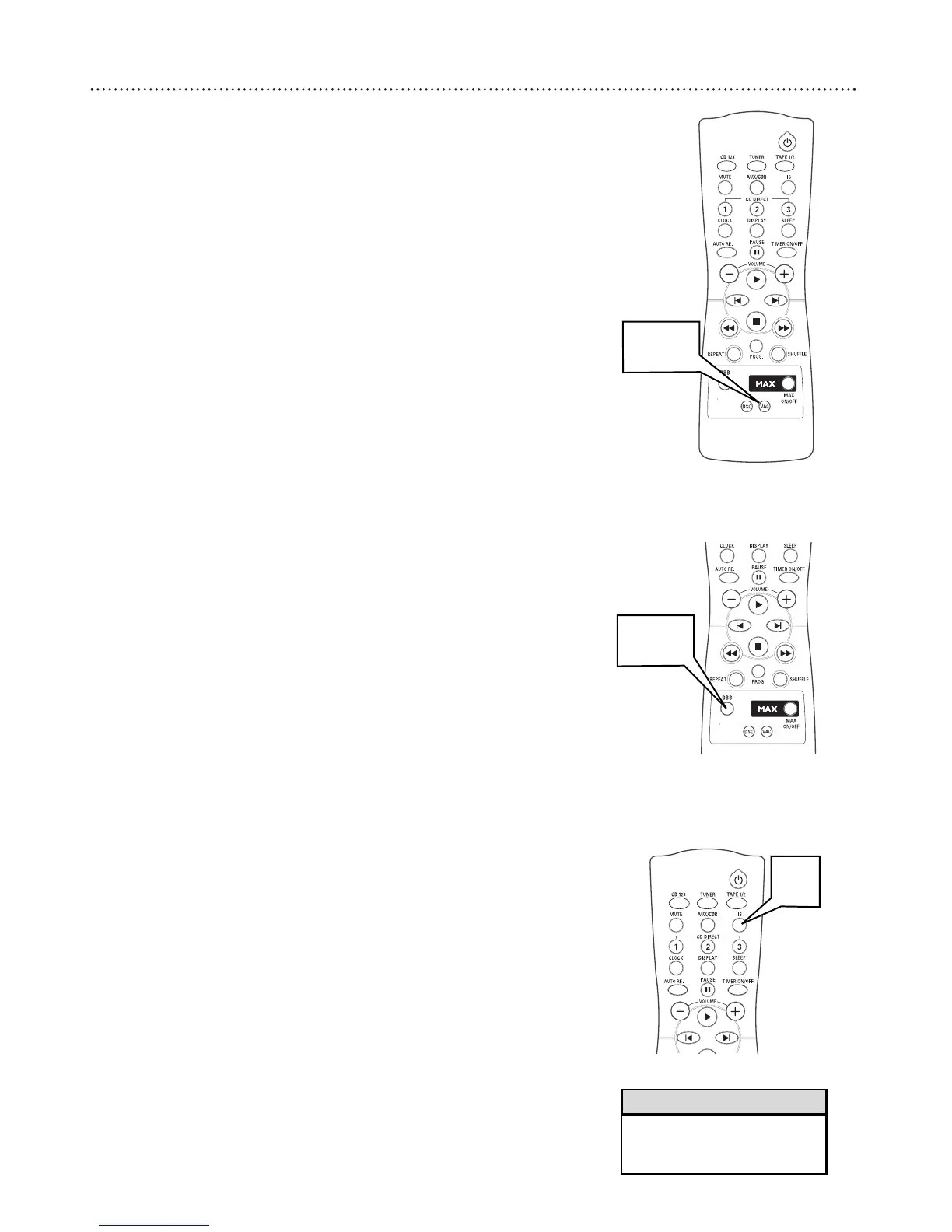
Press VAC. The DSC button lights up.
2
Adjust the JOG CONTROL (or press VAC on the remote) to select
the desired Virtual Ambience effect: HALL, CONCERT, CINEMA,
DISCO ARCADE, or CYBER.
● The selected VAC will be highlighted
● When you select VAC, Incredible sound will be switched on
automatically.
D
YNAMIC BASS
BOOST (DBB)
DBB allows you to enhance the bass sound reproduction. There are three
settings.
1
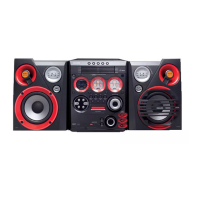
Press DBB. The DBB button lights up.
2
Adjust the JOG CONTROL (or press DBB on the remote) to select
the desired Dynamic Bass Boost level: BEAT (DBB 1), PUNCH (DBB
2, BLAST (DBB 3), or DBB OFF.
● The selected DBB level appears on the display.
INCREDIBLE SURROUND
Incredible Surround magnifies the virtual distance between the front speak-
ers for a wider stereo effect.
1
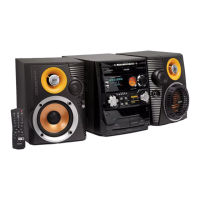
Press INCREDIBLE SURROUND (IS on the remote control) to
turn Incredible Surround on or off.
● When activated, INCREDIBLE SURROUND appears of the display
and the Incredible Surround buttons lights up.
● When turned off, IS OFF appears on the display
• The best DBB setting for each
DSC or VAC setting is automati-
cally set.
Helpful Hints


 To Next Page