23
English
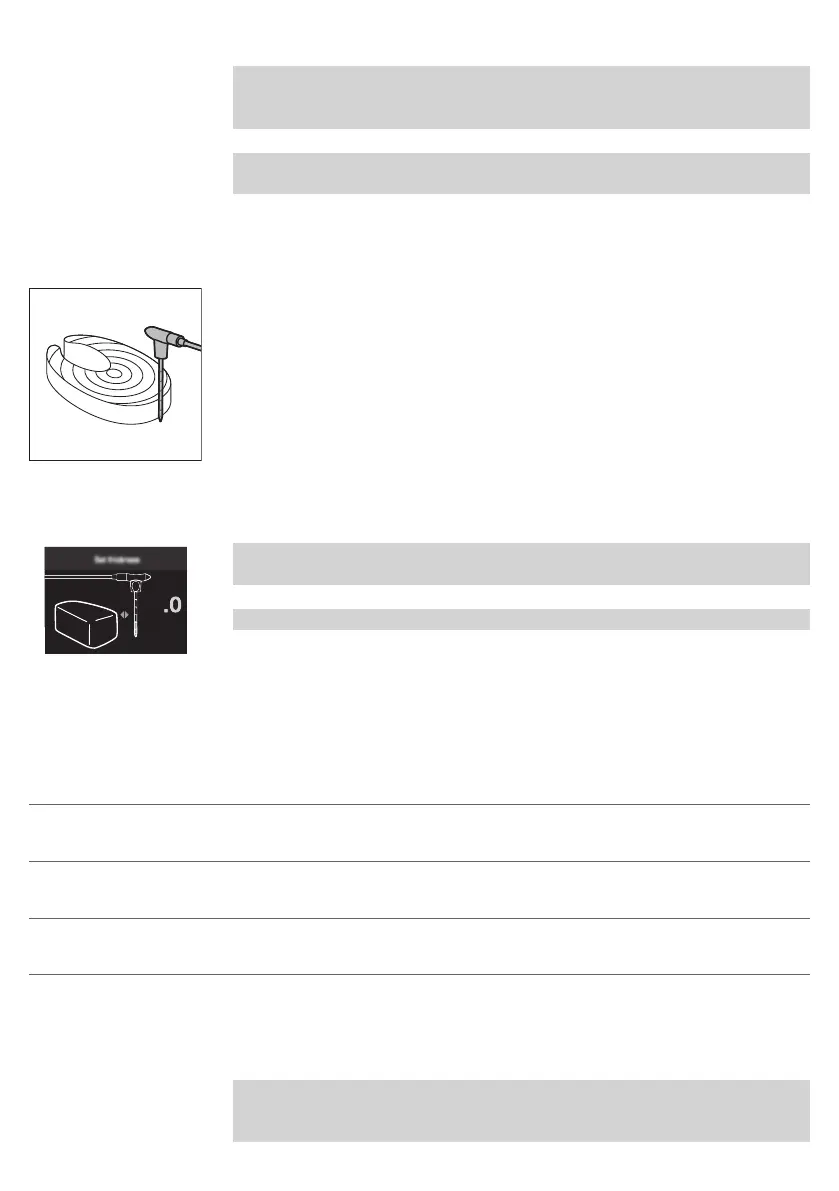
Note: You can also use the markings to determine first the center of the thickest
part of your food. Use your fingers to remember how deeply you need to insert
the food thermometer.
Note: Keeping your fingers marked on the food thermometer, insert the food
thermometer through the center of your food.
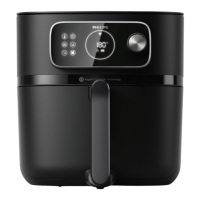
Measure the thickness of your food
You can use the food thermometer to measure the thickness of your food.
1 Place the food thermometer next to the food and check which marking
reaches the top of the food.
2 Set the value 1 to 6 when you get asked about the thickness when cooking
with an Auto-Cook program in the NutriU app.
Note: This function is only available when you use the NutriU app and start the
Auto-Cook program from there.
Note: Do not use the food thermometer if your food is less than 2cm thick.
Cooking modes
Mode How to
Auto-Cook Programs Select the Auto-Cook program. Set filling level, number of
pieces or weight, then start cooking.
Manual cooking Set cooking time, temperature and air speed manually and
start cooking.
Food Thermometer Set core temperature, cooking temperature and air speed
manually and start cooking.
Auto-Cook Programs
1 When you switch on your Airfryer by pressing the rotary button, you are in
mode “Auto-Cook programs” by default.
Note: If you have already cooked something else before you want to cook
with an Auto-Cook program, you can enter mode “Auto-cook programs” by
clicking the back button.


 To Next Page