Mechanical Instructions
GB 12 L01.1E4.
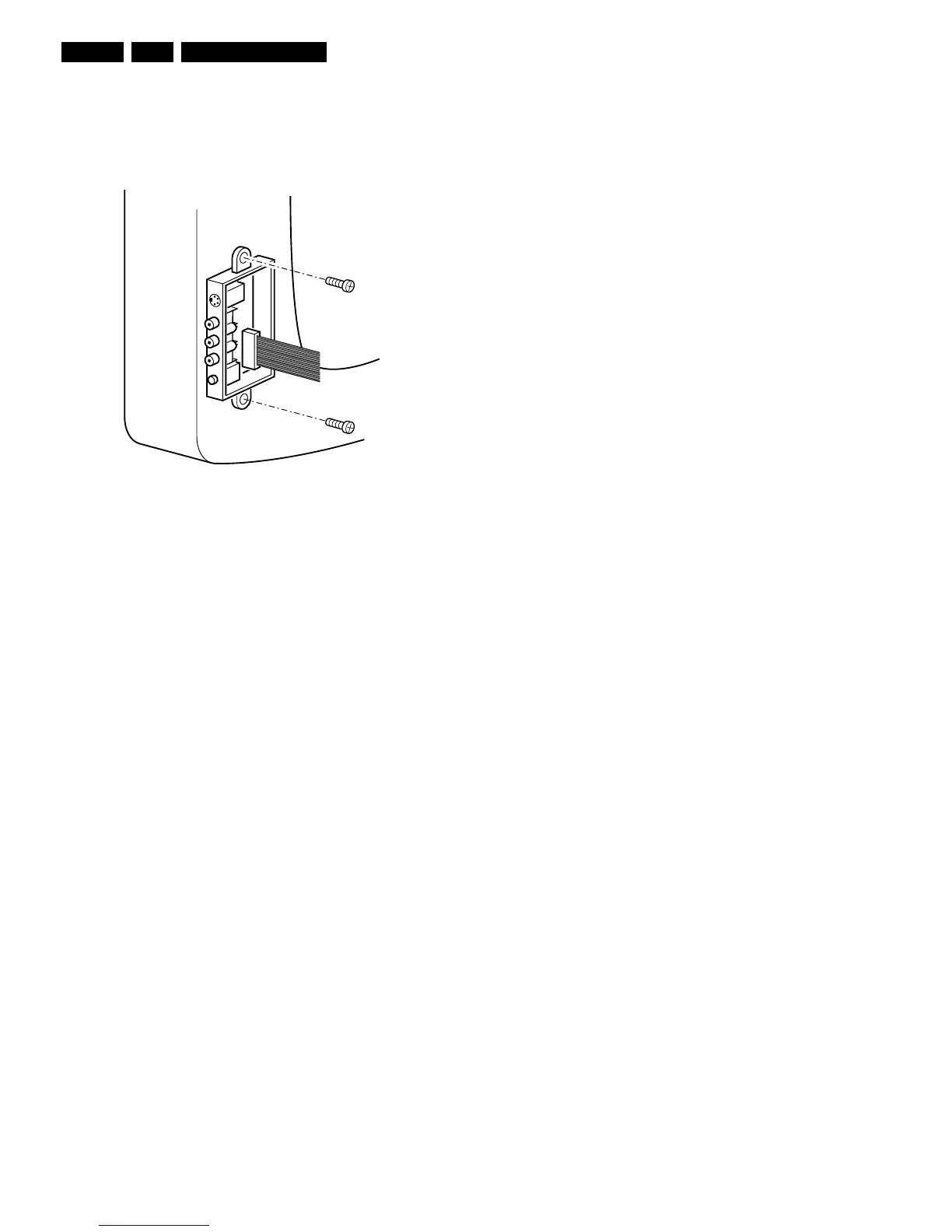
4.3 Side I/O Panel Removal (if present)
1. Remove the complete Side I/O assembly, after
unscrewing the 2 fixation screws [1].
2. Release the two fixation clamps [2] and lift the board out
of the bracket.
Figure 4-3
4.4 Rear Cover Mounting
Before you mount the rear cover:
1. Place the mains cord correctly in its guiding brackets
(strain relief).
2. Place all cables in their original position.
CL 06532012_004.eps
030200



 To Next Page