12 Philips · PicoPix Max One
Charge a USB device
You can charge a USB device (e.g. smartphone,
MP3 player or other mobile device).
Charge via USB-A port
1 Using a USB-A cable, connect your USB
device to the USB port on the projector.
2 Turn on the projector. The USB device starts
to charge automatically.
• USB-A connection can also power a
USB device like Amazon Fire TV stick®,
Roku®streaming stick (not for mass storage
or media player).
Charge via USB-C port
1 Using a USB-C cable, connect your USB-C
device to the USB-C port on the projector.
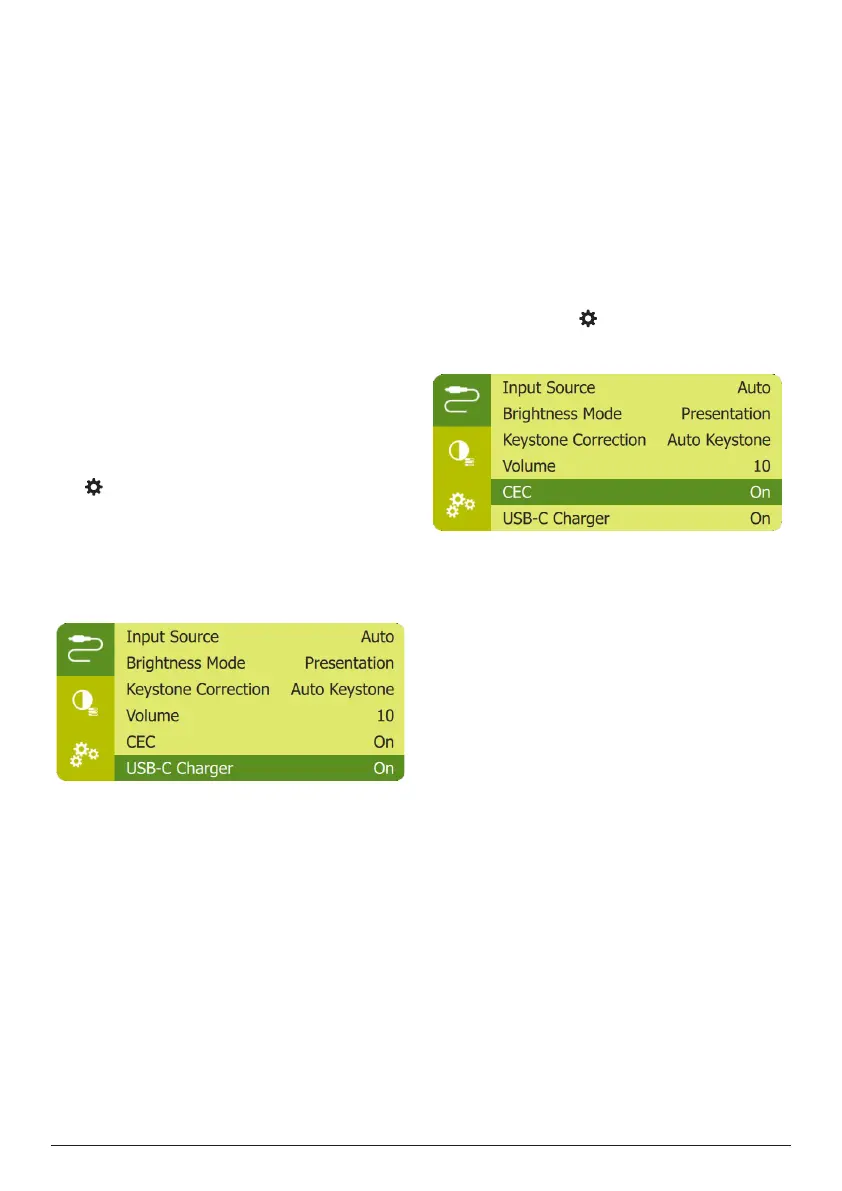
2 Turn on the projector. Make sure USB-C
device charing function is activated. Press
on remote control to access the settings
menu, then navigate to select USB-C
Charger - On.
The USB-C device starts to charge
automatically.
To deactivate charging of a USB-C device,
select USB-C Charger - Off.
Use easy link
This projector supports easy link which uses
the HDMI CEC (Consumer Electronics Control)
protocol. You can use a single remote control
to turn on or off the easy link compliant
devices that are connected through HDMI.
The manufacturer does not guarantee 100%
interoperability with all HDMI CEC devices.
1 Make sure the projector is connected to an
HDMI device which supports HDMI CEC
function (see HDMI connection for image
projection, page 7).
2 To activate easy link function on this
projector, press on remote control to
access the settings menu, then navigate to
select CEC - On.















 To Next Page