15
Connecting, disconnecting RUSH
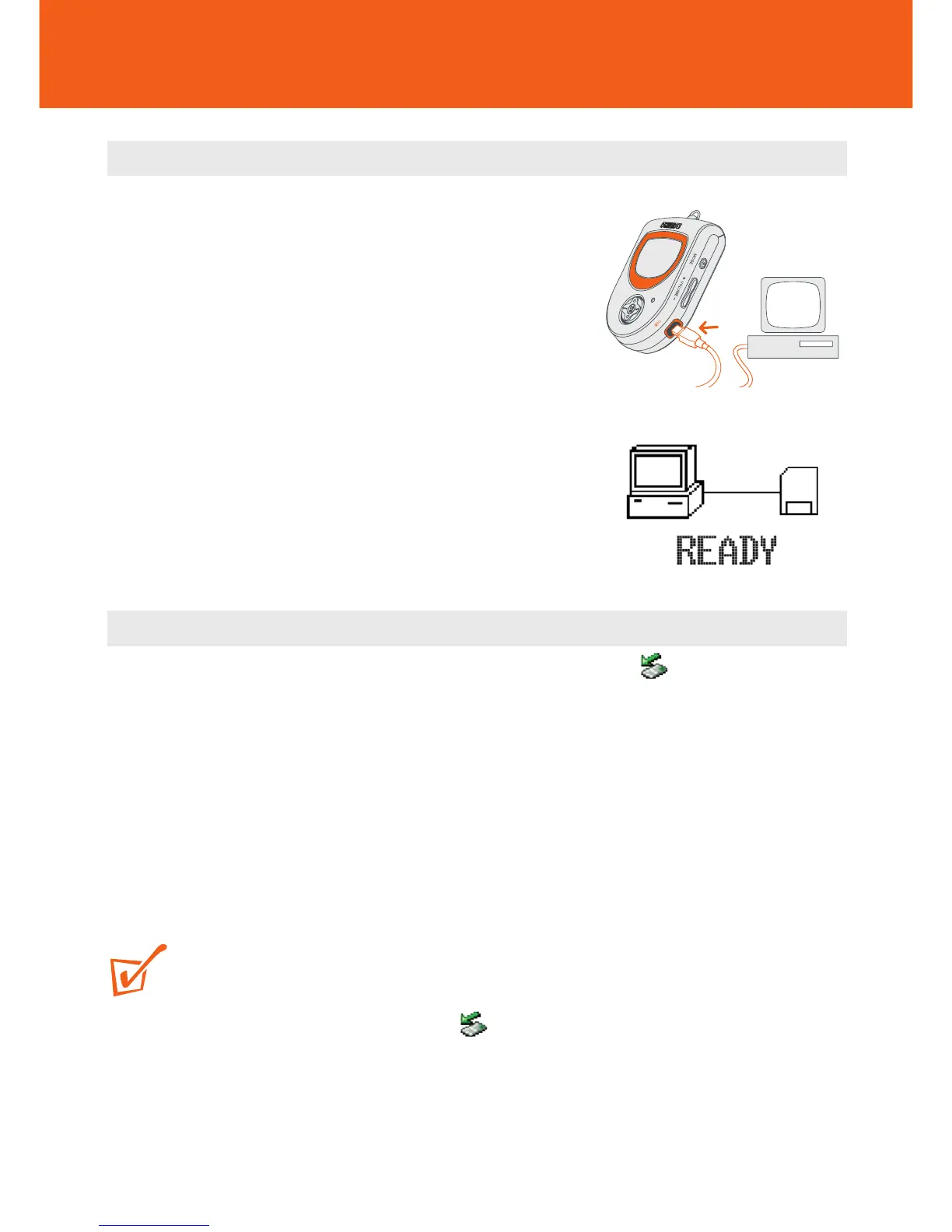
Connecting RUSH to your PC
1 Always turn on your computer before connecting
RUSH.
2 Connect the supplied USB cable to the computer’s
USB port. Remove the protective rubber seal from
the USB jack on RUSH and insert the other end of
the cable here.
y RUSH device display: READY
Disconnecting RUSH from your PC
1 Click on the Unplug or Eject Hardware removal icon on your PC task
tray.
2 Follow the screen instructions.
3 When you reach the message: The 'USB Mass Storage device' can now be
safely removed from the system, click OK before you unplug RUSH from your
PC.
TIP:
– For Windows98 users, there is no removal icon. Instead, please check
your RUSH shows the READY display, before you unplug RUSH.
– Always replace the protective rubber seal when not connecting RUSH to your
computer.










 To Next Page