16
Transferring MP3, WMA files
TIP:
–In Window Explorer, you can simply drag-and-drop
your selected music files to your player (Removable
Disk). Or you can follow steps 1-4 below and use
MUSICMATCH Jukebox to transfer your files.
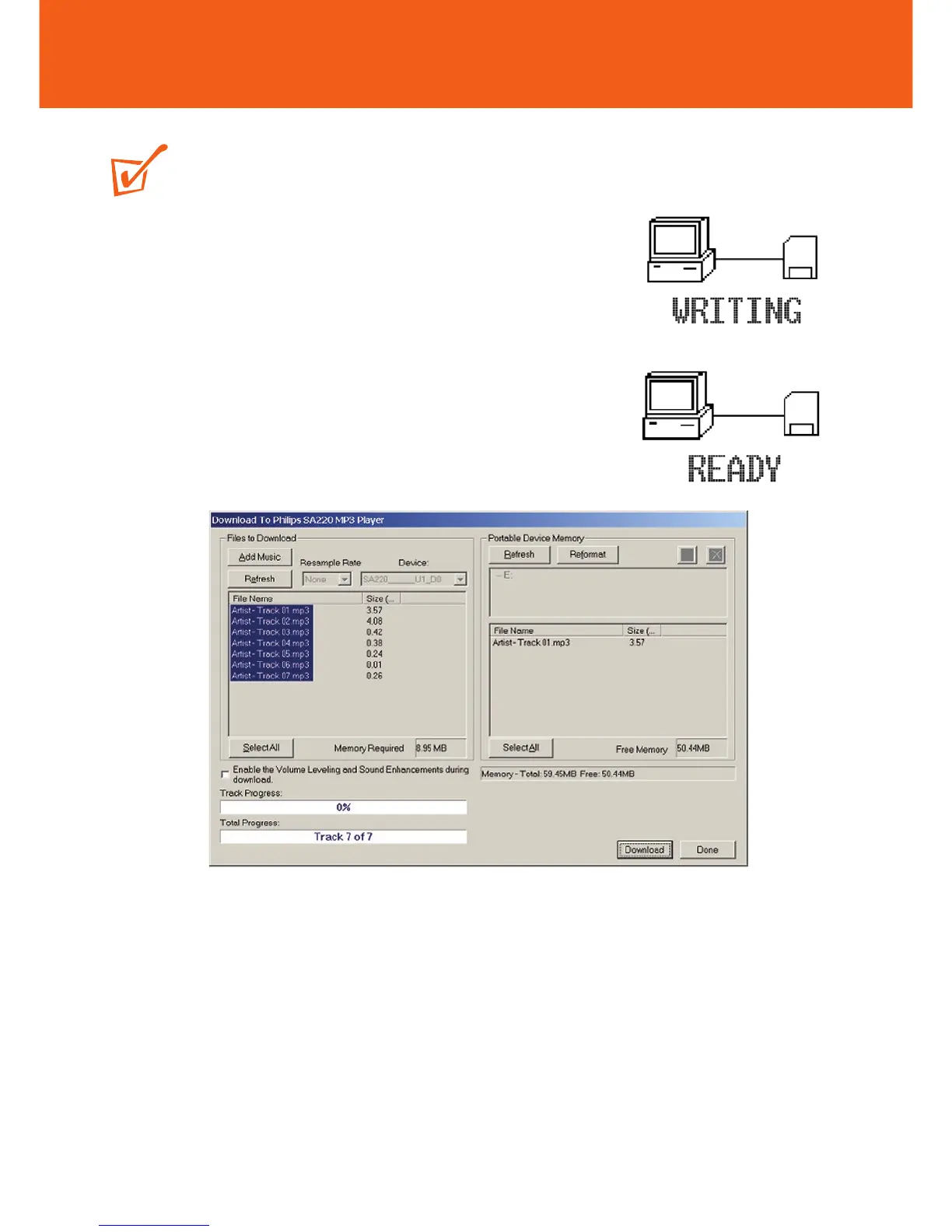
– During downloading/ uploading/ formatting, DO NOT
disconnect RUSH until the device shows the READY
display.
1 Create/ open a music playlist.
2 Click File y Send to Device y Download Playlist to Mass Storage.
Your songs will automatically appear in the Files to Download window.
3 Select tracks to be downloaded from the list.
4 Click Download.
5 After tracks have been transferred to the device, click Done to exit. Check your
download status from the track progress bar.










 To Next Page