18
English
Note: If you choose to change mode/intensity from the recommended setting,
the brush head will remember the your chosen setting for future brushing
sessions.
Activating or deactivating features
You can activate or deactivate the following features of your toothbrush:
- EasyStart
- Brush Head replacement reminder
- Pressure Sensor Feedback
Note: The brush head replacement reminder is only compatible with Sonicare
smart brush heads. The smart brush head must be attached to the toothbrush
in order to activate or deactivate the replacement reminder.
From handle:
Step 1: Place the handle on a plugged in charger/charging
travel case.
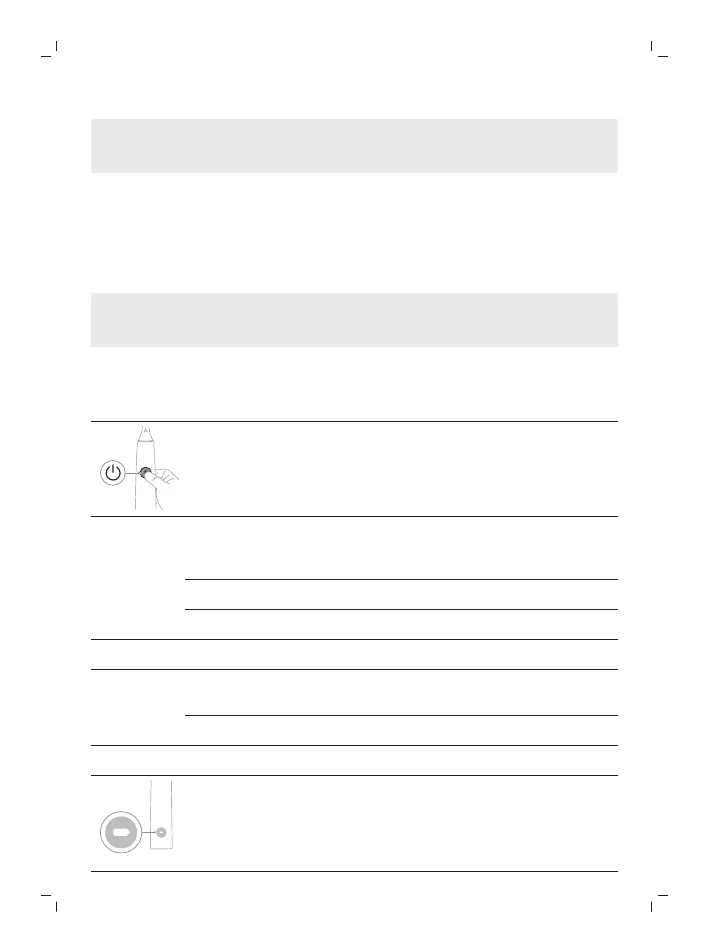
Step 2: Press and hold power on/off button for:
EasyStart Brush Head
Replacement
Reminder
Pressure Sensor
Feedback
Up to 3 seconds Up to 5 seconds Up to 7 seconds
¯ ¯ ¯
Step 3: Let go of the power on/off button when you hear:
1 beep 1 beep and then
2 beeps
1 beep, 2 beeps and
then 3 beeps
¯ ¯ ¯
Together with:
If you see the left LED for the battery indicator flash green 2
times and hear 3 tones low to high, then the feature has been
activated.






 To Next Page