20
English
6
When the handle is on the charger and the battery is fully charged, the LED
lights of the battery indicator start flashing green. Once the battery is full,
the green light remains solid for 30 seconds and then turns off.
Charging with the travel case
Note: Accessories included may vary based on the model purchased.
1
Insert the USB cable to the charging travel case.
2
Connect the attached USB cable to the 5V DC input power supply unit.
- Charge only with Philips compatible chargers or safety approved
adapters with input ratings: 100 - 240V~; 50/60Hz; 3.5W and output
ratings 5VDC; 2.5W.
- A UL-listed or certified 1310 Class 2 power supply (NAM only).
Important: The wall adapter must be a safe extra low voltage source,
compatible with the electrical ratings marked on the bottom of the device.
3
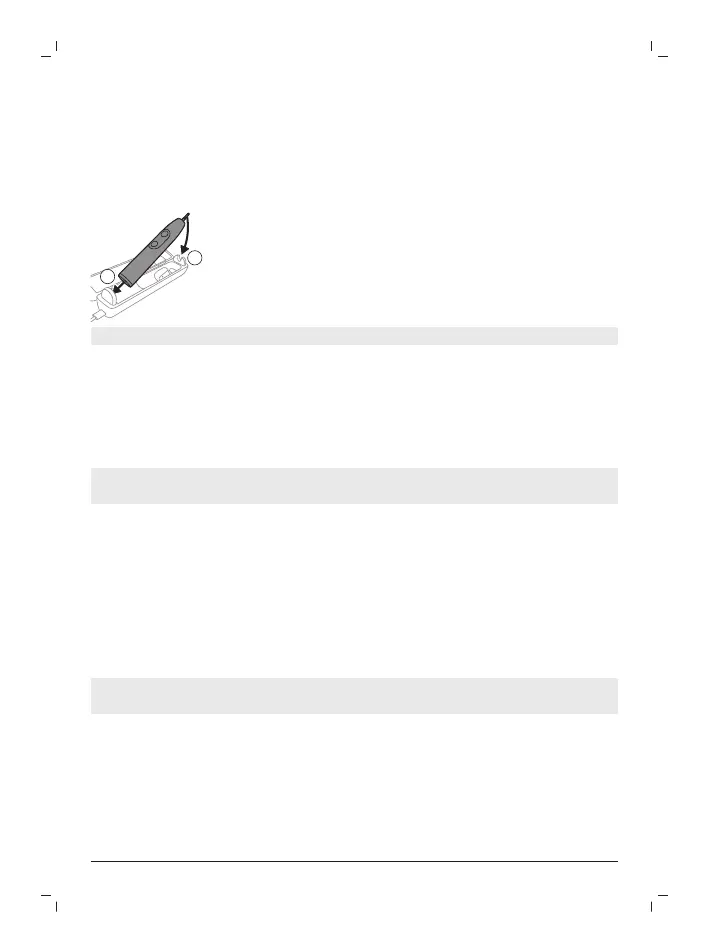
Place the handle in the charging travel case.
- The handle emits 2 short beeps to confirm that the handle is placed
properly for charging.
- The flashing light of the battery indicator shows that the toothbrush is
charging.
4
The travel case will charge your toothbrush until your toothbrush is fully
charged.
- When the handle is fully charged, the battery indicator lights up green
for 30 seconds and then switches off.
Note: Charging the handle with the charging travel case may take longer than
on the charger.
Battery status
Battery status (handle on plugged-in charger/charging travel case)
When the handle is placed on the charger or in the charging travel case, the
battery indicator shows the battery level.
Battery status
Number of flashing
LEDs
LED color






 To Next Page