EN 22
3 Launch a music app on your Apple
device, then play music.
4 Click the AirPlay icon
5 In the pop up list, select Philips
TAB8967SB-xxxx speaker. Wait a
moment music will be casted to
speaker.
Note
• If the ToU (Term of Use) is accepted, after
connection, the product may perform a
software update. Upgrade is required after
initial set up. Without the upgrade, not all
product features can be available.
• Whenthersttimesetupisnotsuccessful,
hold down the Wi-Fi button on soundbar for 8
seconds until the Wi-Fi light is changed to slow
pulse. Reset the Wi-Fi connection, restart the
app and start the set up again.
• If you want to change from one network to
another, you need to set up the connection
again. Press hold down the (Wi-Fi) button
on the soundbar for 8 seconds to reset the Wi-Fi
connection.
WPS mode
If your router has Wi-Fi Protected Setup
(WPS), you can set up the connection
without entering a password.
1 Press and hold the Wi-Fi button for 5
seconds. The Wi-Fi light will begin in
double blink.
WPS
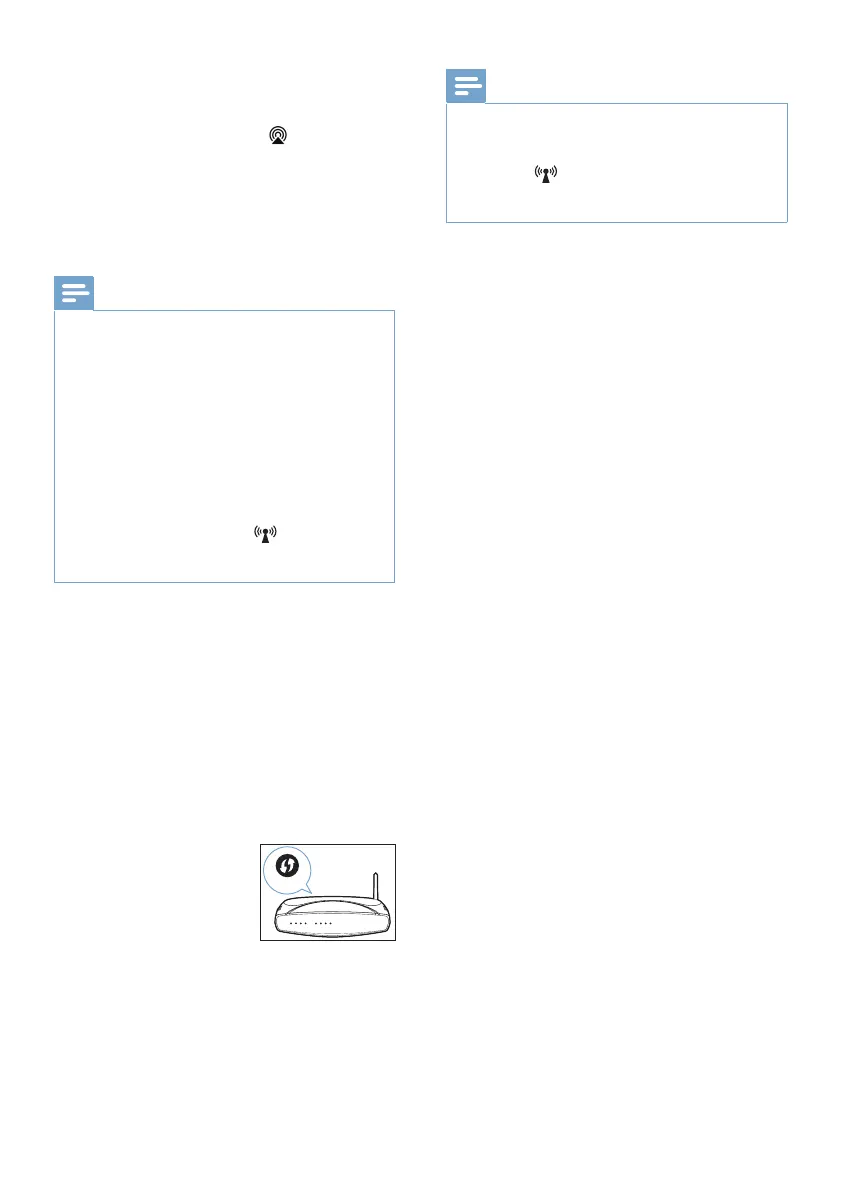
2 Press the WPS button
on your router. The
button is normally
marked with this WPS
logo.
3 Wait for the Wi-Fi LED always turns
on.
Note
• WPS is not a standard feature on all routers.
If your router does not have WPS then use
Standard Wi-Fi Setup.
• Press the (Wi-Fi) button once if you want to
exit the WPS mode or it will automatically exit
after 2 minutes.



 To Next Page