EN 55
English
8 Music mode
In the main menu, press “ ” or “ ” to select“music
play”,then press “ ” to enter the music play folder. In this
folder, press “ ” or “ ” to selct a music file,then short press
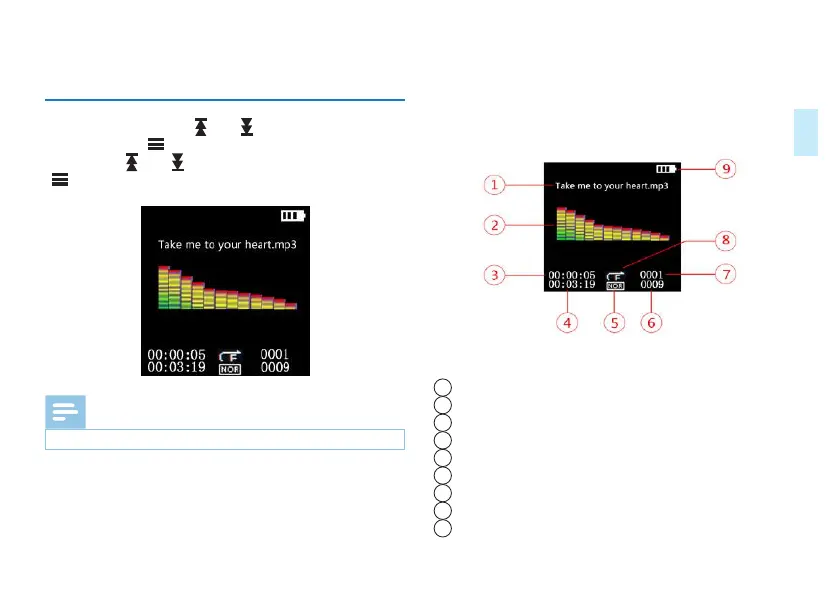
“ ” to enter music play interface as shown below:
Reminder
• Music files can only be played in the “MUSIC” folder.
Description of the interface is as follow:
1
Current file name
2
Music spectrum
3
Current Playback time
4
Total time
5
Sound eect
6
Total number of files
7
Current file order
8
Playback mode
9
Battery














 To Next Page