23
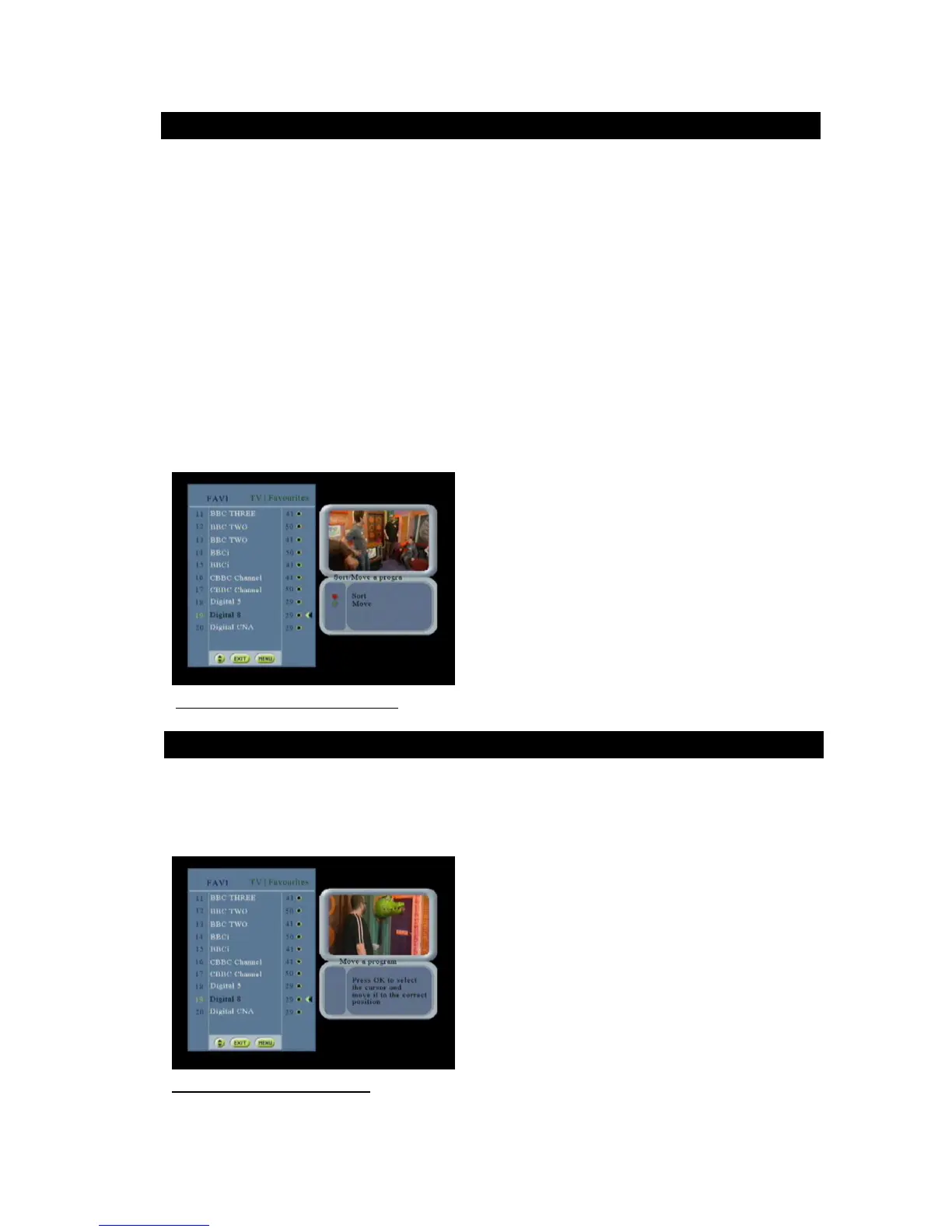
This screen allows the user to sort the services of the current list either by alphabetical order, either manually by
moving a service in the list.
Manually
Mark the channel the channel by using the keys
Press OK
Use rectangle to select channel
Use keys to move channel to your desired place
Use OK button to confirm the move
Press the exit button to complete the process
By alphabetical order
Use the colored function key to ‘sort ‘the entire channel in the alphabetical order
The channel selected in the favorites list are placed ahead of those not selected
Only the services of the favorite list are presented.
By pressing the red key, the services are automatically alphabetically ordered.
The green key is used to sort the services manually. A new screen is displayed.
The services numbering is updated according to the sort.
Figure 21: Sort/Move a program screen
This screen allows the user to move manually the services of the current list.
The user selects the service to move, goes to the new place and validates. The service is moved to the selected place
in the list.
Figure 22: Move a program screen



 To Next Page