31
Press the menu button on the remote
-The main menu will appear on the Display
Then select the setup option
-Which will lead you to a new page of menu configuration
This screen allows selecting the type of installation the end-user wants to perform. He can perform four different
Ways of searches:
-Update
-Full
-Manual
-Update
By choosing this option, it will help you install the new channel available
-Automatic search
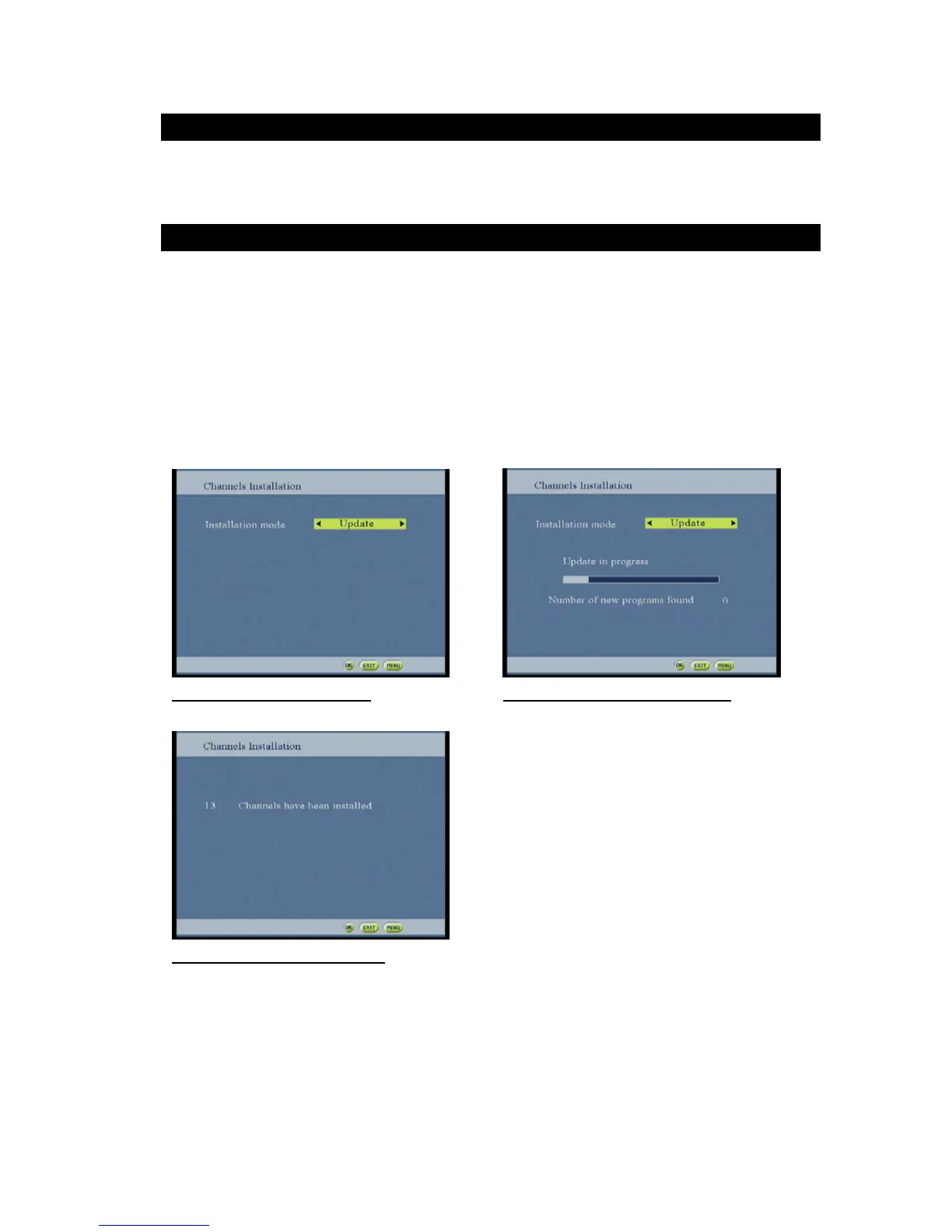
During the automatic search installation, a popup is displayed to inform the user of the scanning
Progress.
Figure 46: update search screen Figure 47: update search running screen
Figure 48: update search done screen
An item in the screen allows the user to select the installation mode (, Manuel search or Full
Reinstallation and update).
A “search” type installation performs an “add” operation. All new services found are added to the previous
Installed services or replace existing ones.
-Full
At this option all the channels from the current channel list and the favorite list are deleted and being
Replace with the new channels found.



 To Next Page