43
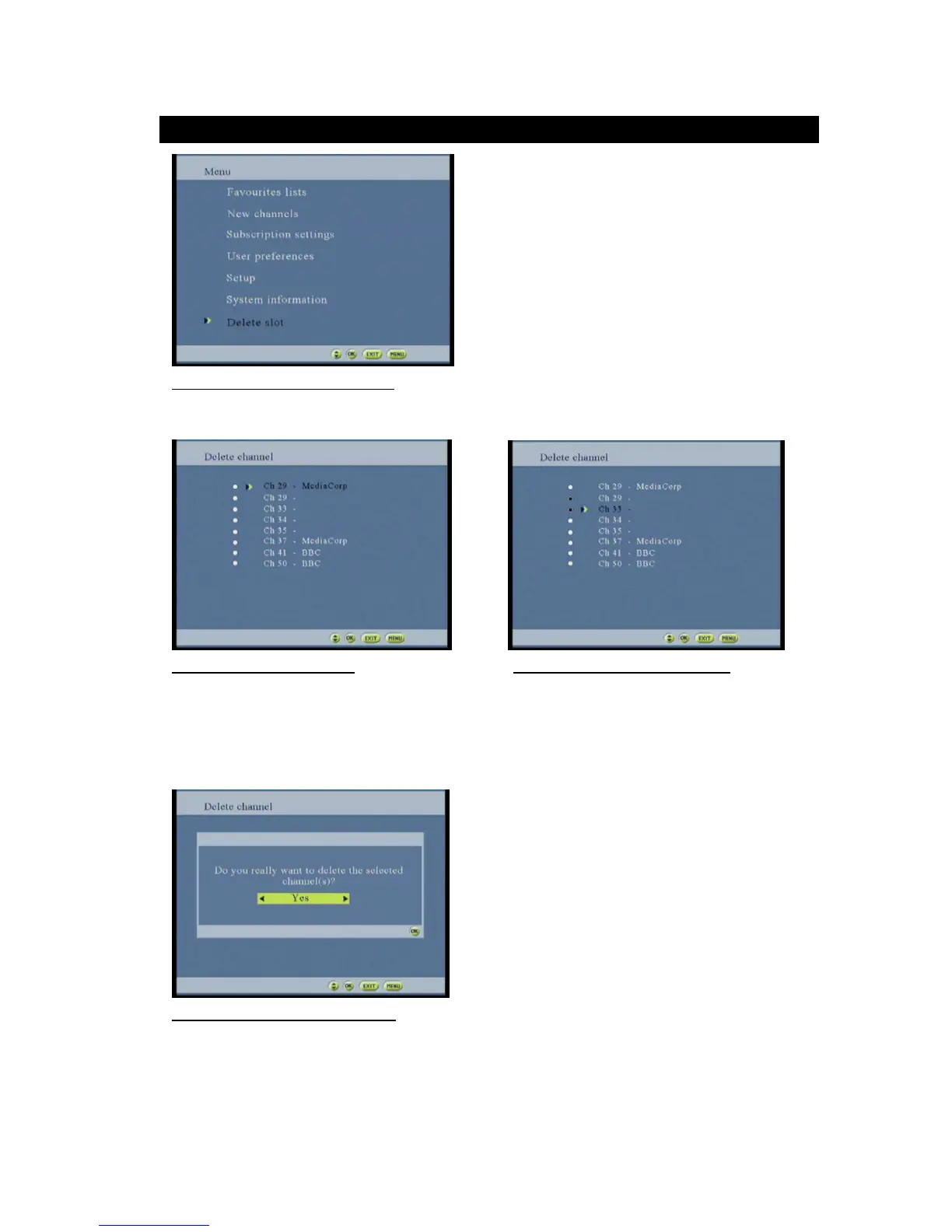
Figure 73: Delete channel option screen
Select the delete channel button and the screen on figure 74 will be displayed
Figure 74: Delete channel screen Figure 75: Selected unwanted channel
Use the button to stroll one place up/down the screen.
Use the OK button to select the unwanted channels (press the OK button to deselect your option)
To confirm the deletion press the MENU button and the screen of confirmation in figure 77 will pop out
Figure 76: Deleting confirmation screen
Useto select YES or NO for confirmation. Press the ok button to confirm chose to proceed.



 To Next Page