Cell number is self-defined to distinguish from each other. This could be viewed in data management.
After the setting, click the button Start at right bottom to carry out the test.
Testing result will display in seconds like Fig 3.2.1.7. If you need to retest it, click the button Retest.
Click Save (in Fig 3.2.1.2) to save the testing result, or disconnect the testing clips from battery and
testing result will be automatically saved.
NOTE:
As mentioned in 3.1.2 Wire connection, testing result may vary a little due to different way of
connection between testing clips and battery posts. Therefore, if testing result varies in different time,
please refer to the lower value.
Specify Battery Type & Reference Value
If you could not find the exact type of battery that you want to test, or you want to specify your own
reference resistance, you could self-define the parameter.
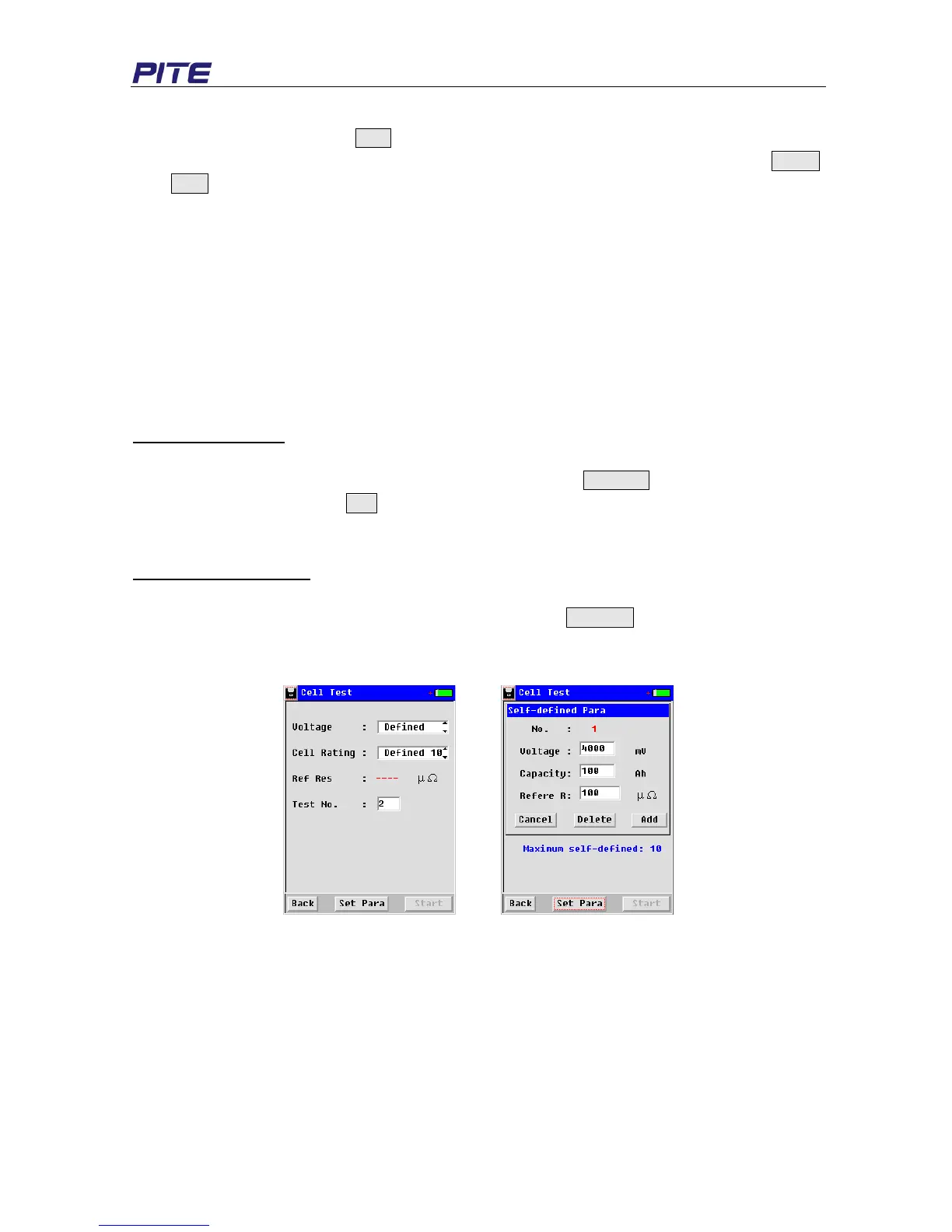
1) Specify battery type
If you have battery that has non-standard voltage type (e.g. 4V 100Ah), you could add this type. To do
this, please select “Defined” in the box of “Voltage”, then click Set Para at the bottom, input the
parameters required and click Add to save the setting (e.g. refer to images from Fig 3.2.1.3 to Fig
3.2.1.5). Maximally you could set 10 different voltage types.
2) Specify reference value
If you would like to set different resistance reference or cell type under the same battery voltage,
please first select voltage rating and then click the button Set Para to add these information.
Maximally you could add 10 different cell types under each battery voltage. Screen in Fig 3.2.1.6 and
Fig 3.2.1.7 are for your reference.
Fig 3.2.1.3 Fig 3.2.1.4


 To Next Page