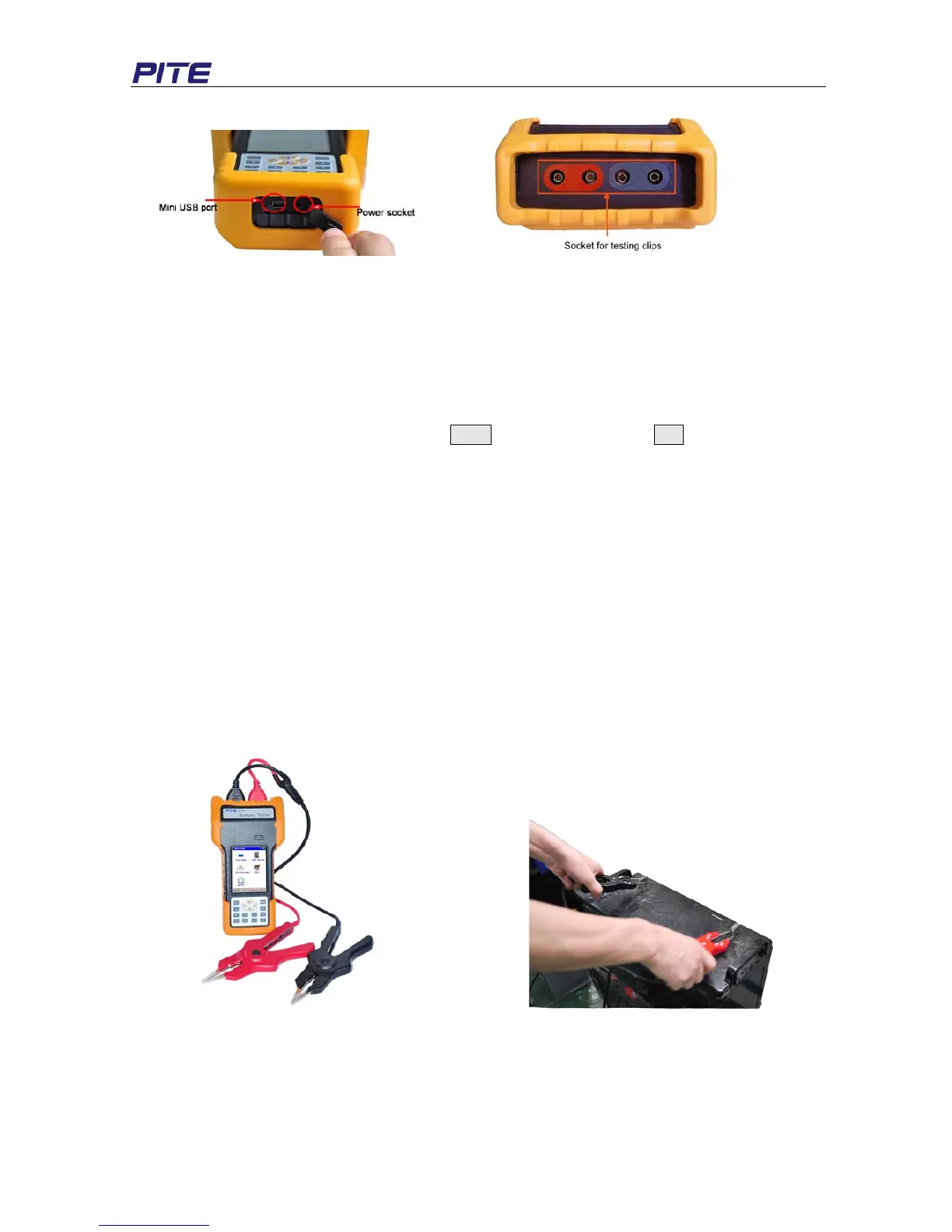
Bottom Top
Fig 3.1.1
Operation of touch-screen
Click on each menu to highlight it and click it again to carry out each function. Click “Back” to return to
the upper menu and click “Home” to return to the starting screen.
Operation of keyboard:
Keyboard operation has the same effect with touch-screen operation. Press each arrow key “←”, “→”,
“↑” and “↓” to highlight each menu and press Enter to activate it. And key Esc is for going back to
upper menu.
3.1.2 Wire Connection
Before measurement, please first connect the testing clip with main unit and fix the screw like Fig
3.1.2.1. Then clamp the black clip with the negative polar of battery and the red clip with positive.
NOTE:
1) To enhance the measurement accuracy, please try to clamp the clips around the posts of
battery. Rust or any insulating material (e.g. glue) around the posts will increase the
resistance. Therefore, please try to avoid these causes before connecting the clips.
2) Measurement of PITE 3918 is based on 4-point measurement. Each clamp has two metal
points that are connected with the battery posts during measurement. This is same to the pin
type probe. So each time when you use the pin probe for measurement, make sure that all the
four pins on the pin probe should be connected with the battery posts well.
Fig 3.1.2.1 Fig 3.1.2.2
3.1.3 Power On
Switch on the power on/off button indicated in Fig 3.1.3.1, you will see the starting screen as Fig
3.1.3.2. Click any point of screen to view the main menu like Fig 3.1.3.3:


 To Next Page