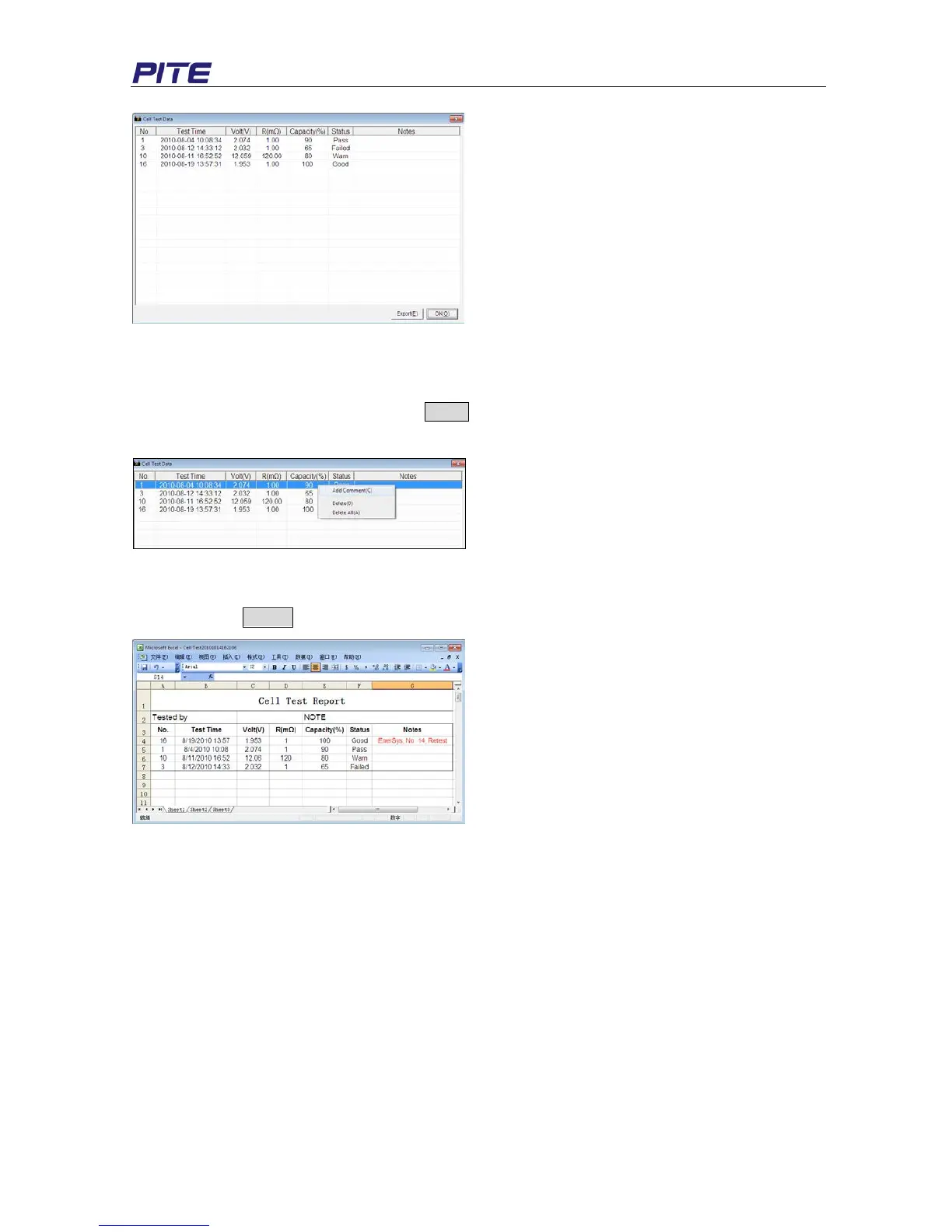
Fig 4.2.2.2.a
Parameters of the cells like testing time, voltage, resistance will be displayed. Like string data view,
you could click each item to sort them out in sequences. To add some comments of each cell, you
could directly double click the boxes below Notes to input your comments, or you could select one cell
data, click right and then “Add Comment”. See Fig 4.2.2.b for example.
Fig 4.2.2.2.b
3) Export Cell Data
Click the button Export to export cell test report into an Excel Form like Fig 4.2.2.c
Fig 4.2.2.2.c
4.3 Help
Click Help About, and it displays the detailed information of PITE 3915 Battery Tester Data View
Software like Fig 4.3.a.


 To Next Page