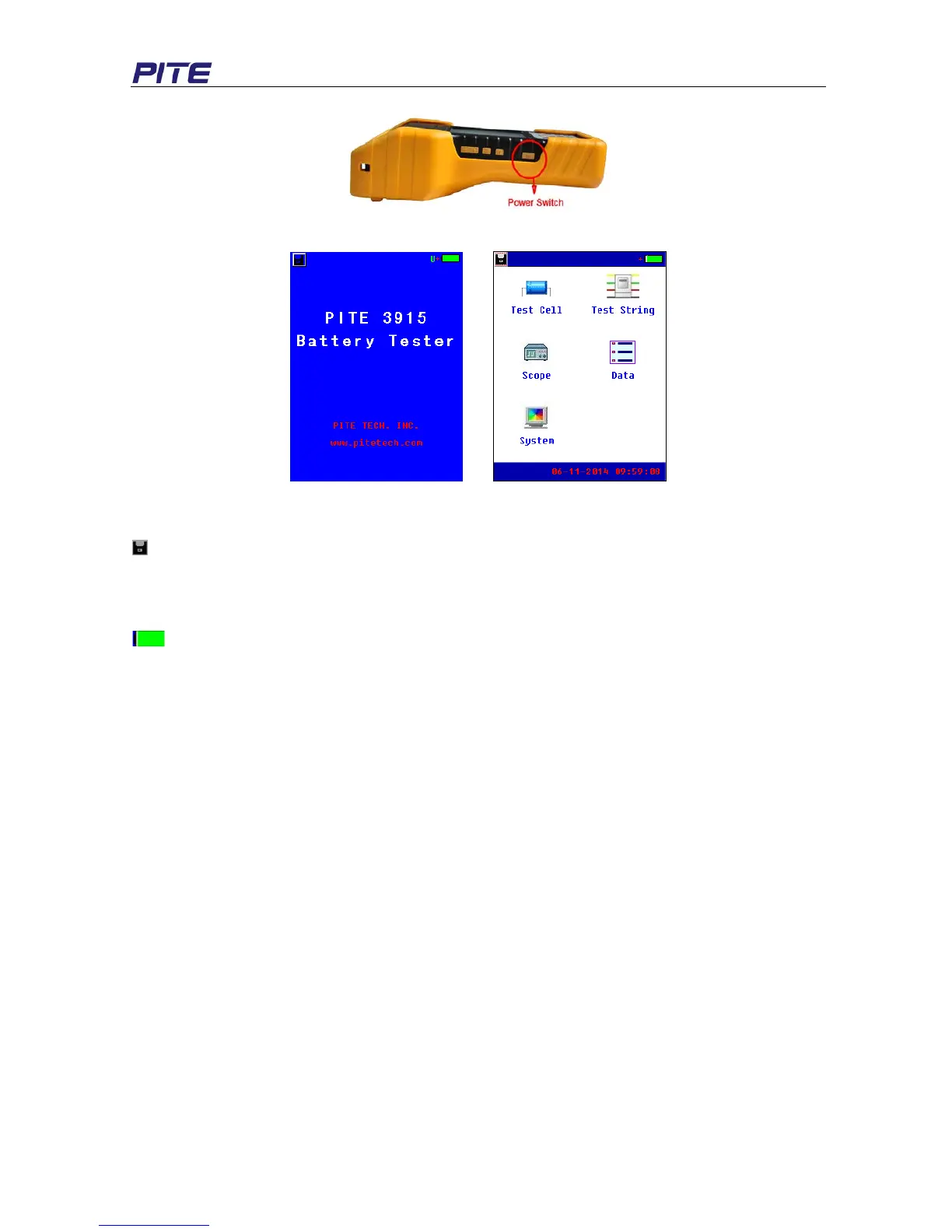
Fig 3.1.3.1
Fig 3.1.3.2 Fig 3.1.3.3
About screen:
: This icon is for screenshot. Connect the USB drive with bottom of the main unit with USB converter,
highlight this icon, click it again and wait for a little while, the current screen will be snapped in the USB
drive.
06-11-2014 09:59:08: indicates the current time which is predefined in 3.4.2 Time Setting.
: This icon indicates the status of Li-ion battery inside main unit. When it is full green, it is full
charged. If it is blank, it indicates that battery is low. Please connect with the power adaptor timely for
charging.
U: When this letter turns green, it indicates the USB drive is well connected with main unit.
3.1.4 About Reference Values
PITE 3915 has pre-installed reference conductance for some common battery types. These values are
average conductance values got from samples of strong battery strings similar in condition and age of
usage. Generally, a sample of 30 new or healthy batteries are tested to obtain a value representative
of a new online battery 90 days after installation. By comparison, the differences between test results
and reference values will help you determine the string capacity and health status for further solutions.
Differences may reflect how a string was treated, installed, or maintained.
How to specify your reference values?
Reference values in PITE 3915 menu may not universally fit the batteries that you are testing.
Therefore, you are recommended to specify your own reference values. You have the following
options to set your reference value:
A. Consult to your document from battery manufacturer for the reference values for the batteries that
you are testing.
B. Test the batteries in the string and use the lowest conductance under correct way of test for
reference value. For cells ranking in the string, please refer to String summary in 3.3 Data
Management.


 To Next Page