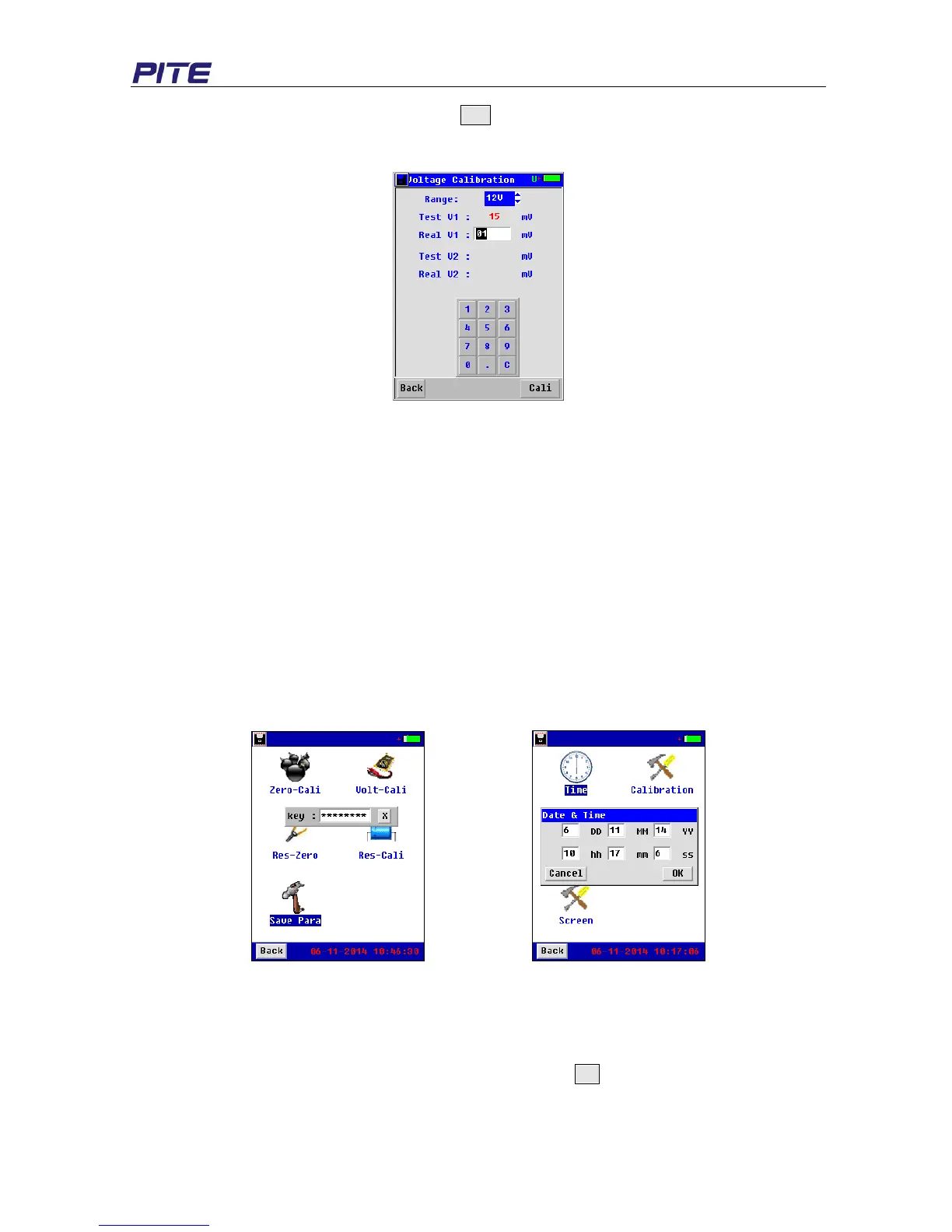
input the actual value for the second and click Cali as well. If you need to calibrate other cell type,
select it on the top “Range” and repeat the same operation. For more detailed instruction, please
contact PITE sales representative.
Fig 3.4.4.1.2
3.4.1.3 Resistance Calibration
This function will require specific instrument and has been calibrated well in PITE before delivered to
you. For more detailed instruction, please contact PITE’s sales representative.
3.4.1.4 Phasic Calibration
This function will require specific instrument and has been calibrated well in PITE before it is delivered
to you. If you really need it, please contact your supplier for detailed instruction.
3.4.1.5 Save parameter setting
After all the above calibrations, please do not forget to save new parameters before the main unit is
turned off. To do this, click “Save Para” and input the password “12345678” (Fig 3.4.1.4). If password
is correct, you will see the indication: “Saved!”
Fig 3.4.1.4 Fig 3.4.2
3.4.2 Time Setting
Click “Time” for data and time setting. The Screen will be seen as below (see Fig 3.4.2). The first line
is for date setting and second line for time. After the setting, click OK to save the change.


 To Next Page