Page 12 of 37
D. Lower only the H-Blocks that come in direct contact with the material and let them touch the
material.
E. Lock each separator in place. When lowering the H-Blocks, check that the material is between the
separator tabs and the feed roller.
3.1.3 Clean feed rollers and or remove paper dust (yellow or white residue) which could
block feed sensor
Feed Rollers - Clean all rubber rollers with isopropyl, denatured and rubbing alcohol only
Sensor - A film and/or dust can build up on the sensors and cause misfeeds of the material. Lift the
transport door and use compressed air to blow dust from the sensors. Cans of compressed air are
available from many computer supply houses.
The sensor may misread if during the printing process the envelope trail edge covers the paper
sensor half-way. By printing something when the paper sensor is half-covered, it causes the sensor
reading to flicker during the process. The result will be blank envelopes or incorrect printing
position due to sensor misreads. Move the text or graphics that is close to the trail edge of the
envelope up or down slightly so that the sensor is either covered or uncovered, not half covered
when the content is printed.
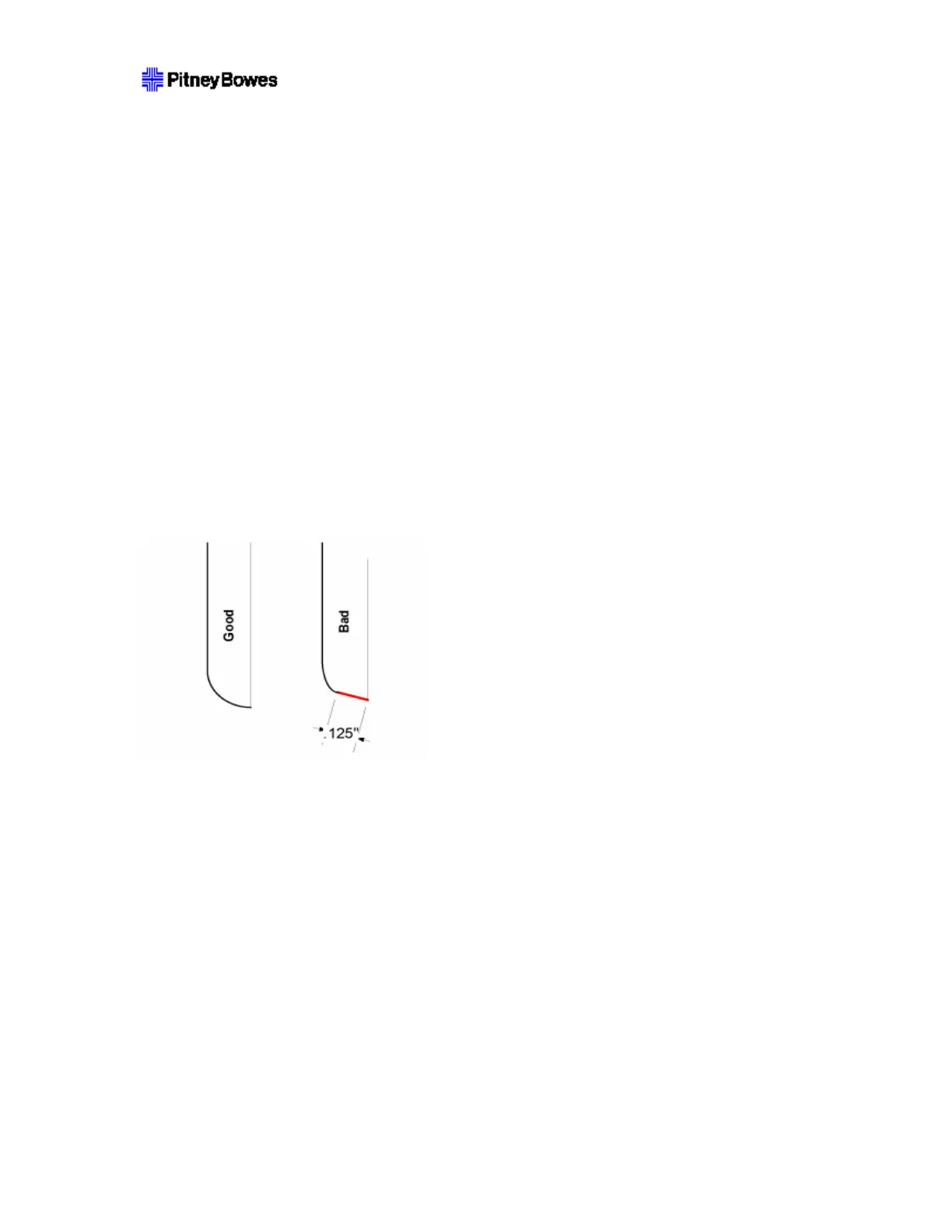
3.1.4 Severely worn gap separator tip on the ‘H’ blocks
Check if the bottom of the tip has a larger than 1/8” flat (see figure below). Replace if necessary.
Normal Tip Worn Tip
On feeders used with the WF96 printer, the separator tip could be rotated in 60° increments when it is worn
severely at one position to improve separation. After all 6 positions are worn; the tips need to be changed.
3.1.5 Excessive stack weight
The weight of the material stack has great effect on the feeding. Make sure the stack weight does not
exceed the product specification.
3.2 Why does my printer multi-feed media? (Both)
This can happen for several reasons. Use the tips below to troubleshoot the problem.
If you are using empty unsealed envelopes, make sure they are not stuck together. Fan all material
prior to loading in your machine.
The sensor may be dirty. - A film and/or dust can build up on the sensors and cause misfeeds of
the material. Lift the transport door and use compressed air to blow dust from the sensors. Cans of



 To Next Page