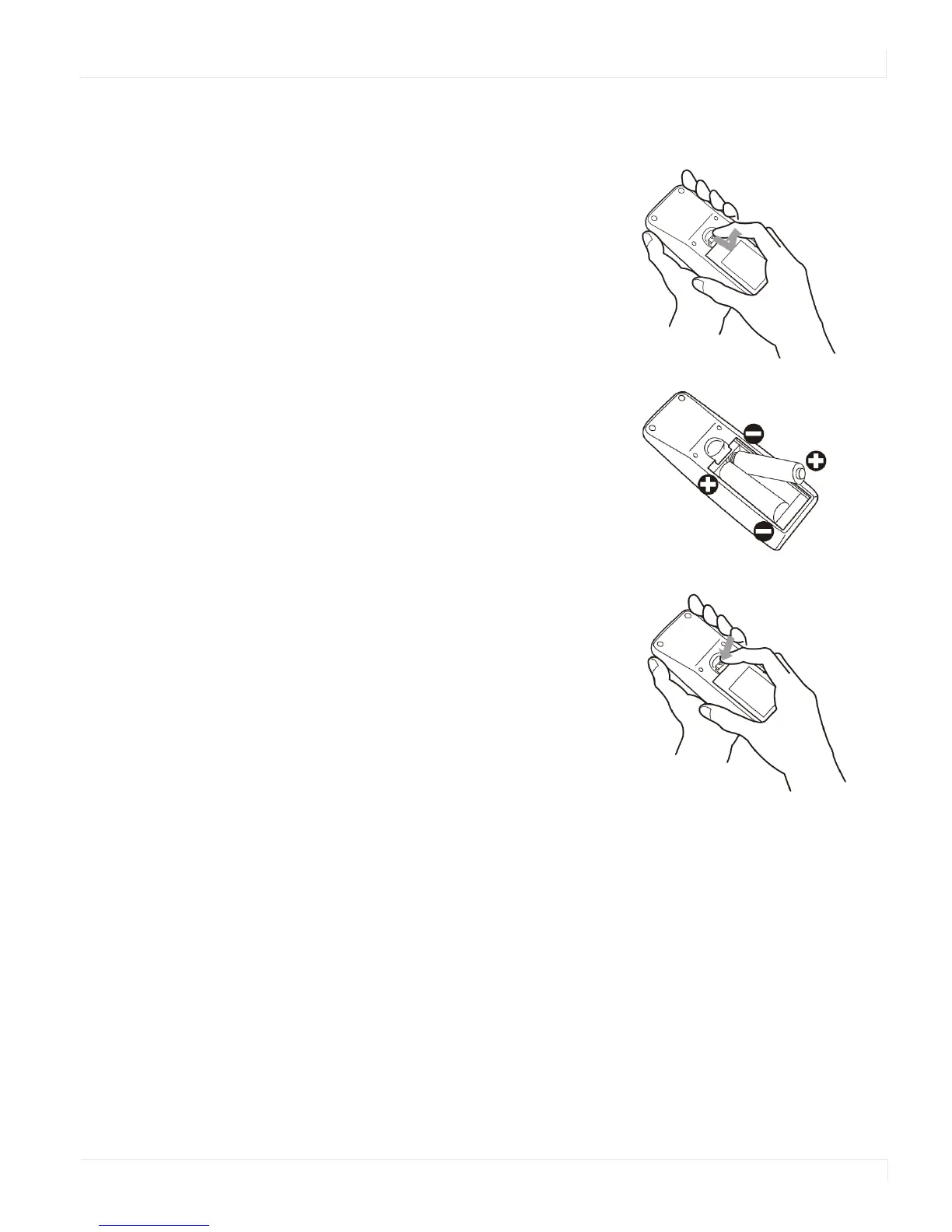
Changing the Remote Control Battery
EP4650/EP5550 User Manual 25
Changing the Remote Control Battery
Turning the EP4650/EP5550 On
1 Insert the power cord into EP4650/EP5550 and into the power outlet.
2 Ensure the AC switch is set to “—“.
3 Press the power button on the remote or side control panel.
1
Remove the battery cover.
Slide back and remove the battery cover in the
direction of the arrow.
2 Insert the batteries.
Align and insert two AAA batteries according
to their plus and minus ports (as indicated in
the remote control).
3 Close the battery cover.
Replace the battery cover in the direction of
the arrow and snap it back into place.



 To Next Page