Sending Serial Commands via USB
Planar RPS and Video Controller RS232 User Guide Page | 45
020-1332-00I
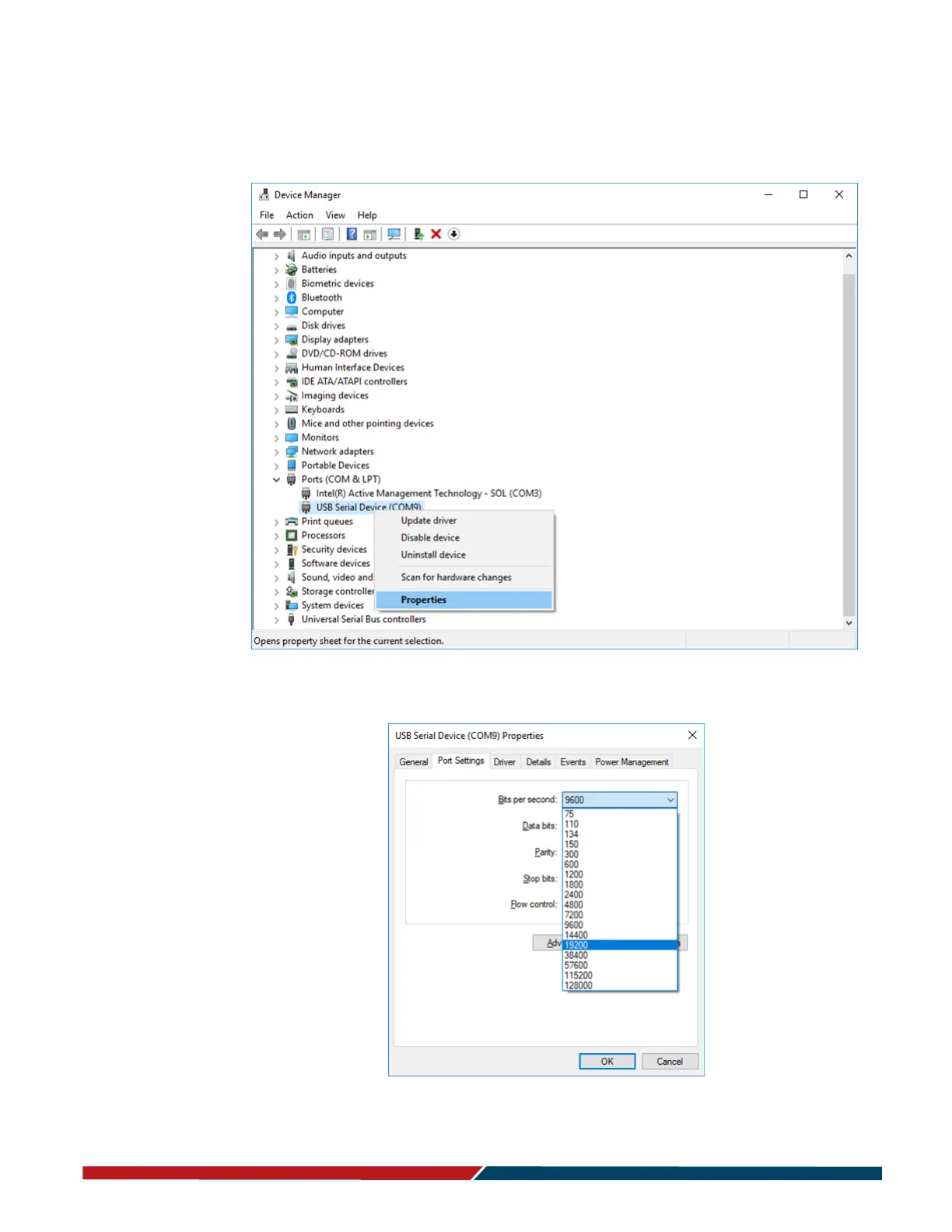
The baud rate on the serial connection is set by default to 19200 on the hardware, so
it may be necessary to update the baud rate in the software. From the Device
Manager, right-click and select Properties.
Select the Port Settings tab from the window that opened and from the pull down
menu under Bits per second select 19200.
Click OK and exit out of the Device Manager.



 To Next Page