FIG-1
FIG-2
25
GTEK170R
RESET
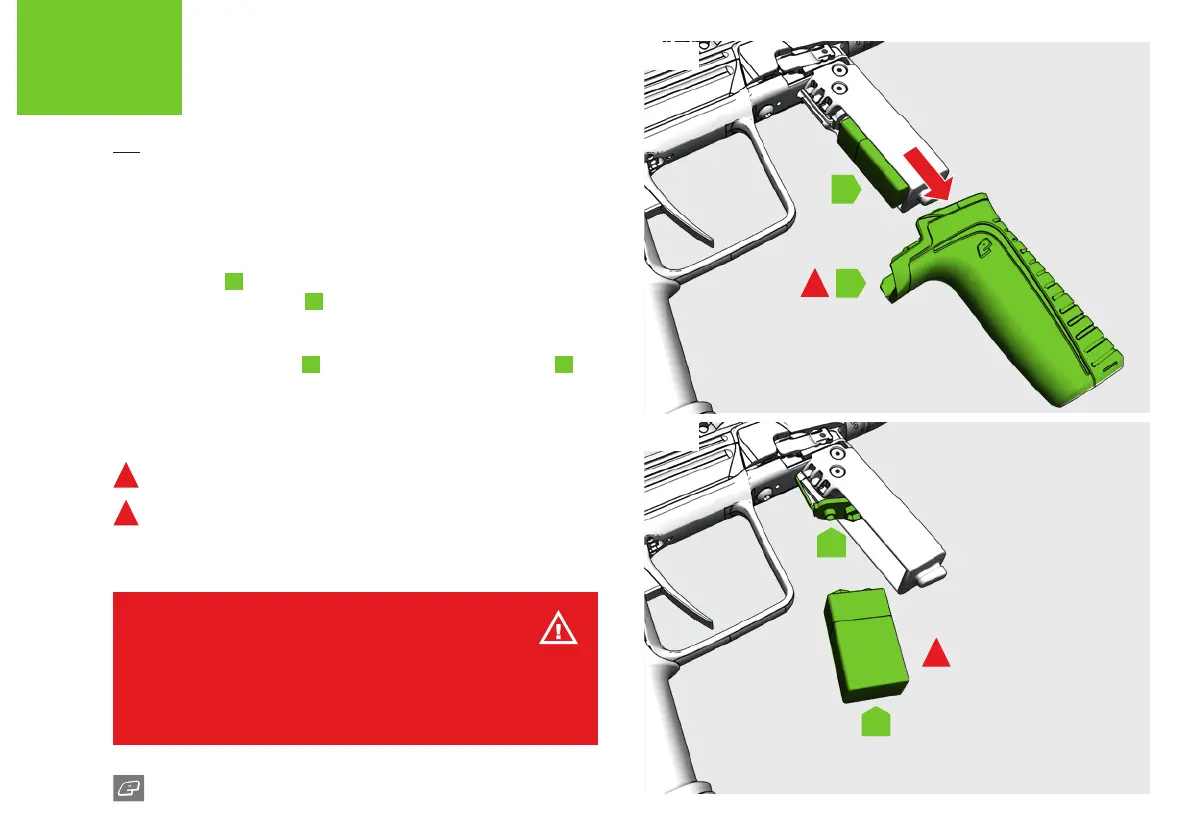
INSTALLING A 9V BATTERY
Make sure the 170R is switched o and degassed before removing or
installing the battery.
FIG-1
Pull the foregrip
A
rmly downwards, in a straight motion (do not
twist) to expose the battery
B
.
FIG-2
Hold the battery connector
A
and gently remove the 9v battery
B
.
To install a new battery simply reverse the process.
1
DO NOT twist when removing foregrip.
2
DO NOT use poor quality batteries.
B
A
1
2
A
B
WARNING!
Do not submerge any of the electronics in water as this may present an
electric shock and/or re hazard.
Check with your local waste disposal authority with regards to the disposal
or recycling of your used batteries.















 To Next Page