User’s Manual of GSD-800S / GSD-802S / GSD-802PS
4.12.7 Web Smart Function
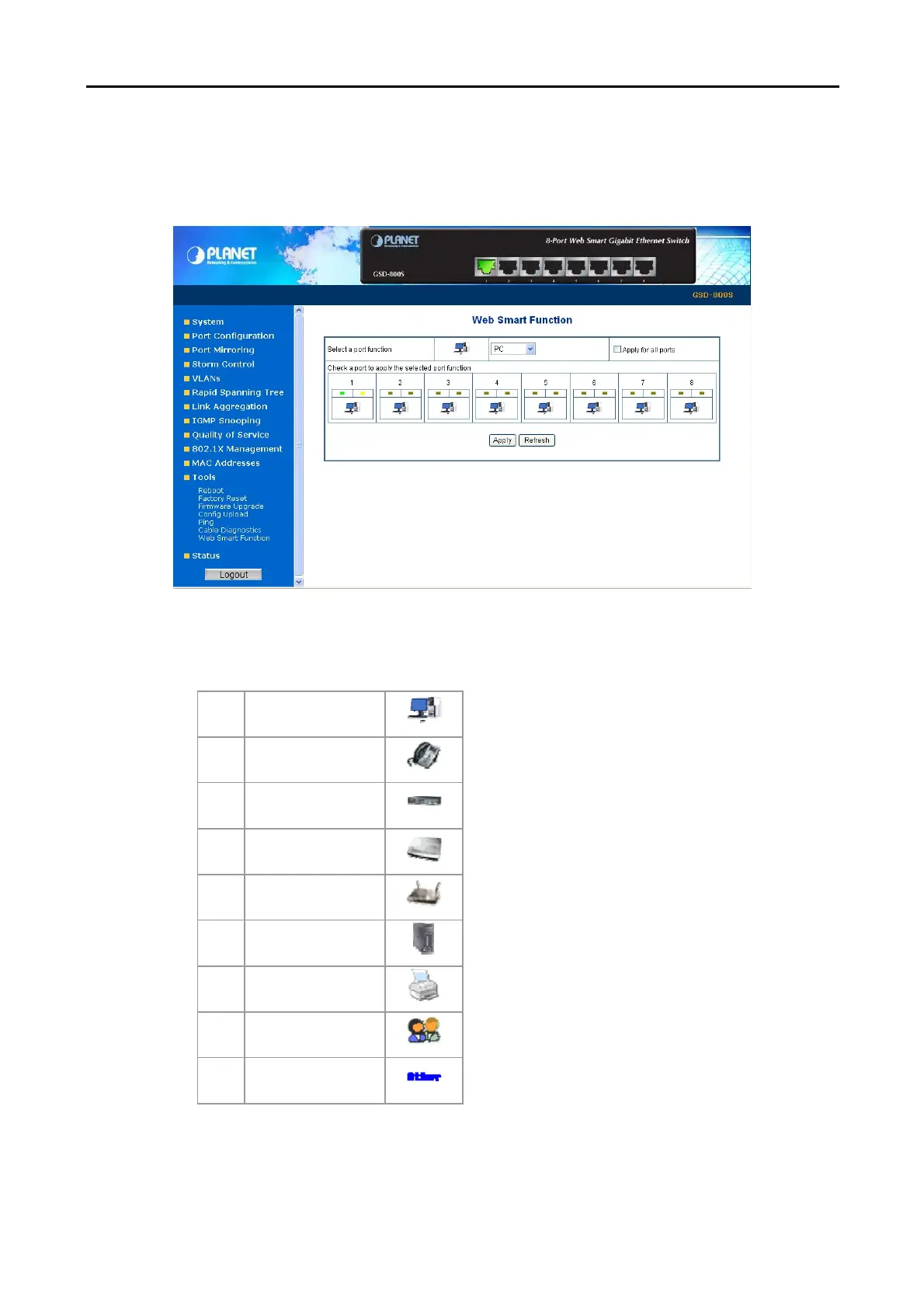
This function could provide you to define device indicate connect to each port on Web Smart Switch, the screen in Figure
4-60 appears.
Figure 4-60 Web Smart Function Web Page screen
The available options are shown as below:
1 PC
2 PC+VoIP
3 Switch
4 Router
5 AP
6 Server
7 Printer
8 Guest
9 Other
The screen in Figure 4-61 appears and the setup procedure shown as below:
1. Choose a device from options of Select a port function, the screen in Figure 4-61appears.
2. Check the port that need to marked, the screen in Figure 4-62 appears.



 To Next Page