22
Mini100/Mini2
21
Mini100/Mini2
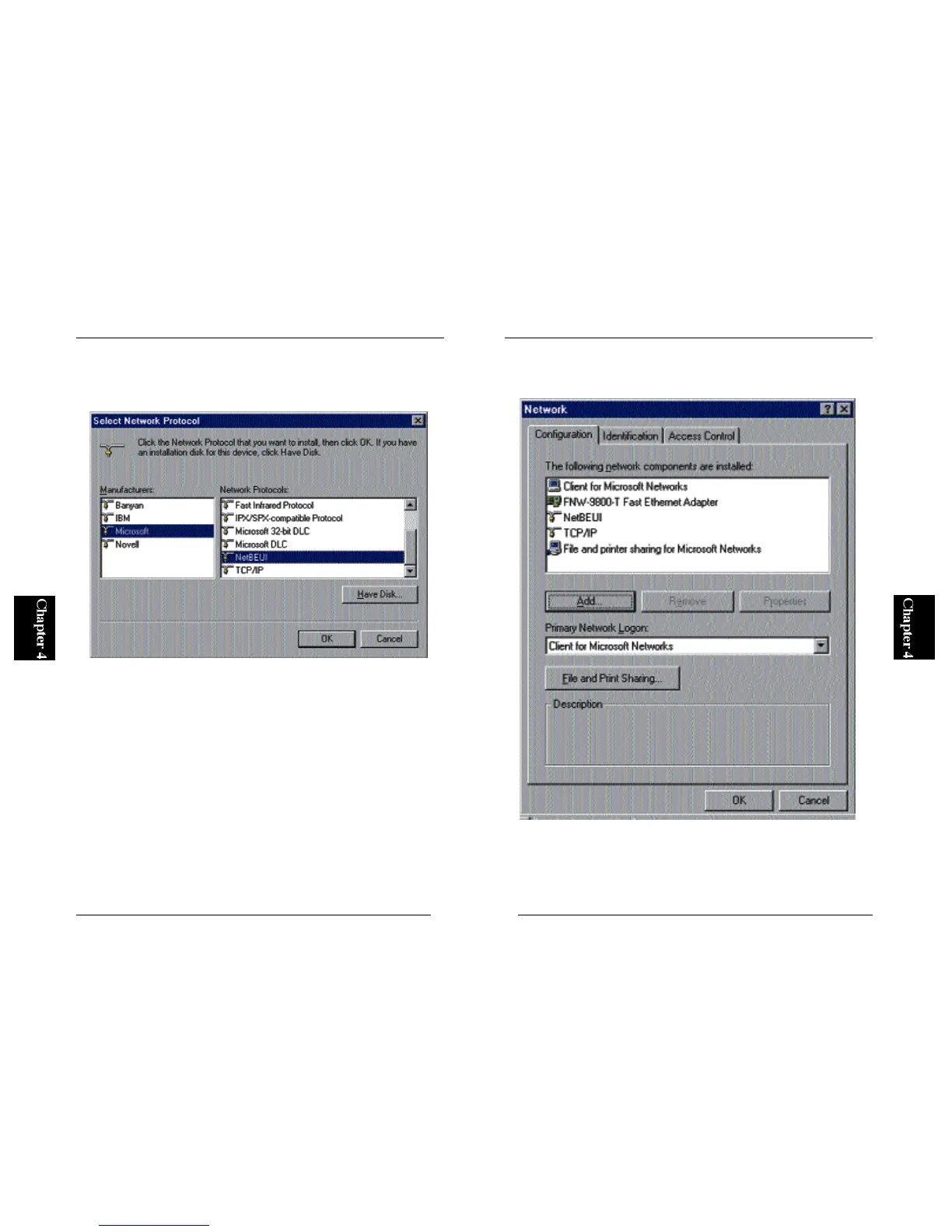
3. A screen titled “Select a Networking Protocol” will appear. Select
“Microsoft” as Manufacturer, and choose “NetBEUI” in the network
protocol list.
4. NetBEUI protocol will be added to the system. Note that an item labeled
“NetBEUI” has been added in the screen below.
※For more details on configuring a network, please see Appendix C.



 To Next Page